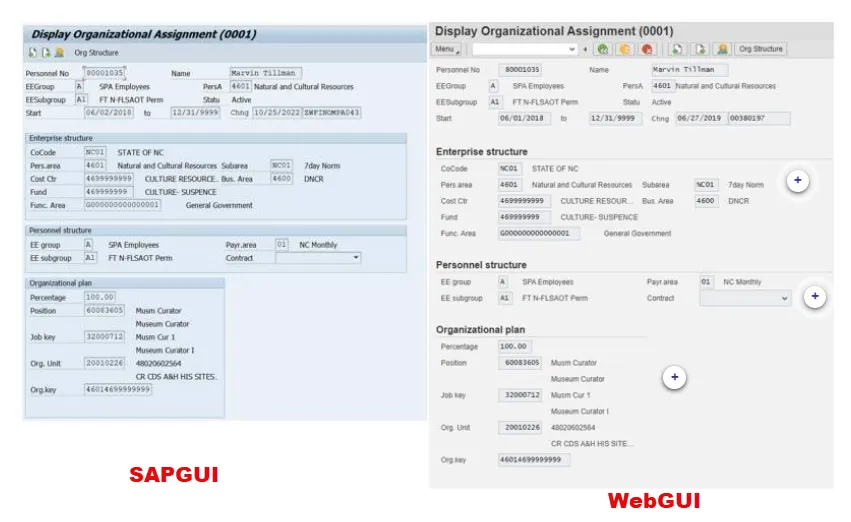
A new chapter in the Integrated HR-Payroll System has begun. We have officially moved from SAP GUI to WebGUI. Here are some updates as well as some best practices to consider as we enter this new chapter together. Scrolling to the bottom of this page will reveal additional important resources for the best WebGUI experience.
- Direct Access - You can now login to WebGUI without going through the FIORI interface! Just bookmark https://gui.portal.osc.nc.gov/webapp. Then, as long as you are on the State Network, either locally or through VPN, you will be prompted to authenticate and then you will be in WebGUI.
- Access Through FIORI - If you choose to access WebGUI through the FIORI Interface, please be aware that you will be asked to authenticate twice. PLEASE NOTE: The SAP GUI tab is no longer available in FIORI for GUI users.
- Data Security – Protecting North Carolina’s data is everyone’s responsibility. When you are working in WebGUI, you routinely deal with sensitive and private information. Here are two best practices:
- Should you have to leave your workstation for any reason while you are working in WebGUI, lock your screen. Pressing the Windows key and L (Win + L) simultaneously instantly locks your Windows PC, displaying the login screen to protect your data when stepping away.
- When you are finished working in WebGUI, even for a short time, log out and close your browser window.
These two practices will help protect data from unauthorized access.
Please note that the system will automatically log you off after remaining idle, but this should never be substituted for the listed best practices.
Be aware of the minimum requirements for WebGUI: Windows 11 | MS Edge
NOTE: DOT employees will continue to use SAP GUI for DOT operations. However, they will use WebGUI for work in the Integrated HR-Payroll System.
In case you have not seen it, WebGUI operates like SAP GUI but looks a little different as shown below.