Purpose
The purpose of this job aid is to review the Workflow Log tool.
Overview
Workflow is the electronic approval process for making changes to person and position data in the system. The Workflow Log is a tool which shows who has the workflow item in their inbox right now.
Procedure
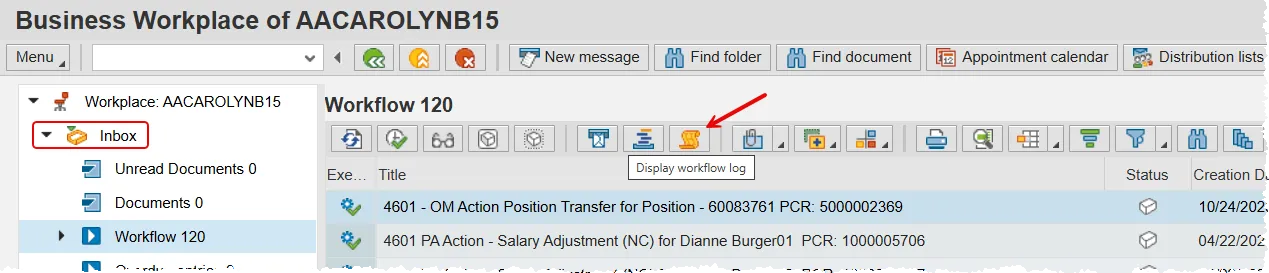
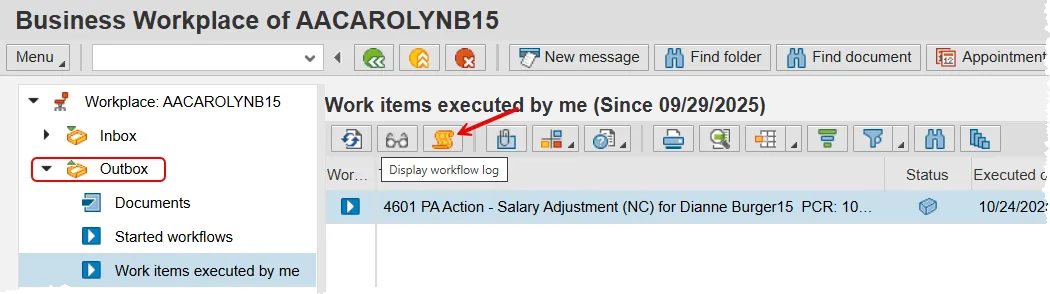
The Workflow Log can be accessed in your SAP Business Workplace Inbox or Outbox. First, select the Workflow item you are researching and then click the Workflow Log button. It contains some very valuable information, so you may remember that it looks like a treasure map!
SAP Business Workplace Inbox
SAP Business Workplace Outbox
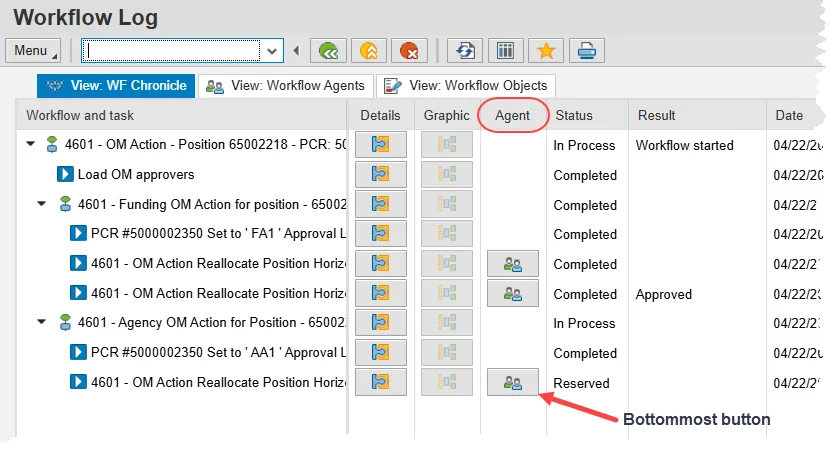
The Workflow Log is a busy screen with a few tabs, several columns and quite a few buttons. But we are only concerned with clicking on one button.
Look at the Agent column and then locate the bottommost button in that column. There may only be one button to choose from, or there may be multiple as shown in the screen shot below. If there are multiple options, you may need to scroll down to find the bottom one.
Once you find it, click it.
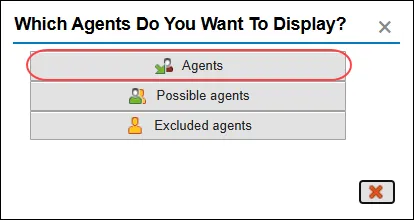
A pop-up has appeared! There are three buttons on the pop-up, but you should only ever click the top one, labeled 'Agents'. Clicking the other two won't break anything, but they will not contain any useful information. Additionally, it may cause your cursor to spin before eventually timing out.
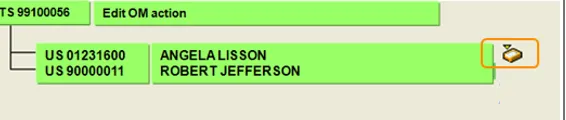
The next pop-up displays all potential approvers at the current approval level. There will be a mailbox icon next to any names that have the PCR in their inbox.
In most instances there will be a mailbox next to everyone's name or next to only one name. In the screen shot below, the work item can be found in Angela Lisson’s inbox, but not in Robert Jefferson’s.
Once you have reviewed this pop-up, close it with the red X and then use the green back arrow button on the Workflow Log screen to return to the SAP Business Workplace.