Purpose
The purpose of this job aid is to explain the immediate pay flag for subject and non-subject employees – IT-2012-Z020.
Immediate Pay Flag For Subject and Non-Subject
There are 10 steps to complete this process.
Step 1. Access transaction PA30 Maintain HR Master Data or PA61 Maintain Time Data.
Step 2. Enter the personnel number of the employee in the Personnel No. field.
Step 3. Under Period, enter the From and To date of the event.
Step 4. Enter 2012 (Time Transfer Specifications) in the Infotype field.
Step 5. Enter Z020 (Immediate Payout) in the STy field.
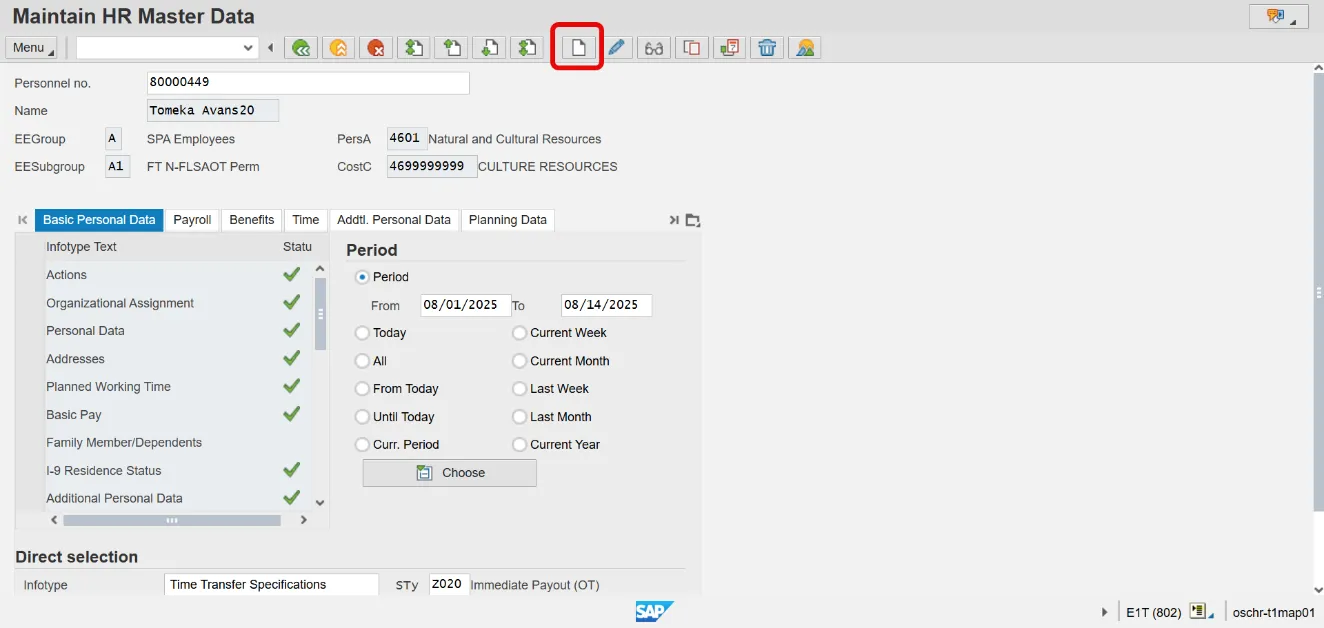
Step 6. Click the Create icon.
Note: IT2012-Z020 can be used for Subject and Non-Subject EEs. This infotype will override any position settings until the end date of record. EE will resume being paid based on position settings after end date of record.
Step 7. Dates from the first screen will populate within the record. Enter 1 in Number of hours field.
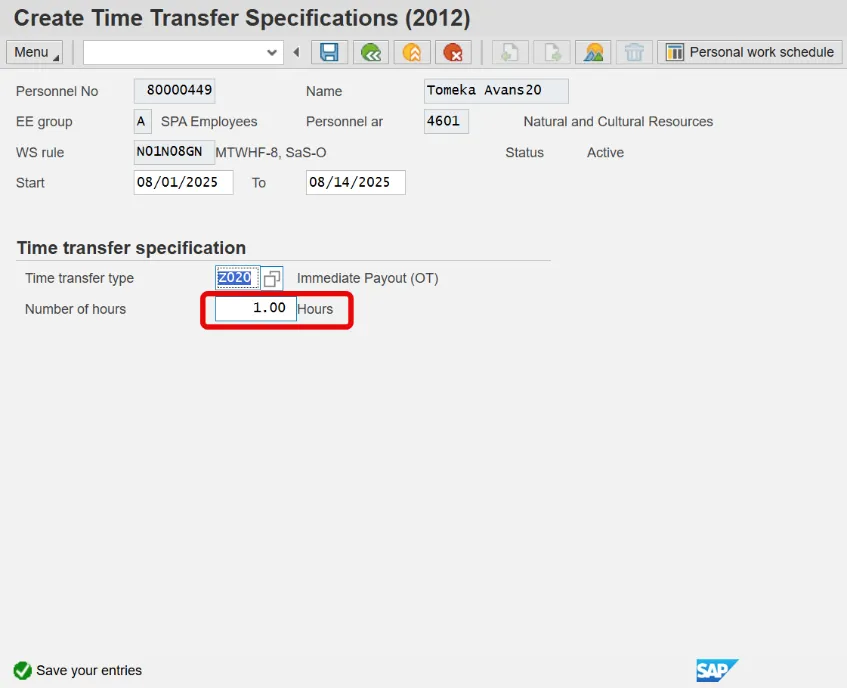
Critical: Any number can be used in the Number of hours field as long as it is greater than zero. A numbering system can be used to track the different events such as 1 for August 2015 event, 2 for Oct 2015, etc.
Step 8. Select Meu > Edit > Maintain Text (F9) to add a note.

Step 9. Click Save to return to the record. The Maintain Text icon now appears indicating your note has been saved.
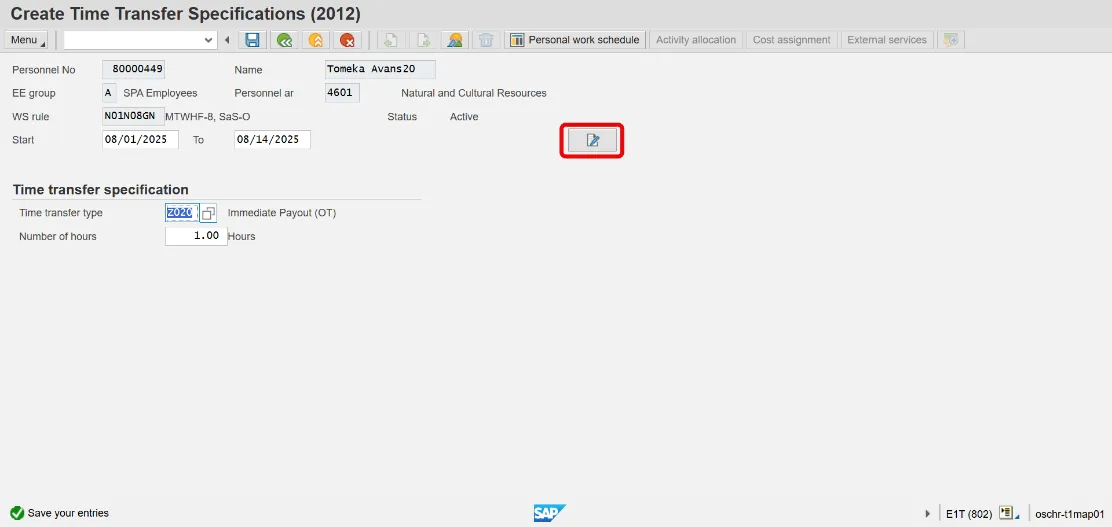
Step 10. Click Save to exit the record.