Purpose
The purpose of this Report Description is to provide a list employees who have objects on loan for the organizational unit selected. Examples of objects on loan are State ID badge, office keys, equipment, state credit card, etc.
Report Description
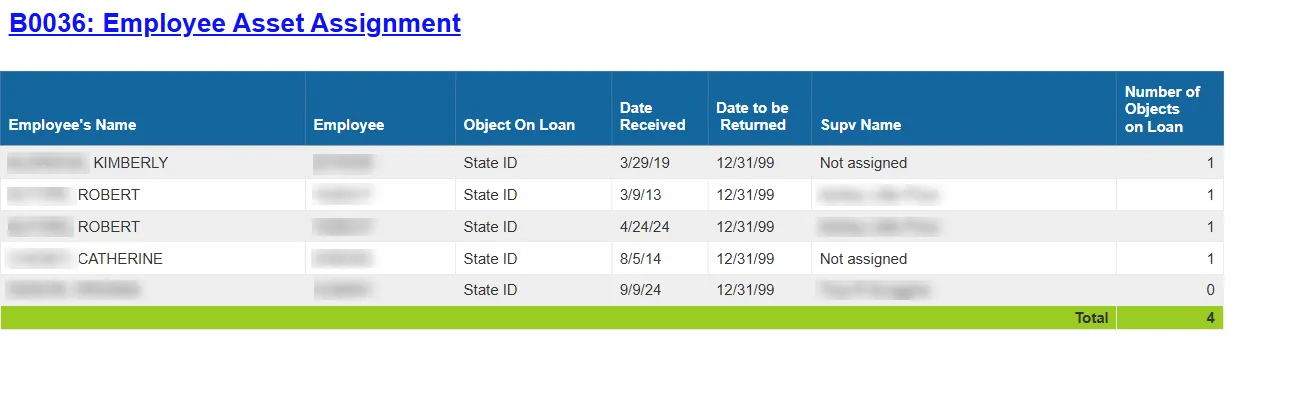
The B0036: Employee Asset Assignment report provides a list of employees who have objects on loan for the organizational unit selected. Examples of objects on loan are State ID badge, office keys, equipment, state credit card, etc.
Report Location
PA: Employee Details
Report Uses
This report can be used to track the agency’s assets that have been assigned to employees for the org unit specified. It can be used after hiring a new employee to verify that all asset assignments have been entered into the system correctly. It can also be run to identify objects on loan for a separating employee, to be used as a checklist to ensure that all assets have been returned prior to the employee’s final day.
How to Generate This Report
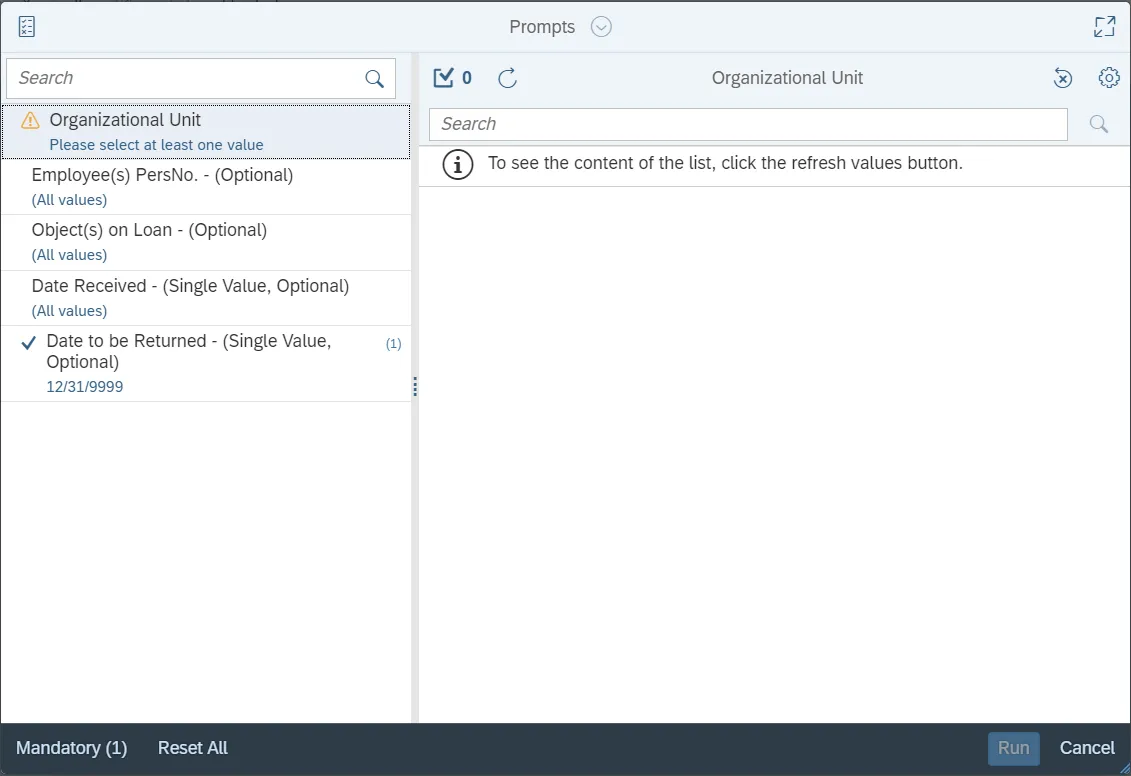
This report is generated after selecting values for the mandatory prompts. All mandatory prompts must have values selected before the Run Icon can be used to generate the report. Mandatory prompts can be identified as mandatory by the exclamation mark inside of the yellow-orange triangle, the square with the checkmark, or the display of (Mandatory). Detailed instructions for interaction with each prompt can be found on the Web Intelligence Prompt List on the OSC website.
The Mandatory prompts for this report are:
- Organizational Unit
This report can also be further limited by utilizing the Optional prompts to further limiting the amount of data that retrieved into the body of the report. Optional prompts are indicated as optional in parentheses beside the prompt.
The Optional prompts are:
- Employee(s) PersNo. - (Optional)
- Object(s) on Loan - (Optional)
- Date Received - (Single Value, Optional)
- Date to be Returned - (Single Value, Optional)
Available Objects
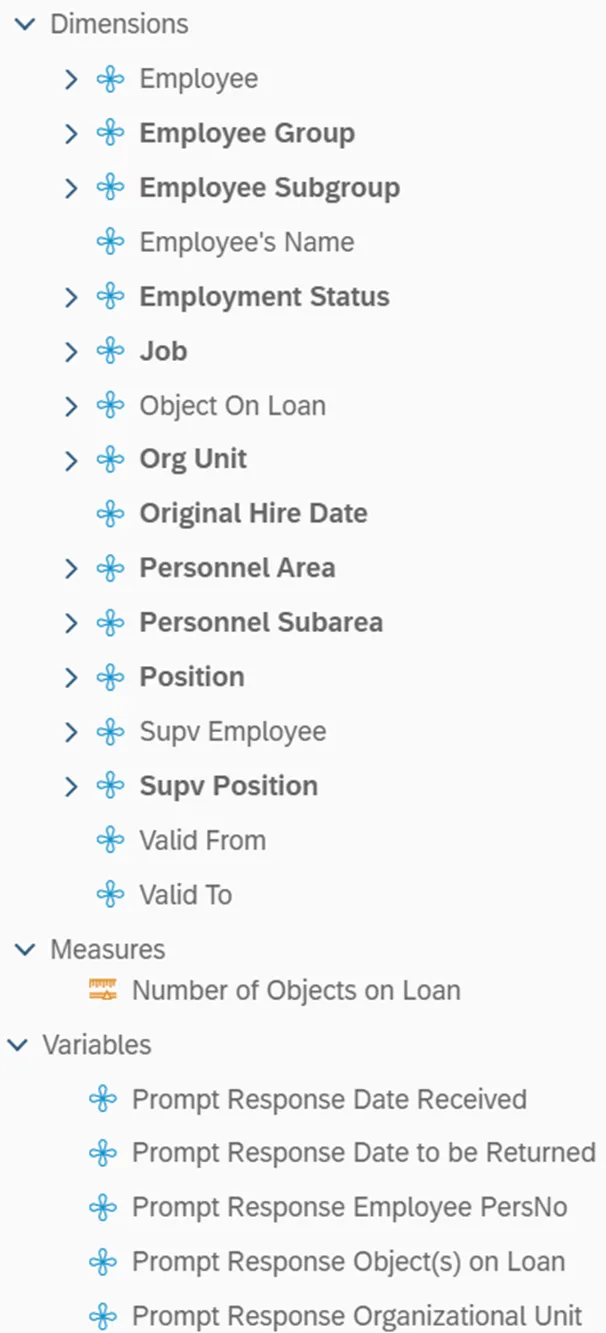
This is a list of the available objects that can be added to the report, from the Document Dictionary once in the Design mode:
Dimensions
- Employee
- Employee Group
- Employee Subgroup
- Employee's Name
- Employment Status
- Job
- Object On Loan
- Org Unit
- Original Hire Date
- Personnel Area
- Personnel Subarea
- Position
- Supv Employee
- Supv Position
- Valid From
- Valid To
Measures
- Number of Objects on Loan
Variables
- Prompt Response Date Received
- Prompt Response Date to be Returned
- Prompt Response Employee PersNo
- Prompt Response Object(s) on Loan
- Prompt Response Organizational Unit
Initial Layout
Special Report Considerations/Features
- The report defaults to generating a list of all employees who have an asset assigned to them with a high date of 12/31/9999.
- There are no employee group/subgroup exclusions.
- The data is refreshed daily and is current as of the close of business from the previous business day.