Purpose
The purpose of this job aid is to explain how to cancel a PCR.
How to Cancel a PCR After It is Rejected
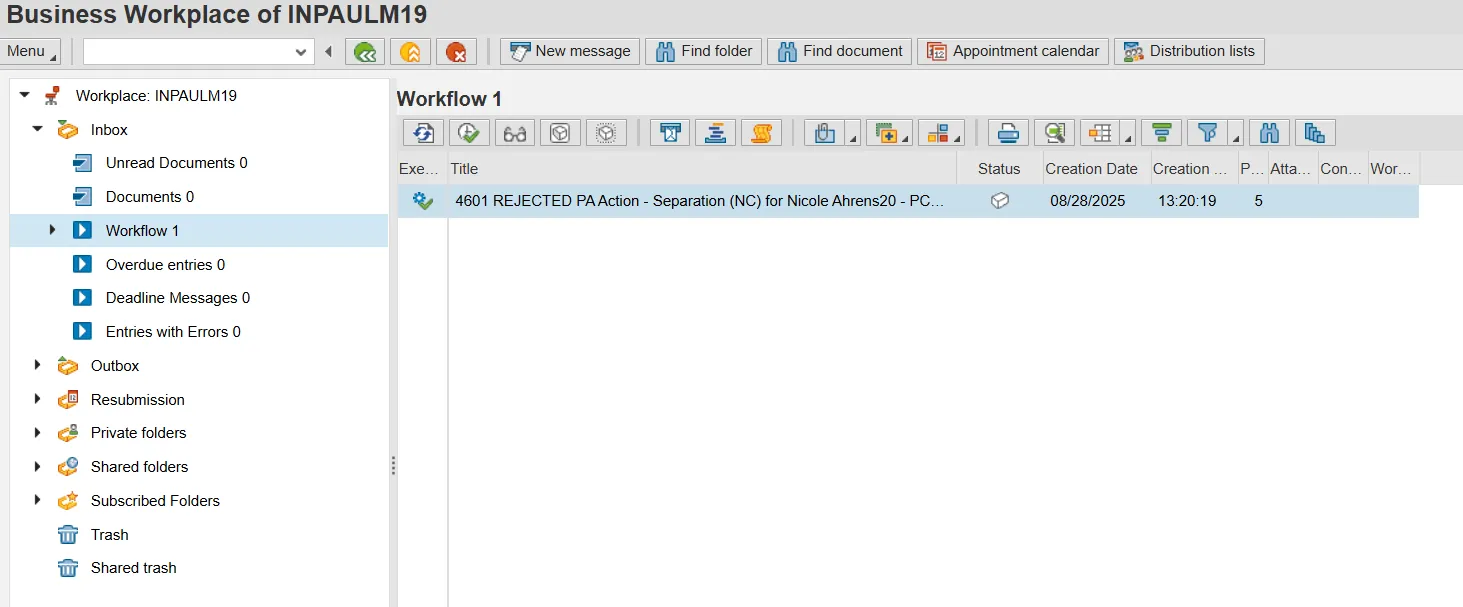
- Approver has rejected action back to the Initiator.
Image
- Initiator has three choices (see descriptions below)
Image
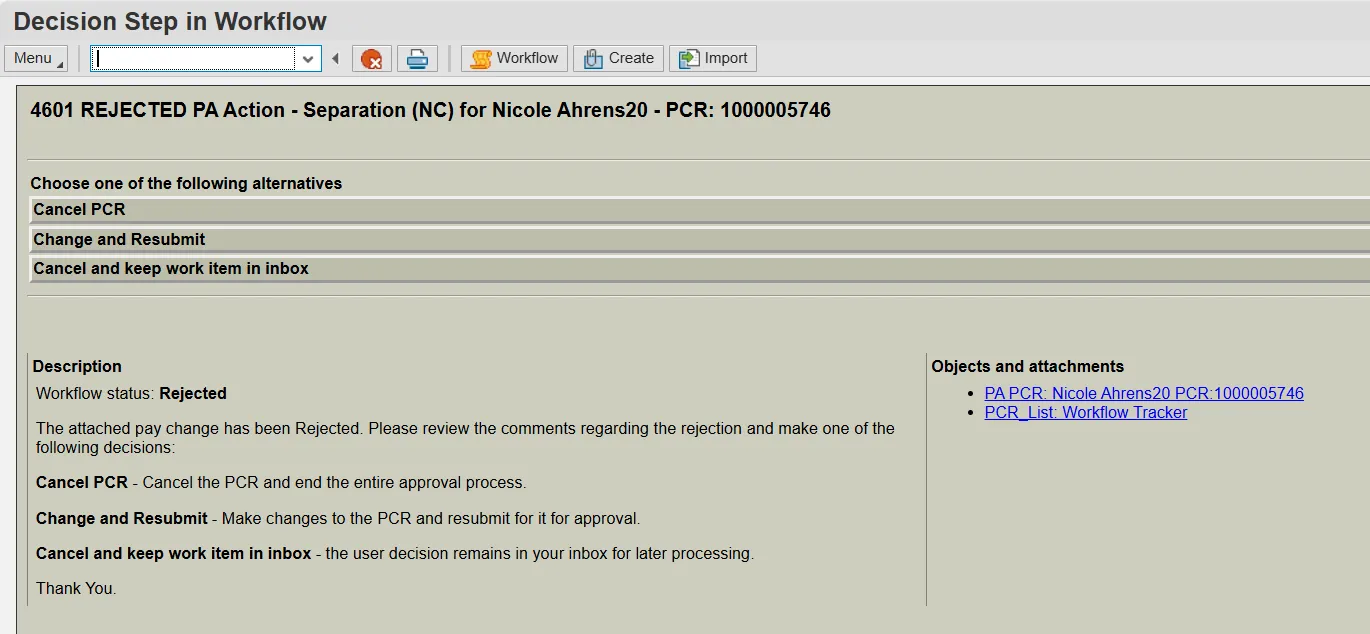
Information: If you choose Change and Resubmit and then determine it needs to be cancelled, it MUST go through the approval process again. You cannot use the Reject Execution option if the action has started on the Change process again. (See the next section: How to Cancel a PCR After It is Approved.)
How to Cancel a PCR After It is Approved
- New Hire Action has been approved for processing. If the new hire did not report, or the agency has decided not to process, then.
Image
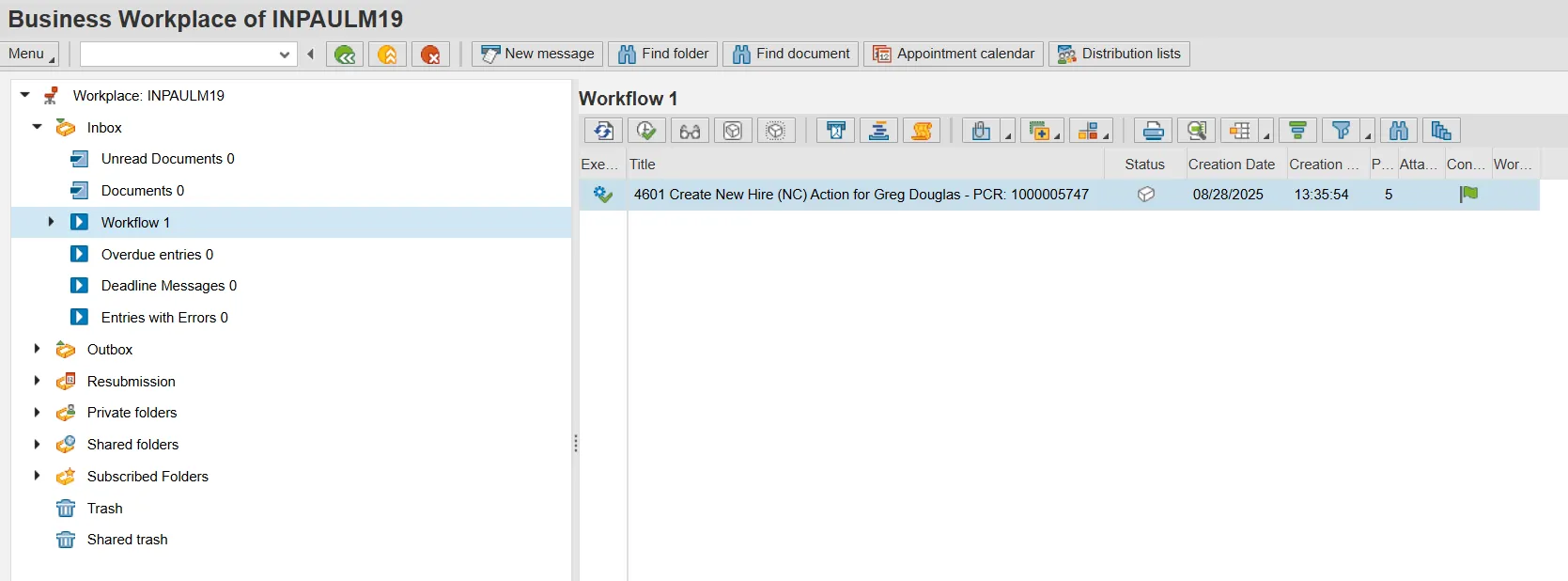
- Highlight the line.
- Click the More Functions icon.
Image
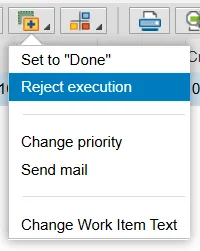
- Click Reject Execution.
Information: If you have begun to change the PCR, this option will be grayed out. You must process the change (or lack of change) and contact those in your approval line to reject the PCR again. Then you can cancel the PCR when it is returned to your inbox again.