Purpose
The purpose of this job aid is to describe Infotype 9822/Related Experience, which tracks related work experience and related education.
PA infotype 9822/Related Experience was added to the Integrated HR/Payroll System on August 3, 2018. This new infotype allows the ability to track related work experience and related education.
Infotype 9822/Related Experience will present itself during the following actions
(Please see the associated BPPs):
- New Hire
- Promotion
- Transfer
- Reinstatement
- Non-Beacon to Beacon
- Reallocation
- Separation
- Separation Pay Continuation
CRITICAL! INFOTYPE 9822/RELATED EXPERIENCE IS NOT TO BE USED ON SUPPLEMENTAL STAFF
The new infotype contains the following pieces of information:
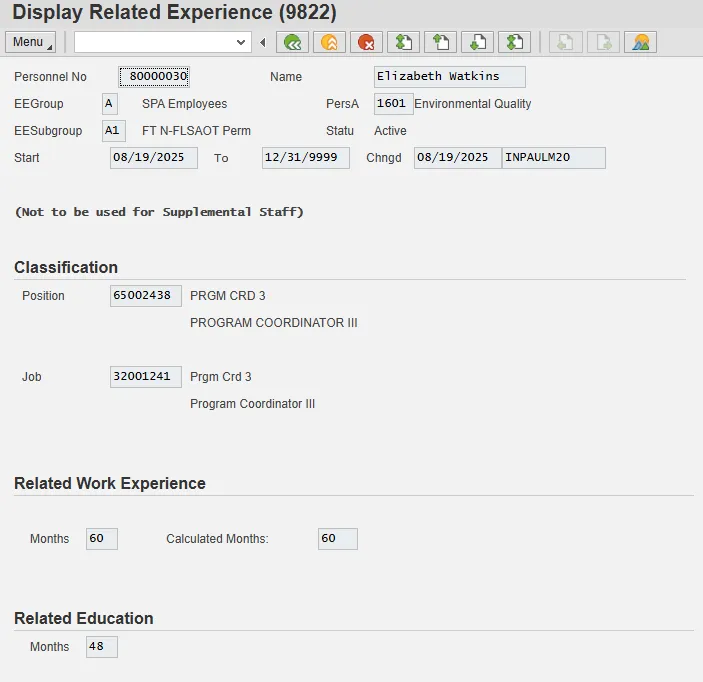
Position: This field will default in based on the employee’s current Position from IT0001/Organizational Assignment.
Job: This field will default based on the employee’s current Job from IT0001/Organizational Assignment.
Related Work Experience Months: This is a numerical field that will be input by the Agency representative. This field represents the number of months of related work experience that the employee had in qualifying for the position.
Calculated Months: This is a numerical field that updates automatically each month the employee is in the existing position/classification. For example, if the employee began the position on 04/01/2018 with 15 months of related work experience, they would have 18 months of related work experience on 07/01/2018.
Related Education Months: This is a numerical field that will be input by the Agency representative. This field represents the number of months of related education that the employee had in qualifying for the position. The start date of the record will match the date of the corresponding action. Every time an employee changes positions and/or classification, a new IT9822 should be created with the corresponding start date.
Updating a Record via PA30
To update an existing record by making changes to either the Related Work Experience months field or the Related Education months field, the user will use the Change icon.
Note: Changes to the Related Work Experience months field will update the Calculated months field automatically based on the start date of the record.
Delimiting a Record
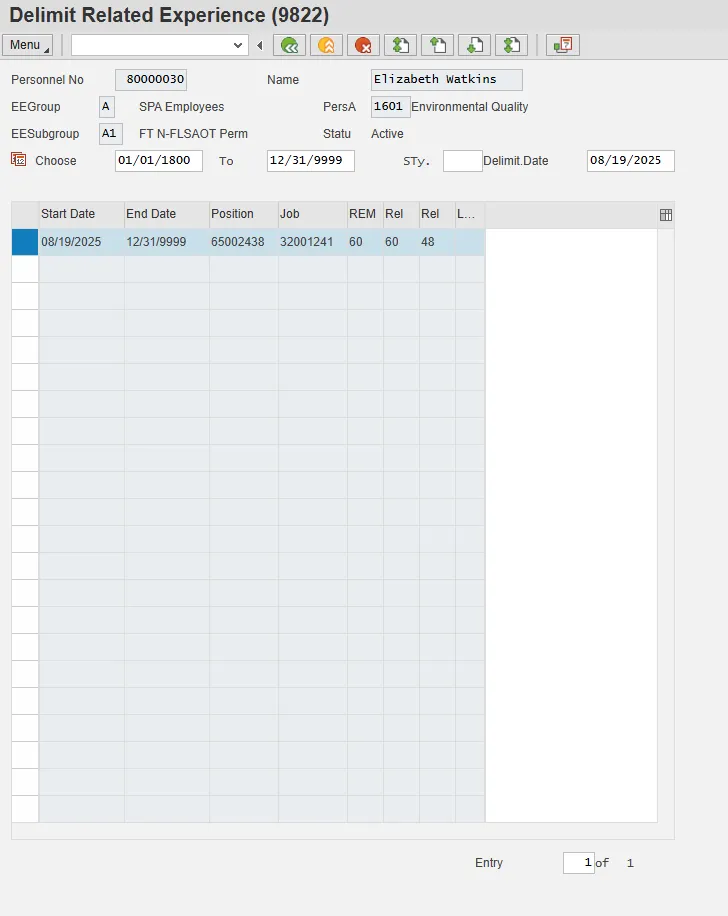
Upon separation, the user will need to delimit the record when it presents itself during processing of the Separation or Separation Pay Continuation action.
To delimit the record, the user will highlight the record and press the Delimit icon: