View User Interface Tutorial Video
Purpose
The purpose of this BPP is to introduce the Employee and Manager Fiori Launchpad Homepage. Fiori is the new mobile friendly, web-based interface for the State of North Carolina that provides access to the Integrated HR-Payroll System.
User Interface
Fiori tiles and tabs are role based which provide accessibility to certain functions within the Fiori Launchpad.
- An Employee will have access to the following tiles; however, interfacing agency employees will not have My Timesheet and My Leave Request.
Employee Tab
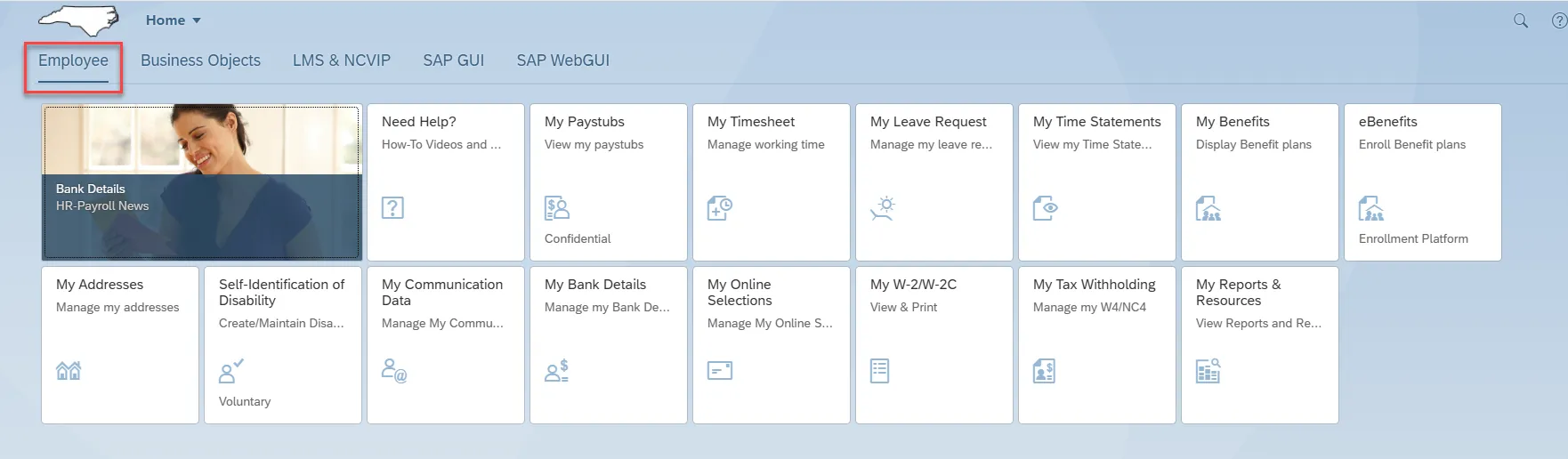
- News: Employees can stay current on HR-Payroll News with the News tile.
- Need Help?: Employees and Managers can access Fiori BPP and video support by selecting the Need Help? tile.
- My Paystubs: Employees have the access to view and navigate their Pay Statements within the My Paystubs tile.
- My Timesheet: Employees can use the My Timesheet tile to enter their time.
- My Leave Request: Employees can create and view leave requests for their requested time off using the My Leave Request tile.
- My Time Statements: Employees can access, view, and print their Time Statements for a chosen period for the last 24 months using the My Time Statements tile.
- My Benefits: Employees can view Enrolled Benefits and Benefits by Dates with the My Benefits tile.
- eBenefits: The eBenefits portal is accessed directly through the eBenefits tile.
- My Addresses: Employees can manage their Permanent Residence/Emergency Contact/Mailing Address using the My Addresses tile.
- Voluntary Self-Identification of Disability: Employees can create and/or maintain their disability status within the Self-Identification of Disability tile.
- My Communication Data: Employees can view work communications data and update their personal communication data using the My Communication Data tile.
- My Bank Details: Employees can manage their Main Bank, Other Bank and Travel Expenses using the My Bank Details tile.
- My Reports & Resources: Employee reporting and resource links are available using the My Reports & Resources tile.
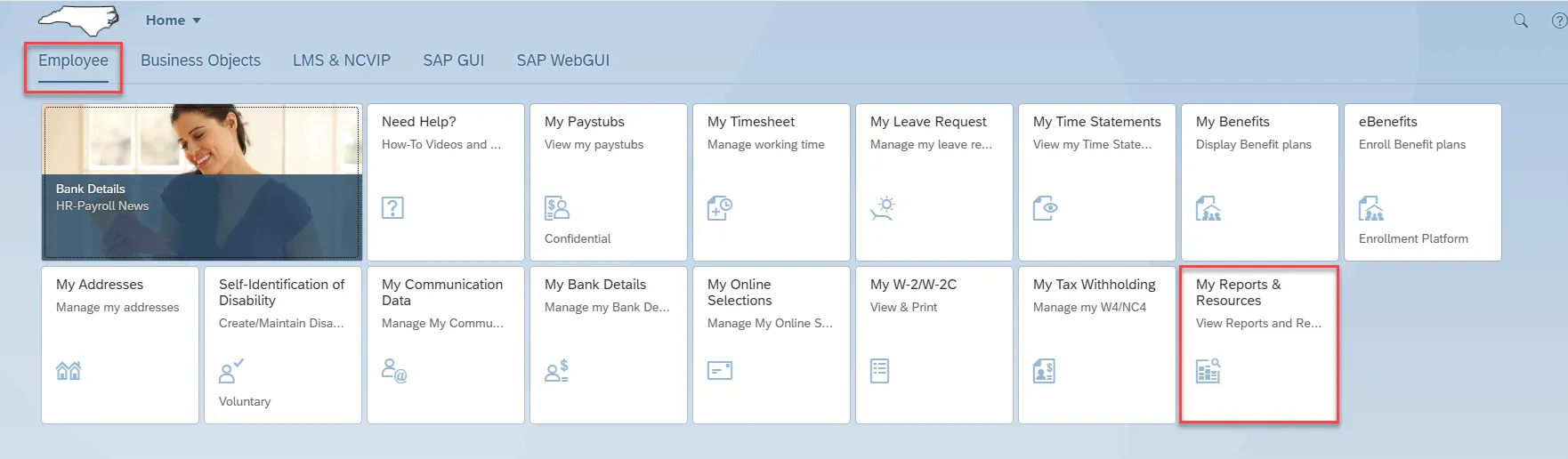
Within the My Reports & Resources tile there are 5 cards:
- Reports
- My Forms
- Benefits & Retirement
- State & Agency
- Personal Data
Reports
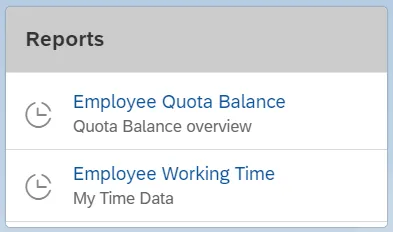
Within the Reports card, there are two custom time reports.
- Employee Quota Balance Report – The Employee Quota Balance Report is a display of leave balances as of the day the report is viewed.
- Employee Working Time Report – The Employee Working Time Report provides a comprehensive report of time entered for an employee or on behalf of an employee, including those who interface their time.
Resources: The Resources cards, Benefits & Retirement/State & Agency/Personal Data, provide users with a landing space for some common employee resources. Some of these resources include direct links to the State Health Plan, NC Flex, ORBIT, etc.
My Forms
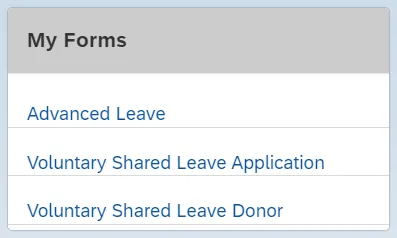
- The My Forms cards provides direct links to the Advanced Leave Application, Voluntary Shared Leave Application, and Voluntary Shared Leave Donor forms.
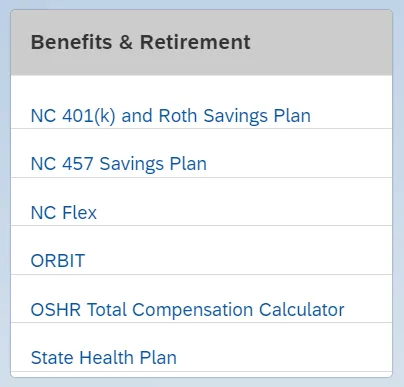
Benefits & Retirement
The Benefits & Retirement card provides direct links to information on employee benefits and retirement accounts, such as:
- Savings Plans
- State Health Plan
- NC Flex, Orbit
- OSHR Total Compensation Calculator
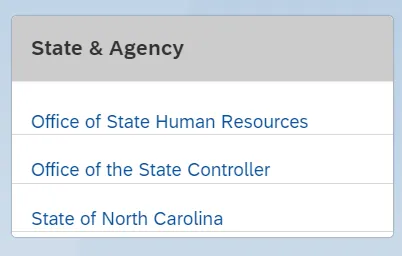
State & Agency
Provides links to forms for:
- Office of State Human Resources
- Office of the State Controller
- State of North Carolina
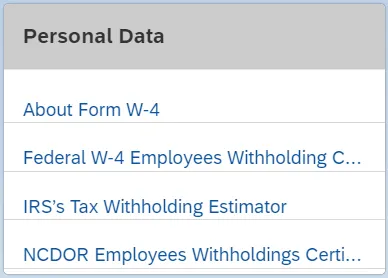
Personal Data
Provides links to the forms for:
- Form W-4
- Federal W-4 Employees Withholding Certificate
- IRS’s Tax Withholding Estimator
- NCDOR Employees Withholdings Certificate
Manager Tab
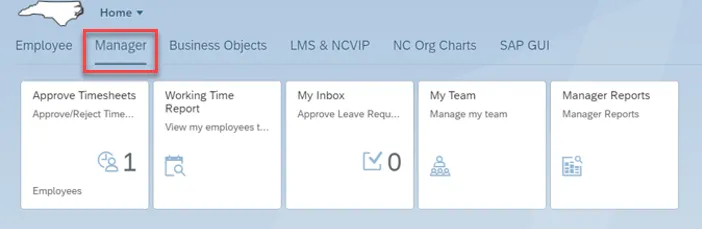
- Approve Timesheet: Managers can use the Approve Timesheet tile to approve their direct reports time submitted for approval.
- Working Time Report: The Working Time Report provides a comprehensive look at the time entered by direct reports.
- My Inbox: Managers can use the My Inbox tile to approve their direct reports submitted Leave requests.
- My Team: The My Team tile delivers organizational and communication data for direct reports.
- Manager Reports: The Manager Reports tile delivers manager specific reports.
Manager Reports
Within the Manager Reports tile there are two cards:
- Time & Leave: The Time & Leave card offers four custom manager time reports.
- Employee Information: The Employee Information card offers the Reminder of Dates report.
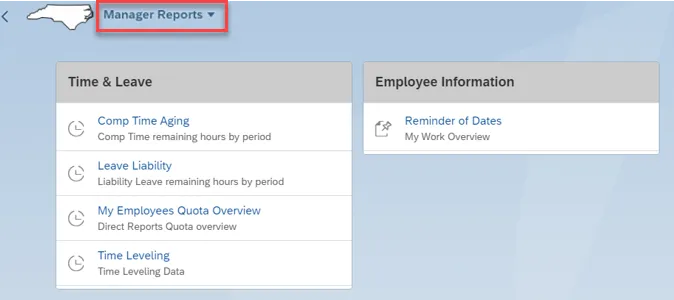
Time & Leave
- Comp Time Aging Report – The Comp Time Aging Report displays Comp Time remaining hours by period for all your direct reports.
- Leave Liability Report - The Leave Liability Report displays Liability Leave remaining hours by period for all your direct reports.
- My Employee Quota Balance Report – The My Employee Quota Balance Report is a display of the current leave balances for all your direct reports.
- Time Leveling Report – The Time Leveling Reports shows whether your employees have met their expected hours, have recorded more hours than expected, or have recorded less hours than the target.
Employee Information
- Reminder of Dates Report – The Reminder of Dates Report is used to monitor important dates and deadlines for your direct reports such as Birth date, credentials checks, original hire dates, and others. The actual date of birth and original hire date will not display, only the anniversary of the date.
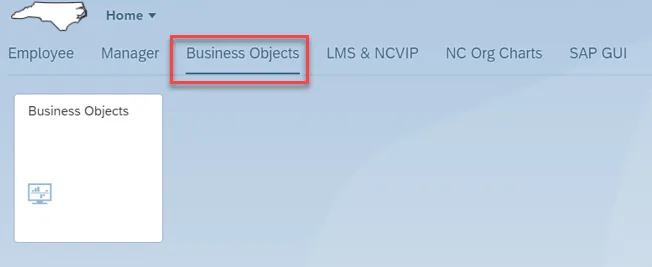
Business Objects Tab
Business Objects Tab – Links directly to BOBJ reporting
- It is important to note that Business Objects is granted through a role-based security authorization.
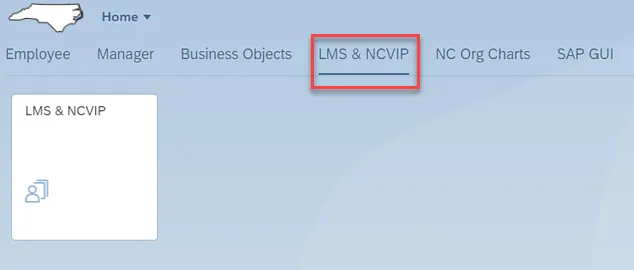
LMS & NCVIP Tab
- LMS & NCVIP links directly to the LMS & NCVIP system.
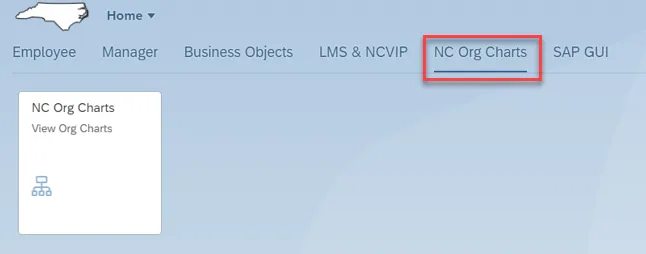
NC Org Charts Tab
- NC Org Charts (formerly OrgCharts) links directly to the NC Org Charts application.
- NC Org Charts is not delivered on mobile, it is recommended to use a PC or Laptop for the application.
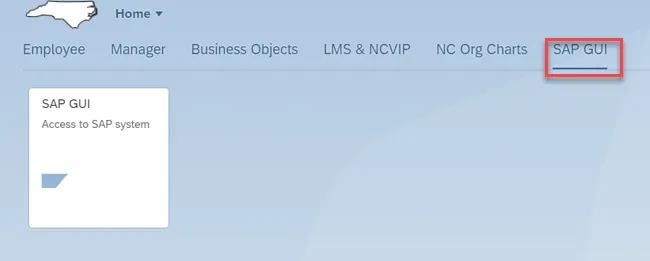
SAP GUI Tab
- The SAP GUI tile launches the temporary SAP Single Sign-on image. This image quickly updates to a list of ERP systems.
- Access to the SAP GUI tab granted through a role-based security authorization.
- SAP GUI is not available on mobile devices.
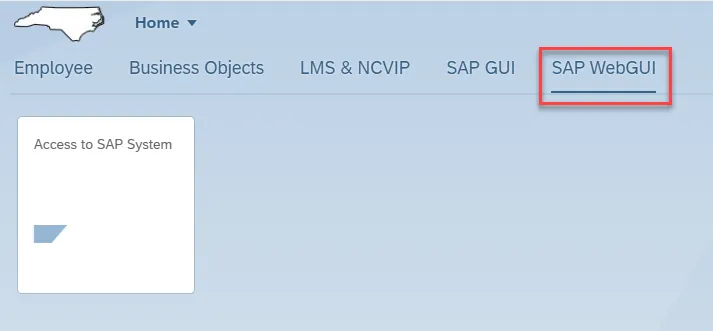
SAP WebGUI Tab
- The SAP WebGUI tile launches SAP Single Sign-on image. This image quickly updates to a list of ERP systems.
- Access to the SAP WebGUI tab granted through a role-based security authorization.
Help?
- All Employee and Manager tabs and tiles offer a Help? icon. The Help? icon is a quick access connection to support videos and BPPs for each user interface and user applications.
- To go back to the Homepage click on the Home icon.
