Purpose
The purpose of this job aid is to explain how to use the PT_BAL00 transaction to determine an employee’s length of service.
Users with the “Display Time” role can use transaction PT_BAL00. A variant for “Length of Service” has been created where only the employee personnel number needs to be entered. There are 6 steps to complete this process.
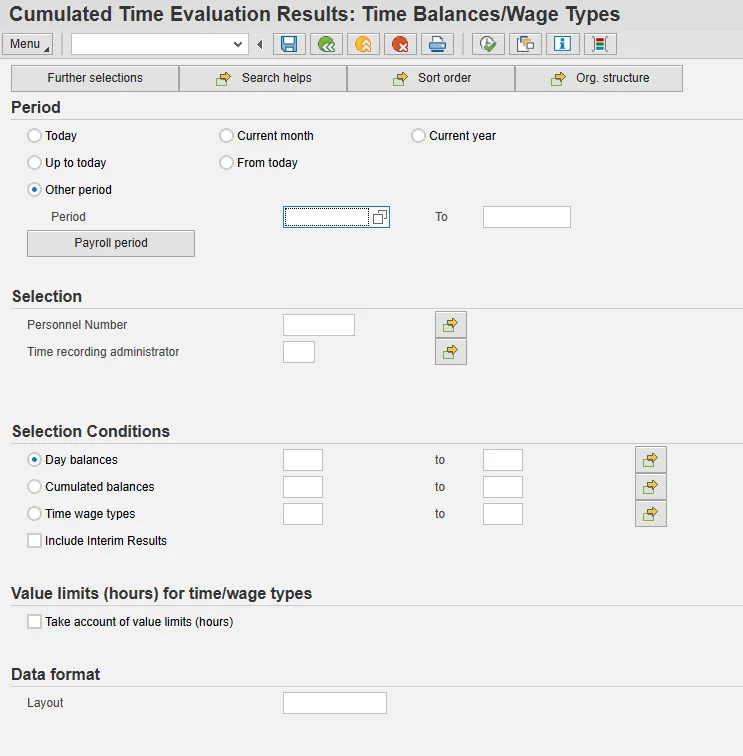
Step 1: Type transaction PT_BAL00 in the Command field and click the Enter. You can also add it to your Favorites.
Step 2: Click the Variant icon to select it.
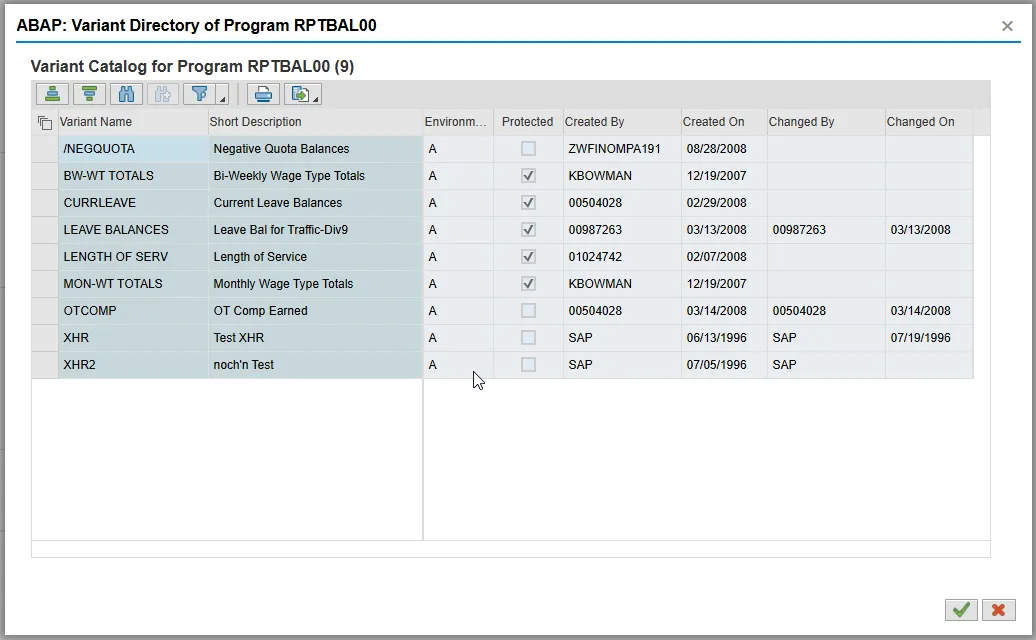
Step 3: Select Length of Service from the pop-up box.
Step 4: Click the Green Check button.
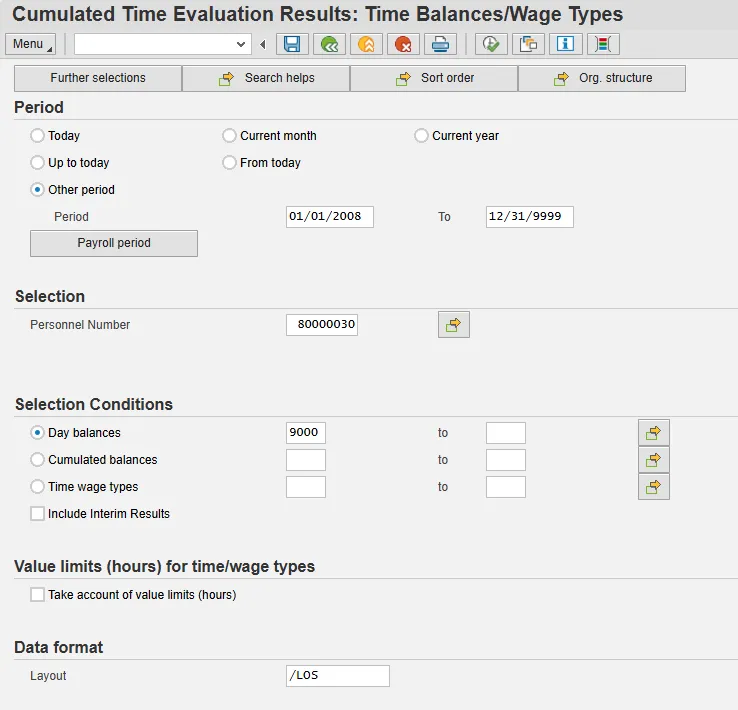
Step 5: Enter the employee’s personnel number. All other information will pre-populate.
Step 6: Click the Execute (F8) button.
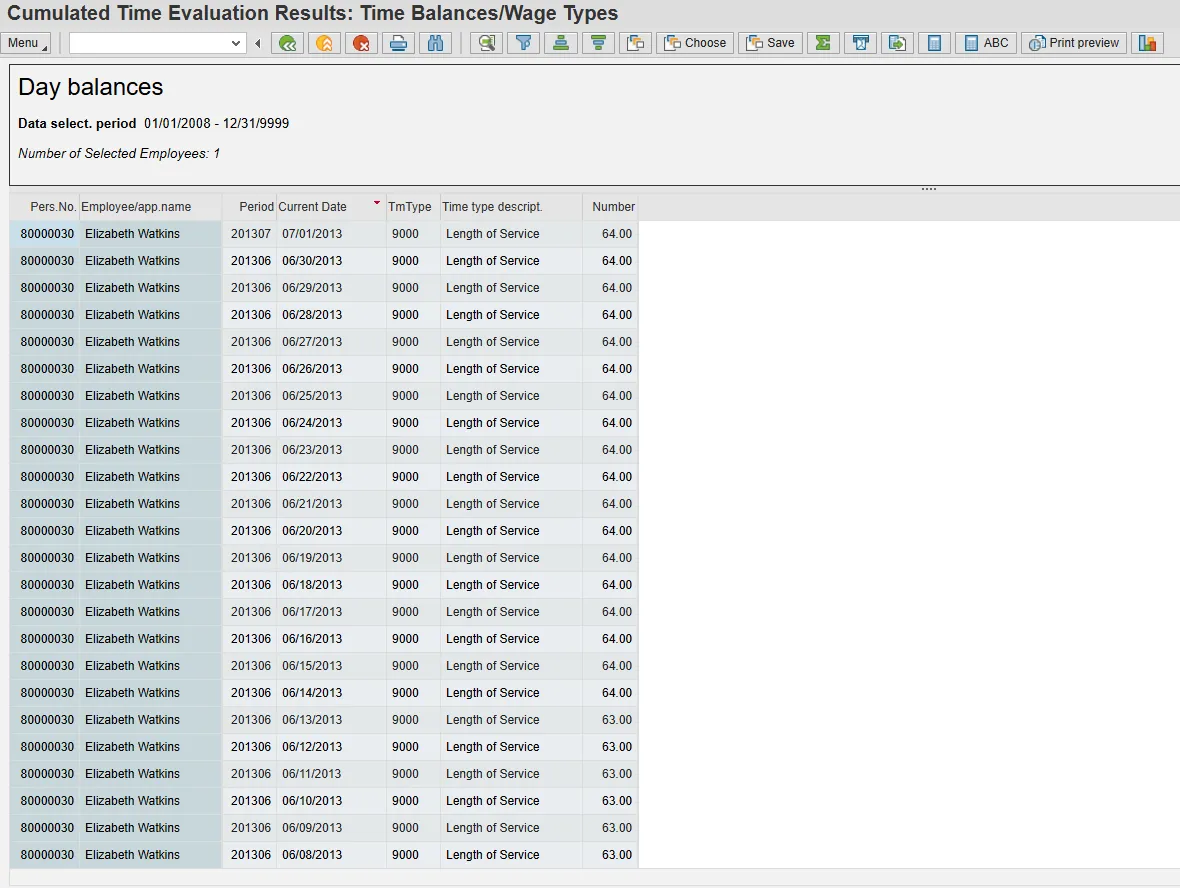
The top line has the latest number of months of service.