Purpose
The purpose of this Business Process Procedure is to explain how to log into the E1T 899 training client.
Trigger
There is a need to access the E1T 899 training client.
Business Process Procedure Overview
The E1T 899 training client is now using the SAP WebGUI interface. Use the directions below to access this data set.
Log into the E1T 899 Training Client
There are 4 steps to complete this process.
Step 1. Log into Fiori with your credentials.
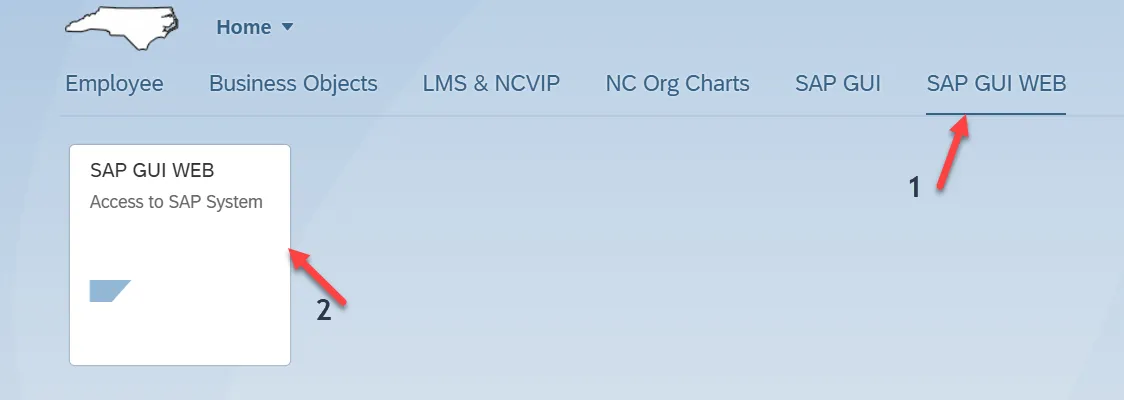
Step 2. Click on the SAP GUI WEB tab. Then click on the SAP GUI WEB tile. If you do not have this tab, please reach out to one of your agency’s Data Owners to request.
Image
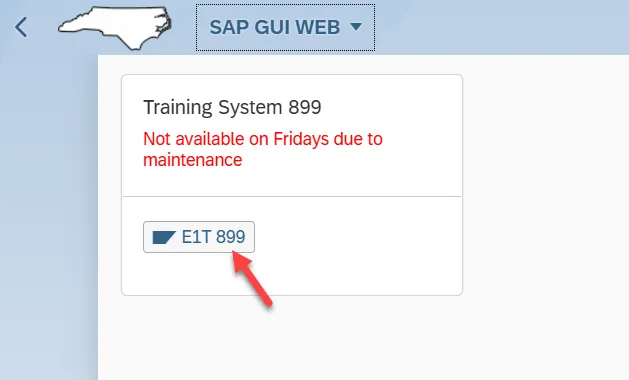
Step 3. Click the E1T 899 button. Note that the client is not available on Fridays.
Image
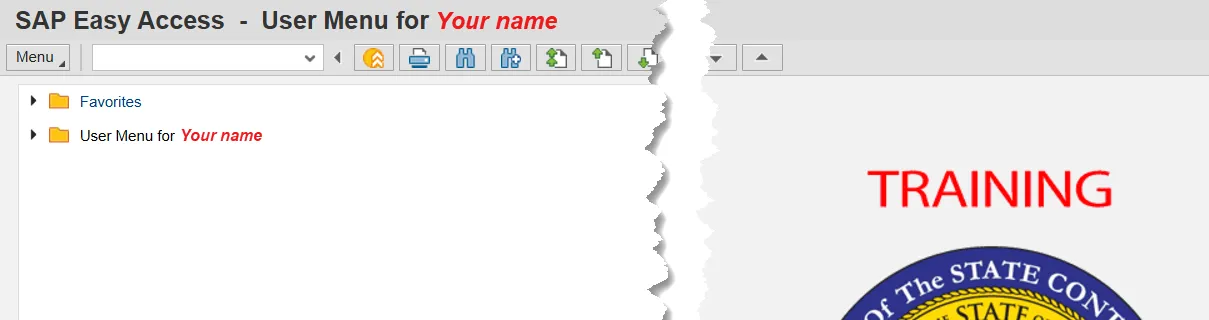
Step 4. You have successfully logged into the training database.
Image