Purpose
The purpose of this Quick Reference Guide (QRG) is to provide a step-by-step explanation of how to schedule an OTBI report in the North Carolina Financial System (NCFS).
Introduction and Overview
This QRG covers the process of scheduling an OTBI report.
Process
To Schedule a Report, please follow the steps below. There are 12 steps to complete this process.
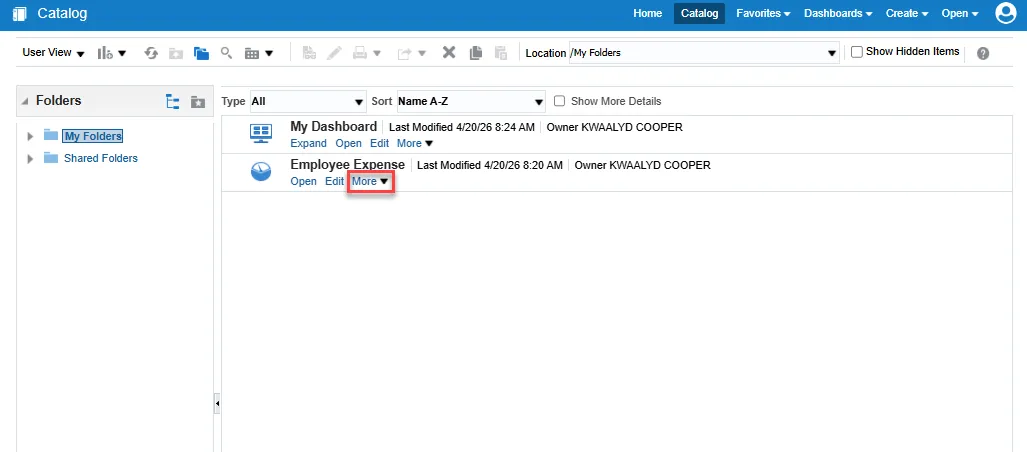
Step 1. Navigate to the Catalog page and choose More under the report you wish to schedule.
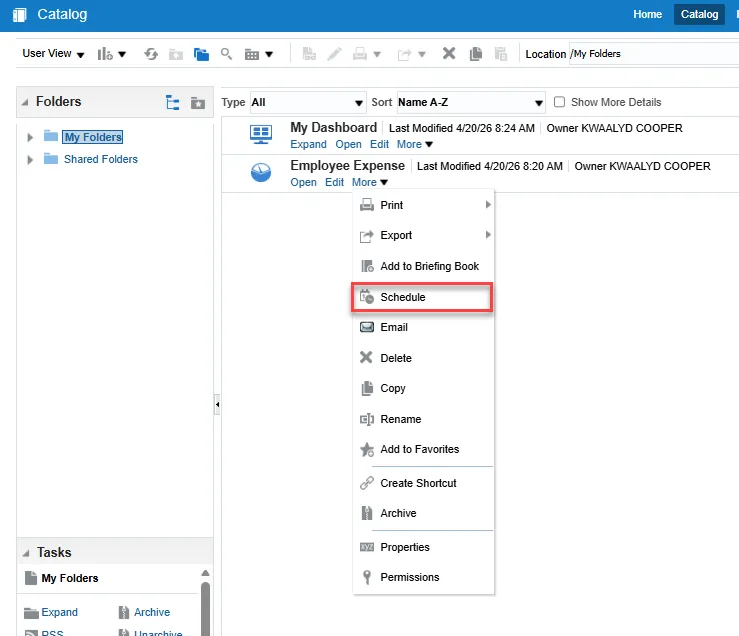
Step 2. Select Schedule from the drop-down menu.
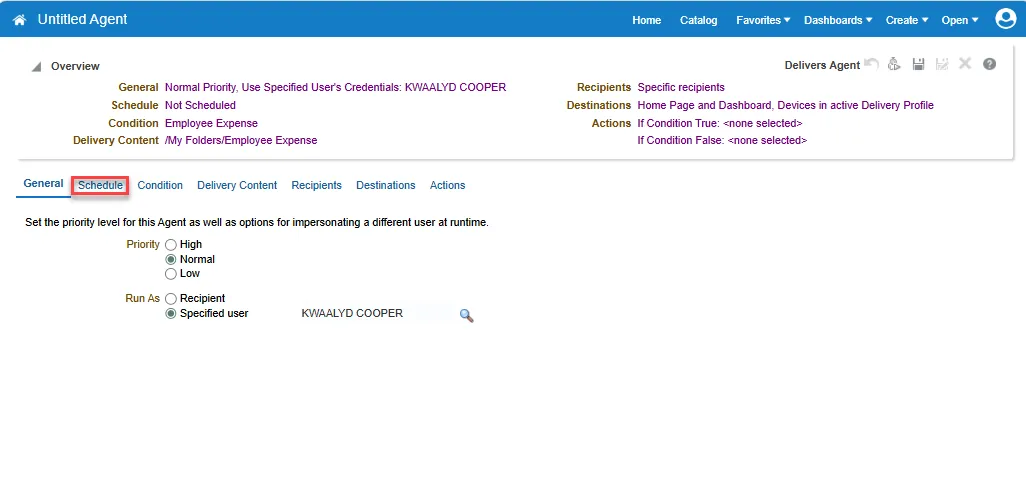
Step 3. On the Untitled Agent page, choose the Schedule tab.
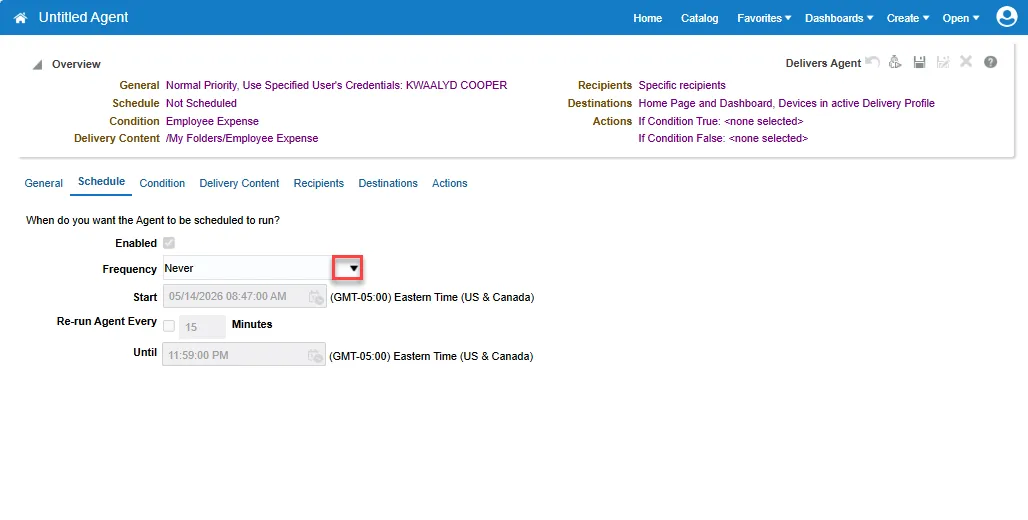
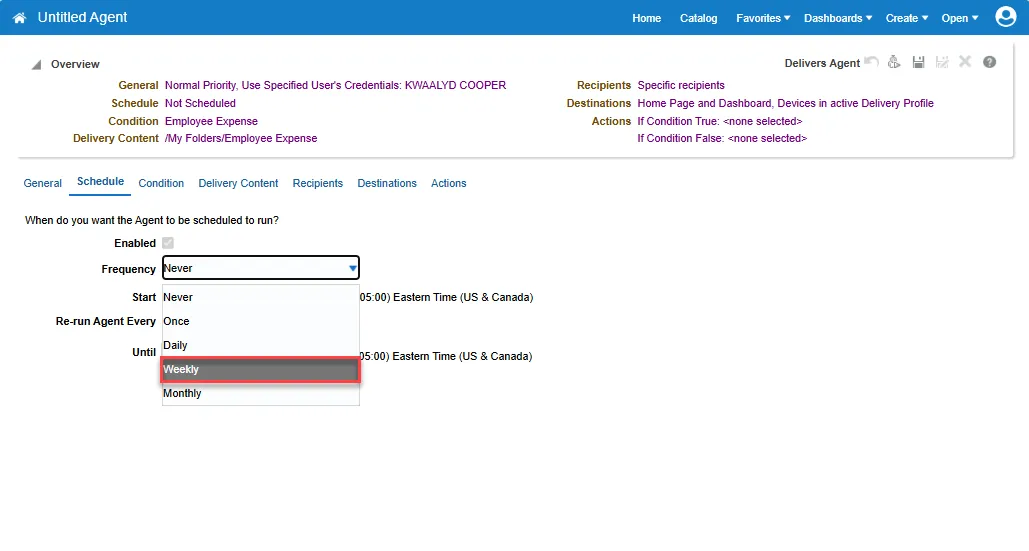
Step 4. Select the Frequency drop-down.
Step 5. Choose the frequency that the report will be generated. For example, Weekly has been chosen.
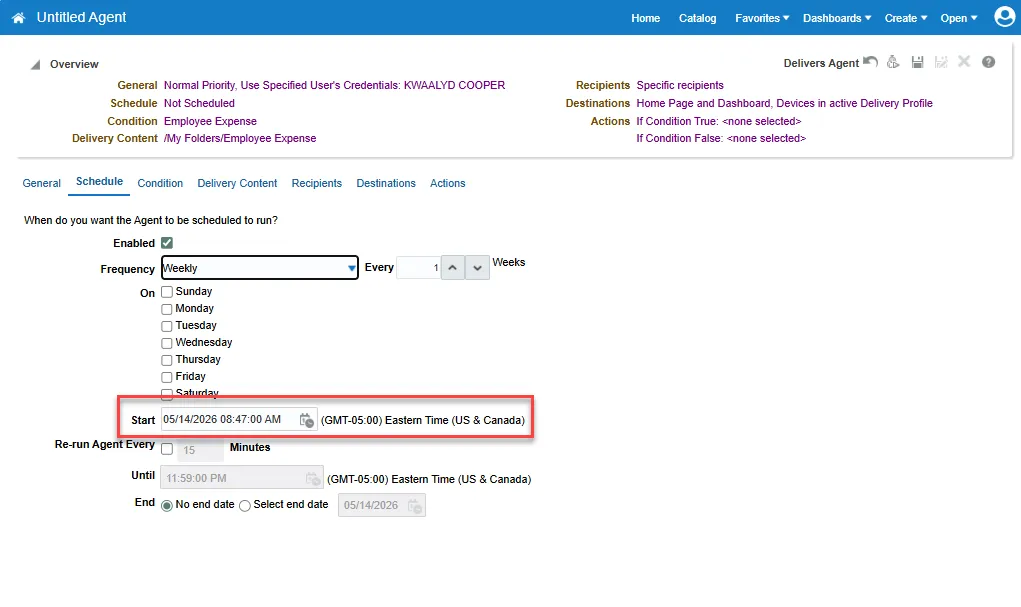
Step 6. Choose a start date and time.
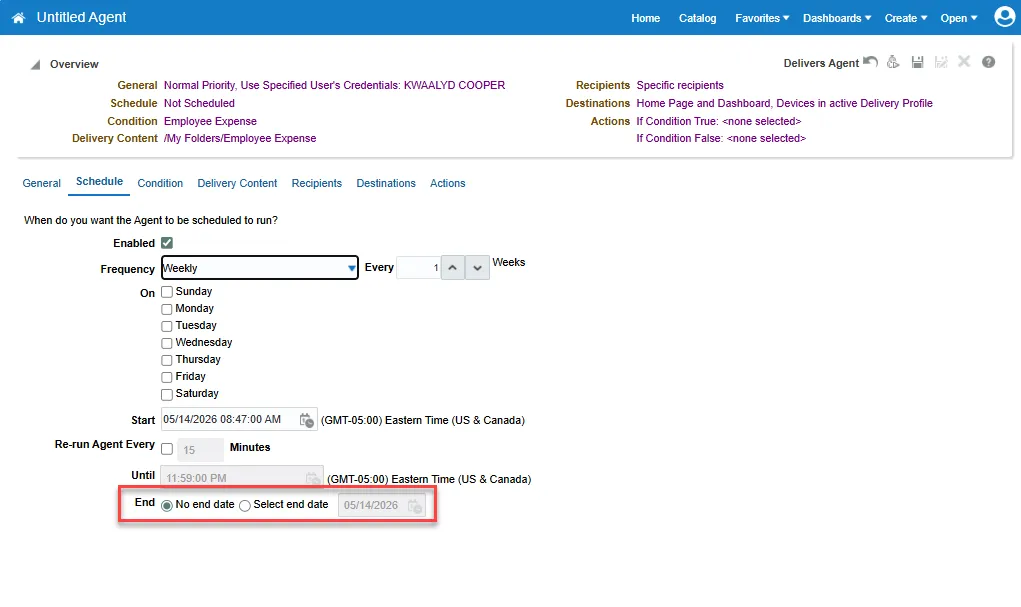
Step 7. Choose an end date if applicable.
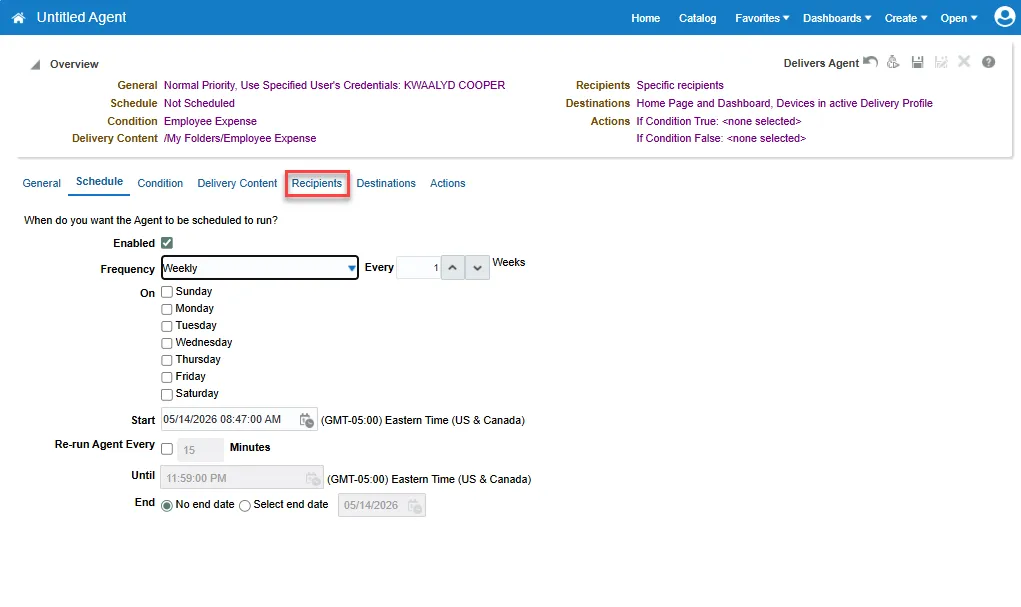
Step 8. Select the Recipients tab.
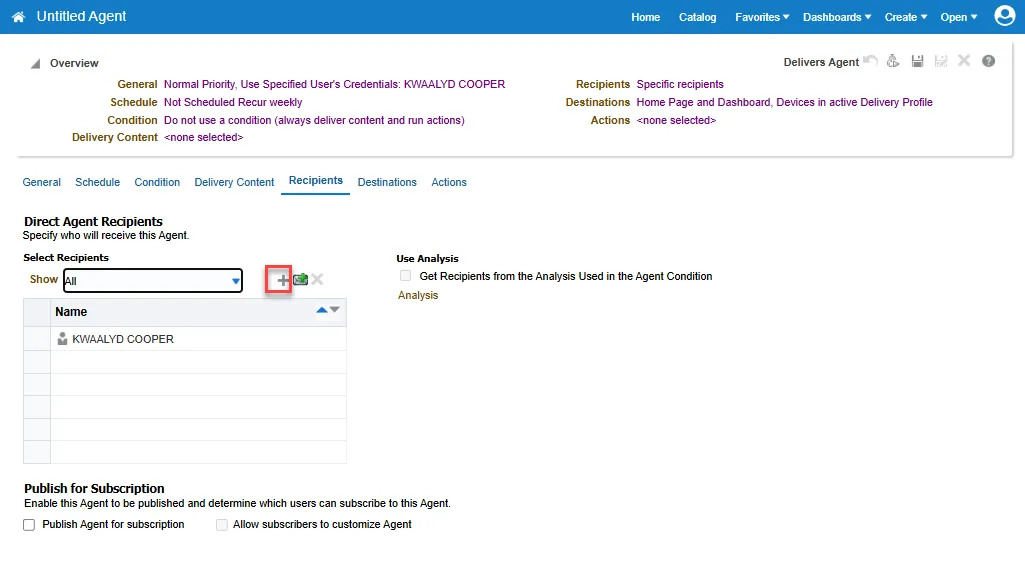
Step 9. Choose the Plus button to add an NCFS user as a recipient. This will deliver the analysis to their home page.
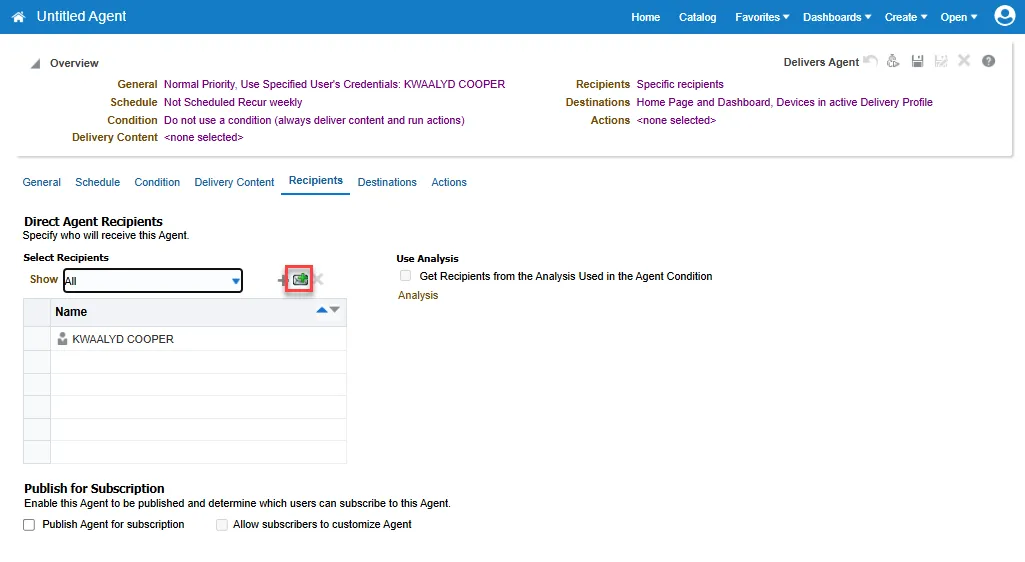
Step 10. Choose the Email icon to add a recipient that will receive the analysis by email.
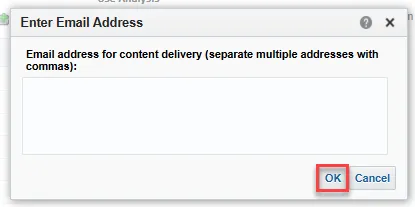
Step 11. Enter email addresses for recipients and choose OK.
Step 12. Select the Save button in the upper right to save the Agent. The analysis will generate at the scheduled day/time.
