Purpose
The purpose of this Quick Reference Guide (QRG) is to describe some available output formats and other functionalities involving the results of an OTBI report in the North Carolina Financial System (NCFS).
Introduction and Overview
This QRG covers available output options and other functionalities involving the results of an OTBI report.
Process
Please follow the steps below. There are 3 steps to complete this process.
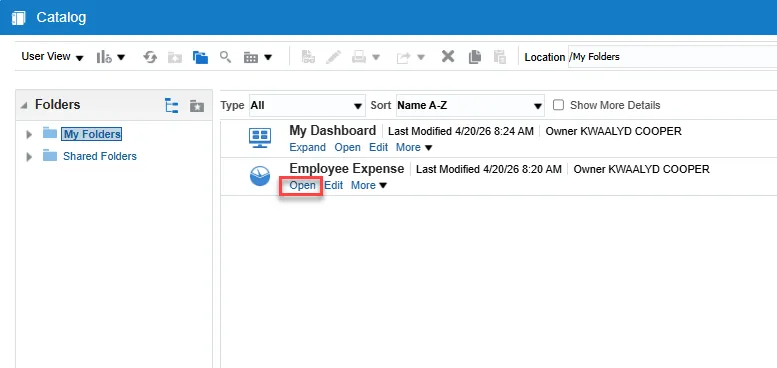
Step 1. Navigate to the Catalog page and choose Open under a report to populate results.
Image
Step 2. Select prompts if applicable.
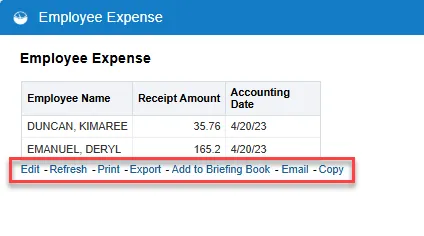
Step 3. The report output page is displayed with link options under the data.
Image
Options
Let’s explore each option.
- Edit will allow you to edit the report.
- Refresh will refresh the data in the results.
- Print will print only the first page of the results.
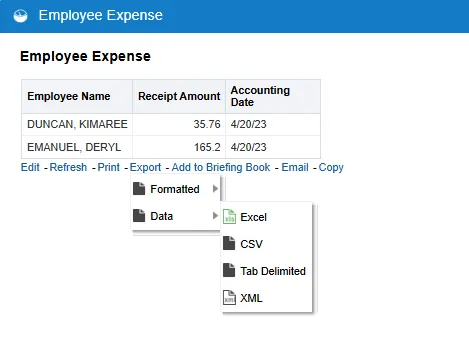
- Export offers multiple options for exporting the results:
Image
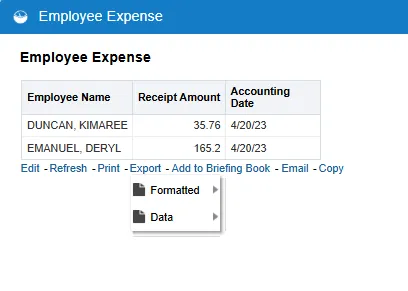
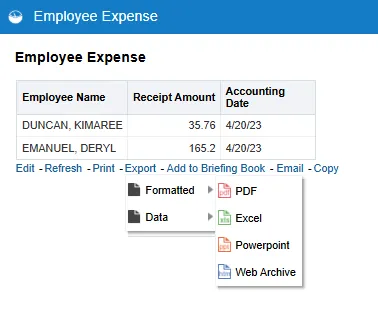
- Formatted options include PDF, Excel, PowerPoint, and Web Archive.
Image
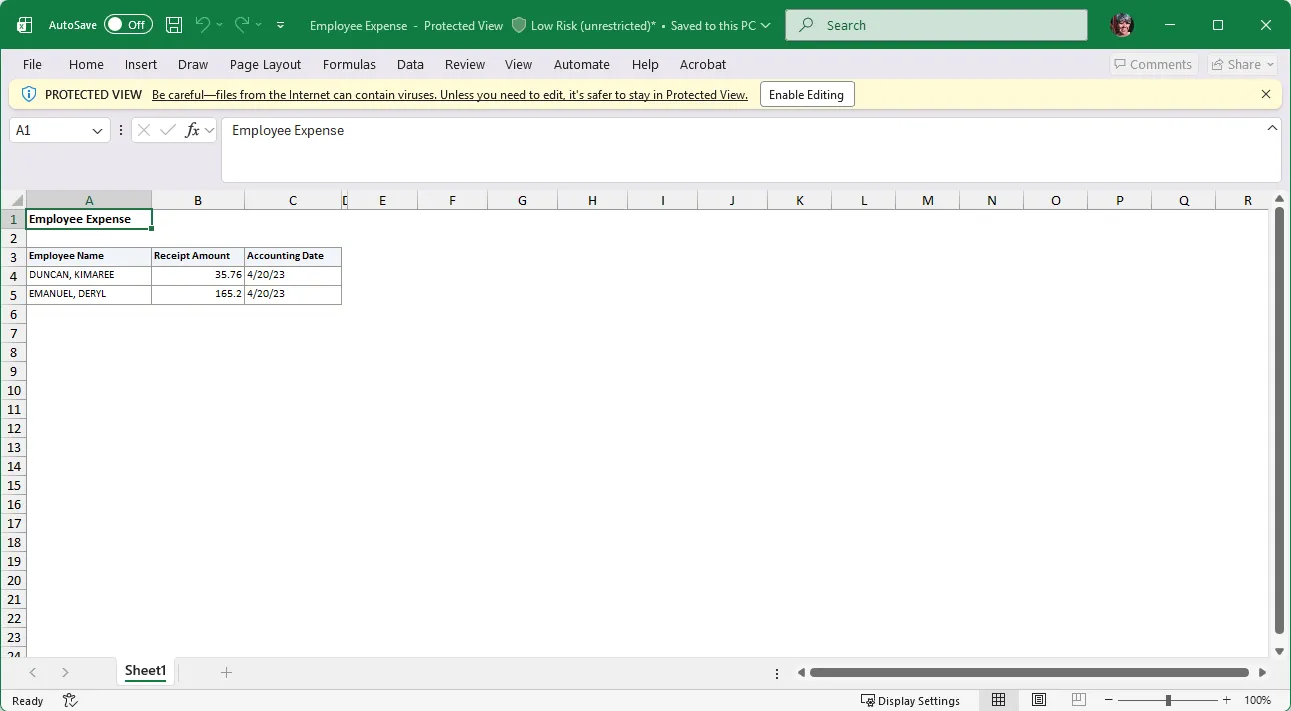
- The Formatted Excel option will result in a spreadsheet that is easy to read.
Image
- Data options include Excel, CSV, Tab Delimited, and XML.
Image
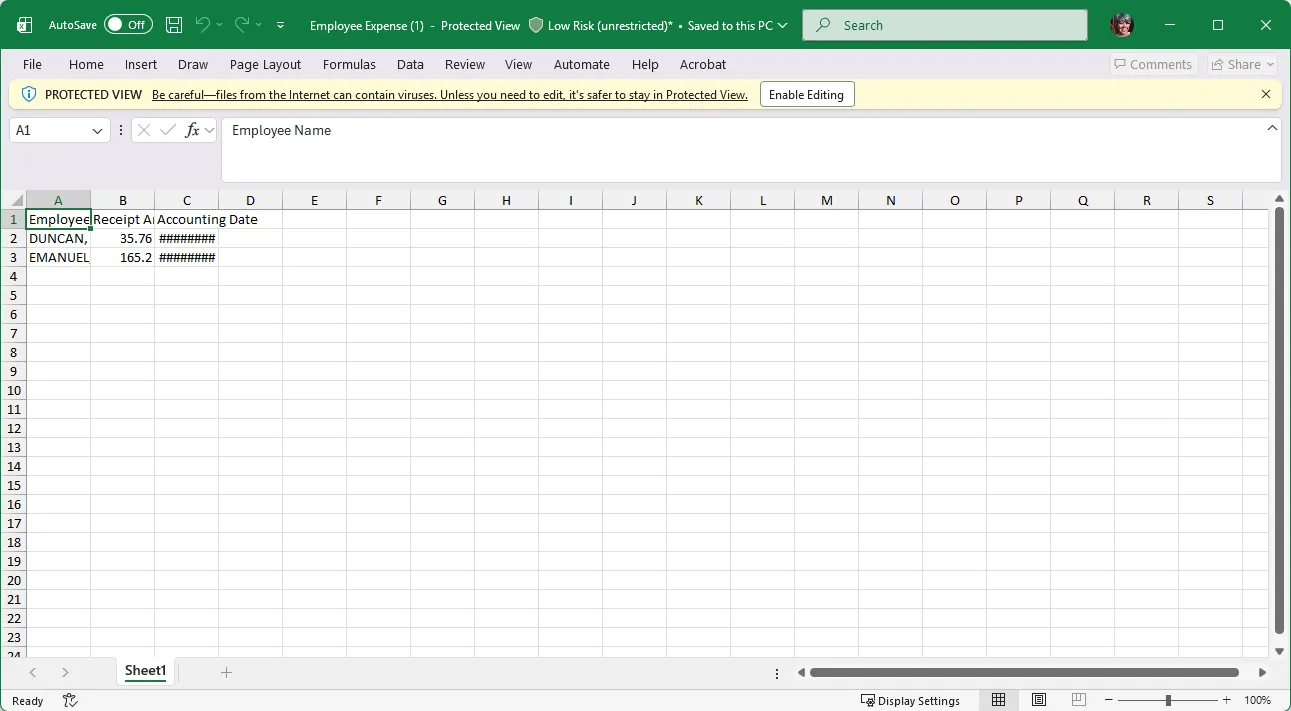
• The Data Excel option will result in a spreadsheet that contains raw data.
Image
- Add to Briefing Book will create a collection of static or updatable snapshots of individual analyses or dashboards.
- Email will allow you to send the results via email.
- Copy copies the XML version of the report and can be used for importing data.