Purpose
The purpose of this Quick Reference Guide (QRG) is to provide a step-by-step explanation of how to sort a column in an OTBI report in the North Carolina Financial System (NCFS).
Introduction and Overview
This QRG covers the process of sorting a column in an OTBI report.
Process
Please follow the steps below. There are 8 steps to complete this process.
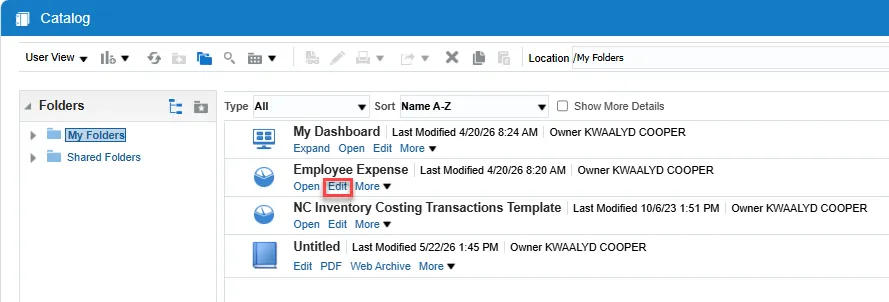
Step 1. Navigate to the report you wish to work with and choose Edit under the report name.
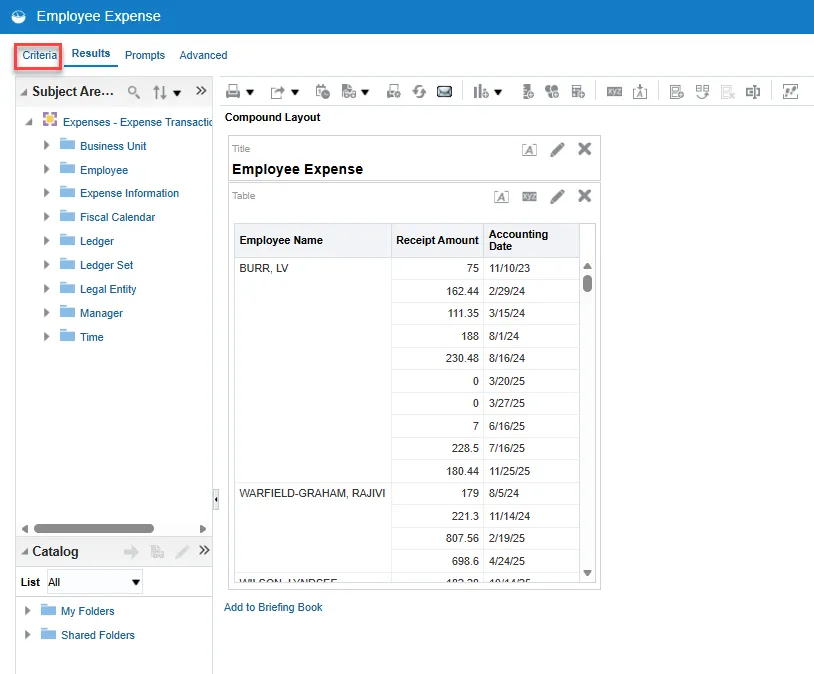
Step 2. Select the Criteria tab.
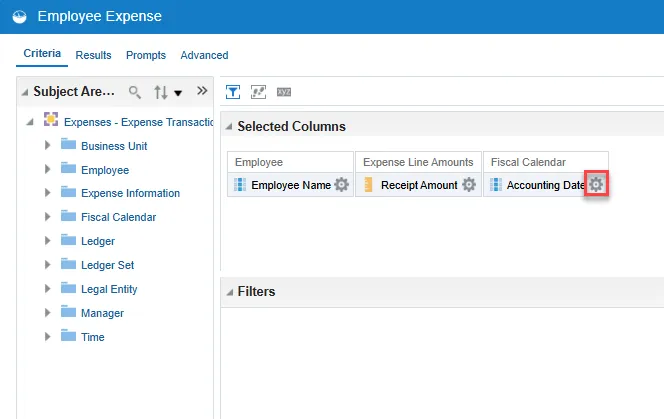
Step 3. Select the Gear icon within the column you want to work with.
Step 4. Choose Sort from the drop-down menu.
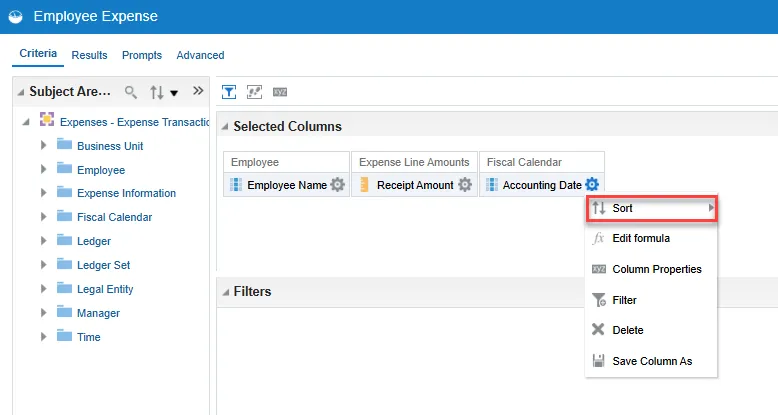
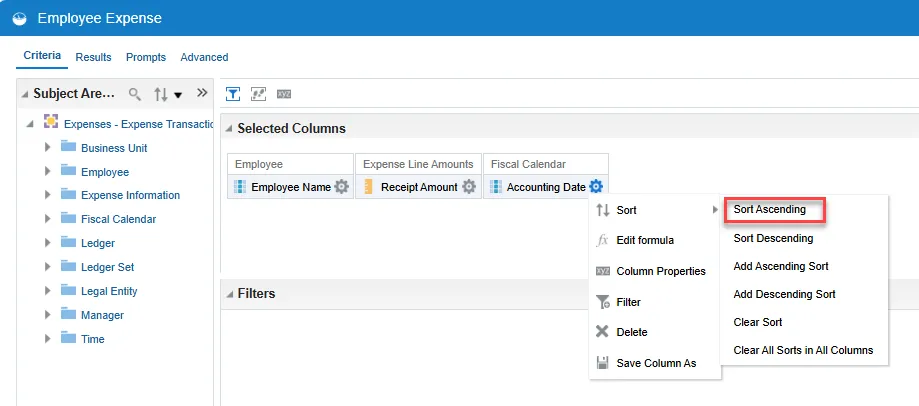
Step 5. Select your sorting choice from the pop-out menu.
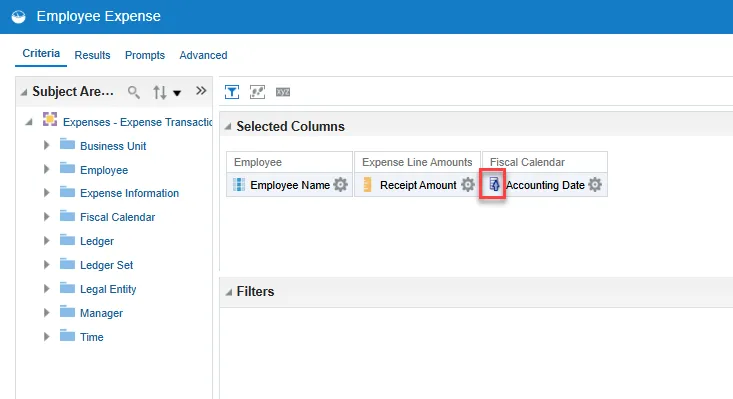
Step 6. The Sort icon will appear within the column.
Step 7. Check your sort by choosing the Results tab.
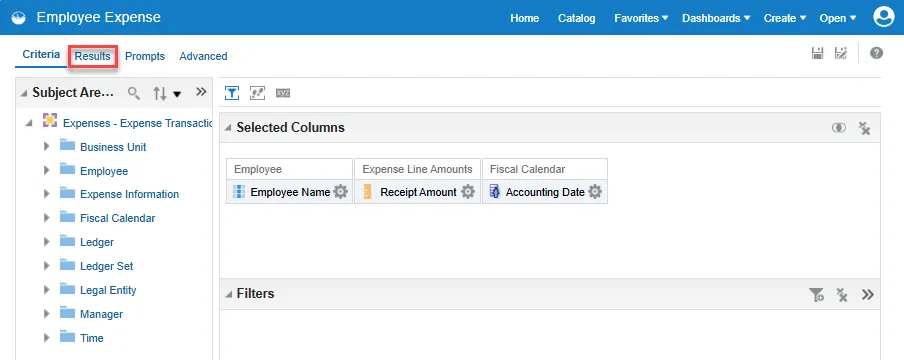
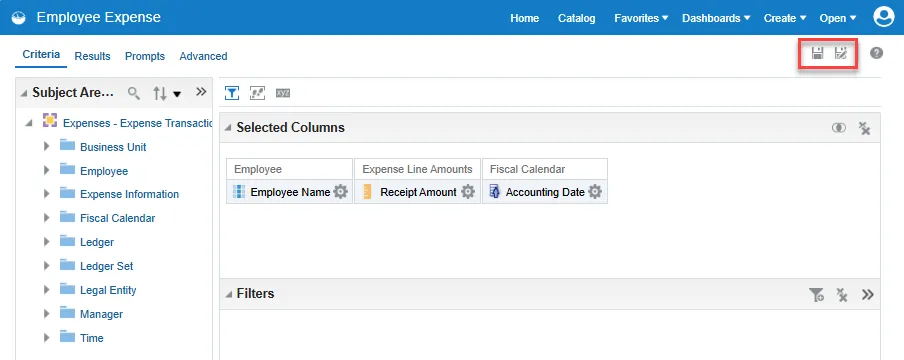
Step 8. If you want to keep the sort on the report for future use, be sure to select Save or Save As.