Purpose
The purpose of this Quick Reference Guide (QRG) is to provide a step-by-step guide of how to review and validate bill only orders in the North Carolina Financial System (NCFS).
Introduction and Overview
This QRG covers the process for reviewing and validating bill only orders in NCFS, which are used to bill customers without a shipment or when a shipment has already occurred.
Review and Validate Bill Only
There are 6 steps to complete this process.
Step 1. Click the Company Single Sign-On (SSO) button.
Step 2. Enter your @dac.nc.gov email address.
Step 3. Click Next, then enter password.
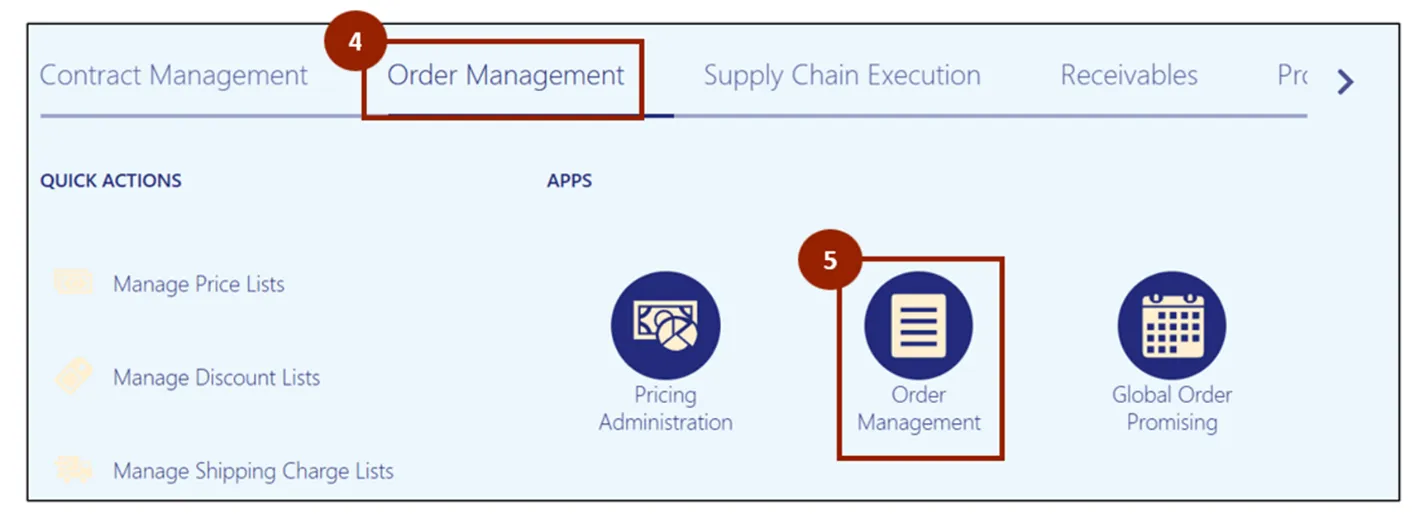
Step 4. On the Home page, select the Order Management tab.
Step 5. Click Order Management App.
Note: The Order Management Overview screen displays information visually, providing data for DAC. As orders are created and progress, the diagrams and values will populate on this screen. If it is a new instance, this screen displays with minimal information.
Step 6. Click the Create Order button.
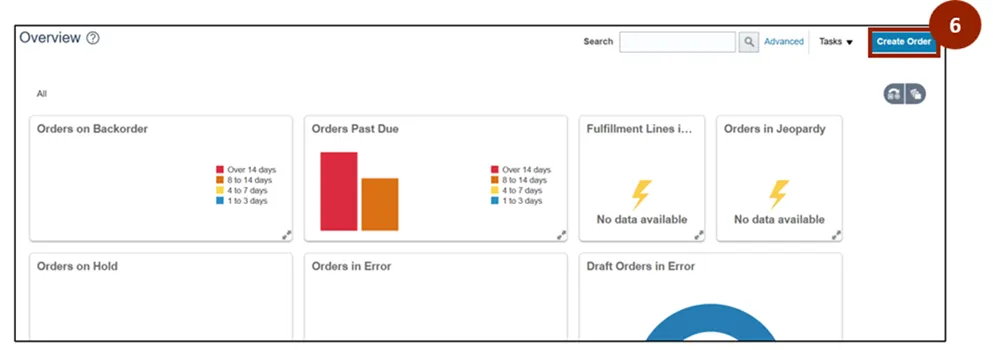
Note: To create a bill only order, follow the steps outlined in the MFG-28 Entering Manual Orders QRG. Be sure to set the Order Type field to Bill Only. Once the bill only order has been created, continue with the steps below to review and validate the bill only order details.
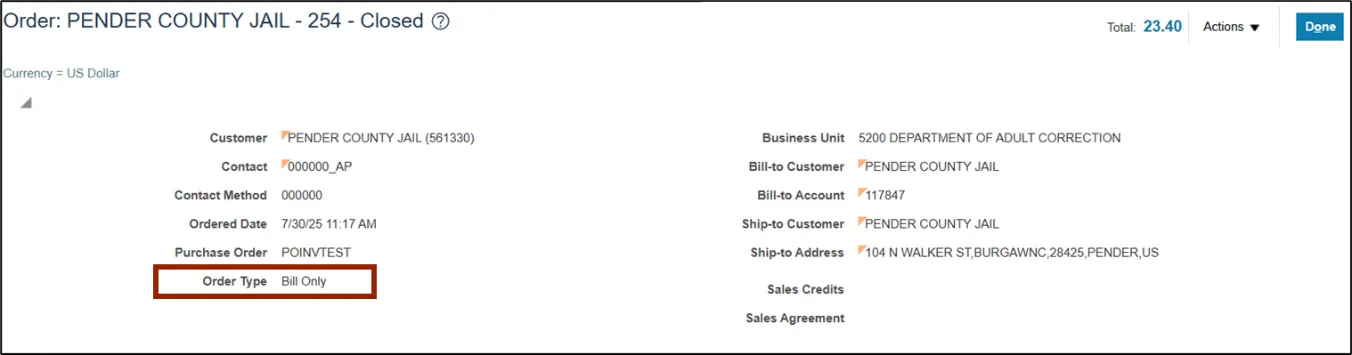
Once you are on the Create Order screen, the process for creating a bill only order follows the same consistent approach used for other order types. The screen layout, header fields, and tabs remain the same. The Primary distinction is the selection made in the Order Type field.
For this example, the Order Type field must be set to Bill Only. The Bill Only order type is used exclusively for billing; no shipping or manufacturing occurs.
Wrap-Up
NCFS users can review and validate bill only orders by following the steps outlined above.
Additional Resources
- Instructor Led Training (ILT)