Purpose
The purpose of this job aid is to explain how to stop holiday premium pay in the Integrated HR/Payroll System.
There are situations where an EE would prefer to work on a holiday, and it is not mandated or required by Agency management. Agencies can now stop holiday premium from paying for time worked on a holiday for Permanent and Temporary employees by creating an IT2012-Z006.
Note: IT2012-Z006 is not needed if EE is trying to make up Adverse Weather. EE should record A/A 9512 – Adverse Weather Make-up which will prevent holiday premium automatically.
Users with Payroll Admin or HR Data Maintainer role can access IT2012 using PA30.
There are 9 steps in this process.
Step 1. Access PA30 (Maintain HR Master Data).
Step 2. Select infotype 2012 and subtype Z006.
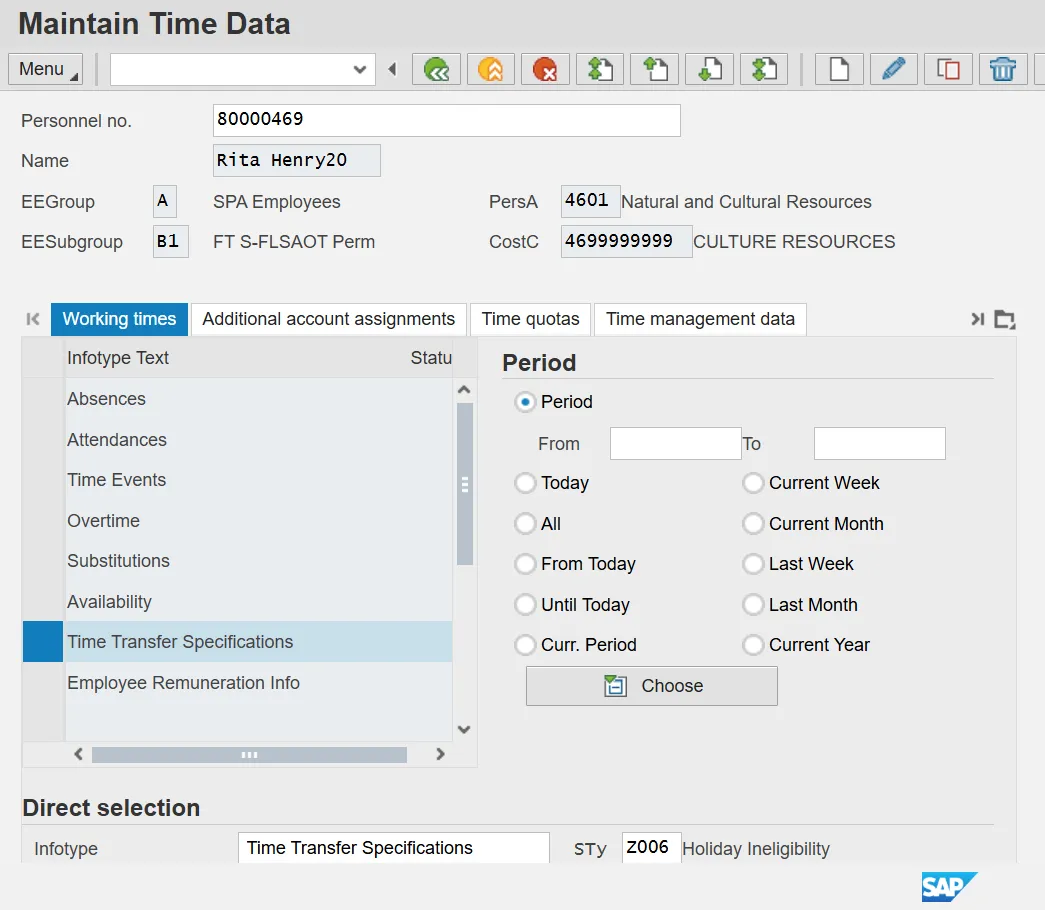
Note: Recording hours on holiday with a valid IT2012-Z006 will prevent the immediate rollover of holiday hours to holiday comp hours. Per normal holiday processing, the holiday hours will remain in the Holiday bucket for 30 days after the holiday and then roll over the HC.
Step 3. Click the Create button.
Step 4. Enter Effective date in Start field and in To field.
Note: The record should have only a single date validity period. Validity date ranges are not permissible with this subtype.
Step 5. Enter 1 in Number of hours.
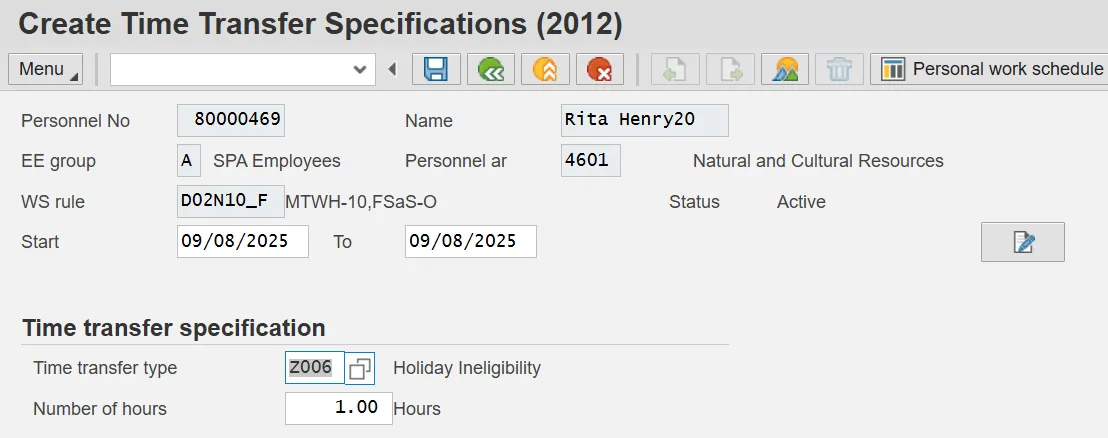
Step 6. On the toolbar at the top of the screen, click Menu > Edit > Maintain text.
Step 7. Type an appropriate message for the record.
Step 8. Click the Save button to save the text to the record.
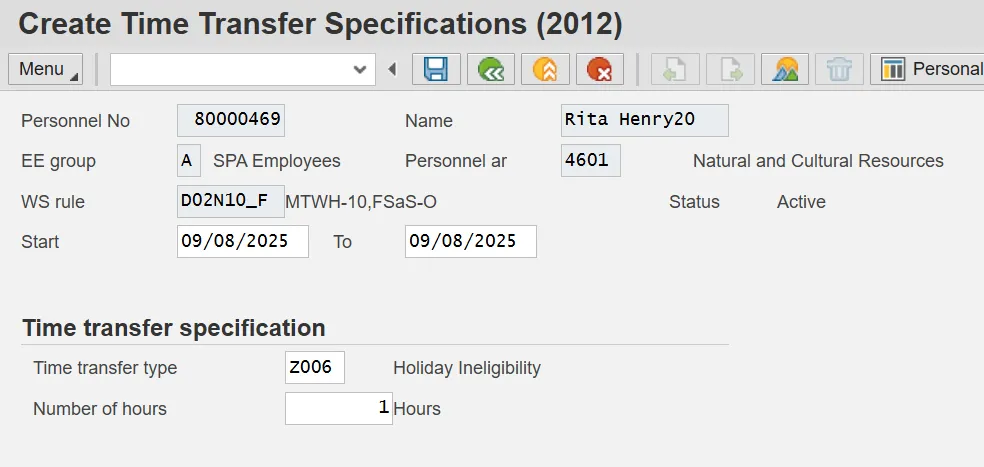
The Maintain Text icon will display on the infotype.
Step 9. Click the Save button to save the record.