Purpose
The purpose of this job aid is to explain how to update the working title for a Position in the Integrated HR-Payroll System.
Introduction
Position titles may be changed at will based on business needs. It is recommended that a position title be descriptive when possible. For example, instead of simply ‘Museum Curator’, a position might be titled ‘NC Museum of Art Curator’.
Steps to Change a Position’s Working Title
There are 9 steps to complete this process.
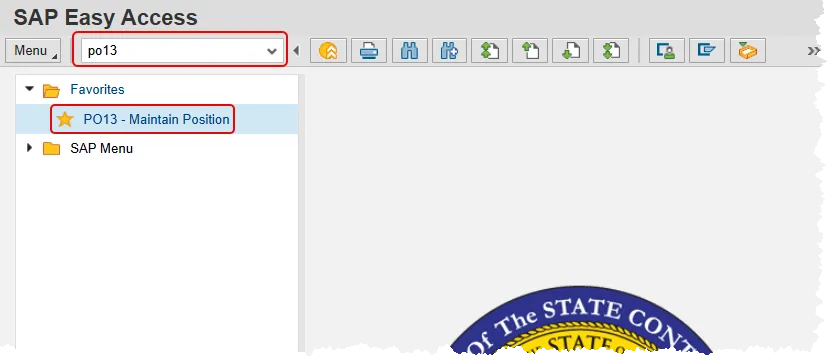
Step 1. Enter po13 in the command field and press enter, or double click it from your favorites folder if you’ve previously saved it there.
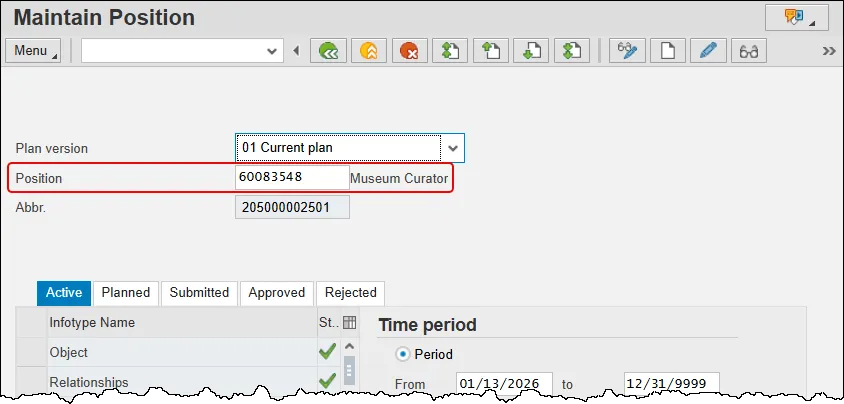
Step 2. Enter the Position number and press enter on your keyboard. Take a moment to read the position title to help verify that you have the correct position selected. This help document will use position 60083548 from the OSC training database.
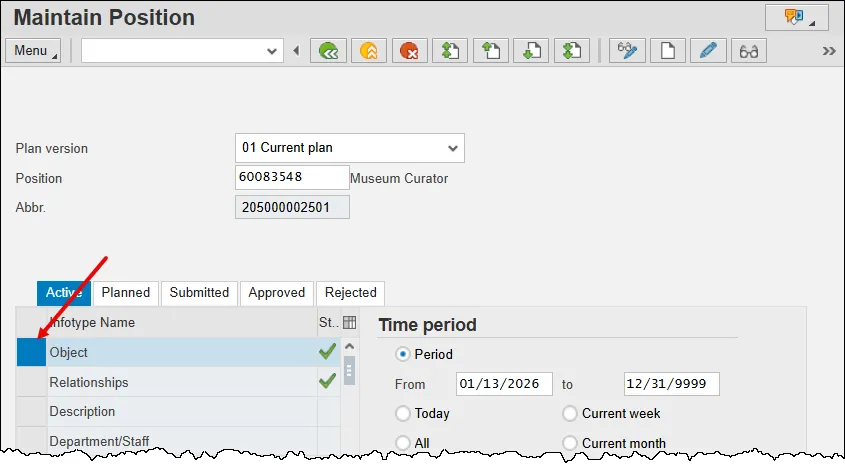
Step 3. Select the Object infotype (it’s the very top one) by clicking the gray box to the left.
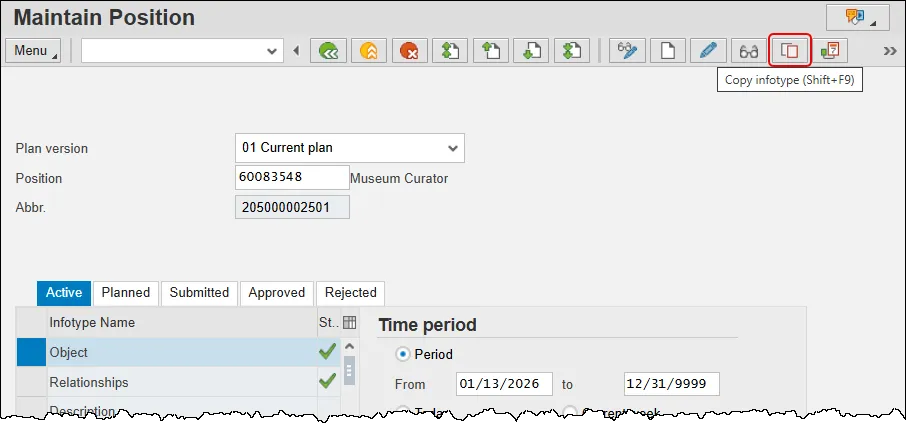
Step 4. Click the Copy button in the button bar.
Step 5. Update the following fields:
- Validity – Date on which the new data will be effective.
- Object Abbr. – Agency determined abbreviation for position title. 12 character maximum.
- Object Name – The working title for the position. 40 character maximum.
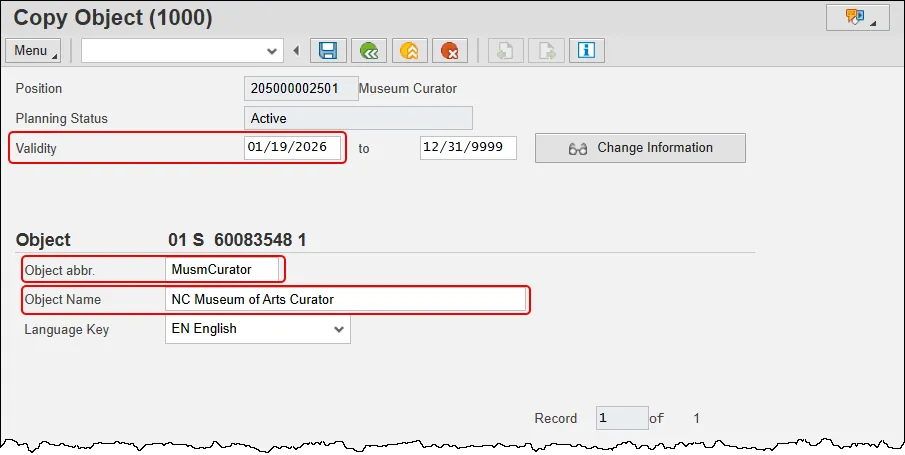
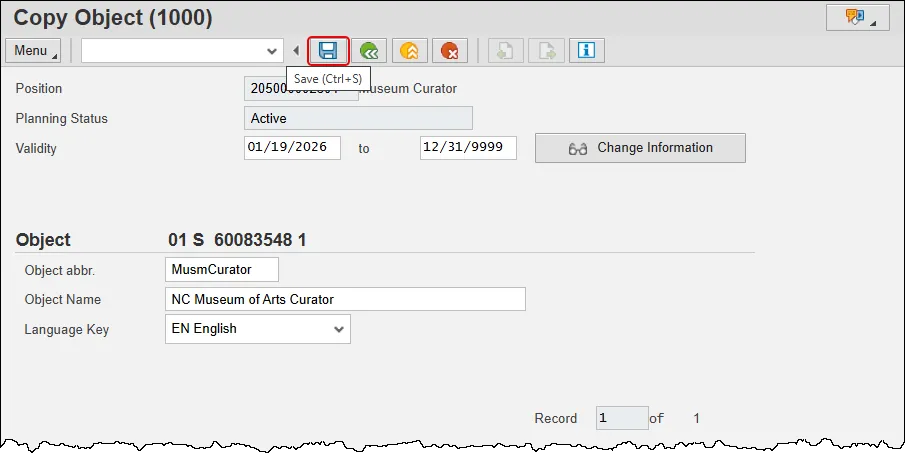
Step 6. Press the Save button.
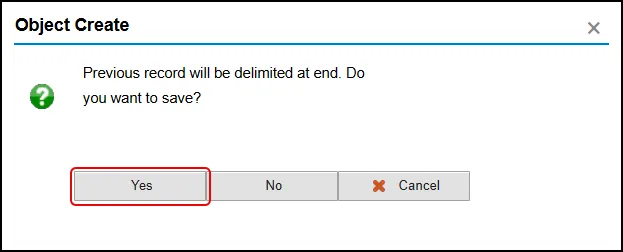
Step 7. Click Yes in the pop-up that appears.
Step 8. Observe that the name of the position has changed. Click the Back button to return to the SAP Easy Access Screen.
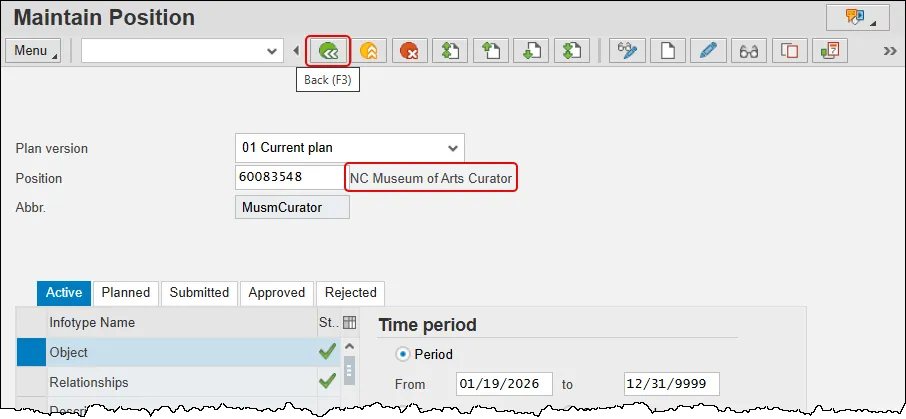
Step 9. The system task is complete.