Purpose
The purpose of this Quick Reference Guide (QRG) is to provide a step-by-step guide of how to drill-down a report in DV in Oracle Analytics Cloud (OAC).
Introduction and Overview
This QRG outlines the main processes for drilling down in DV: Drill-Down a Report. Report Drill-Down enables users to navigate through hierarchical data, revealing child accounts down to the lowest level. In DV, users cannot drill-down to journal-level details.
Drill-down a Report
Follow the below steps to drill-down a report in DV. There are 5 steps to complete this process.
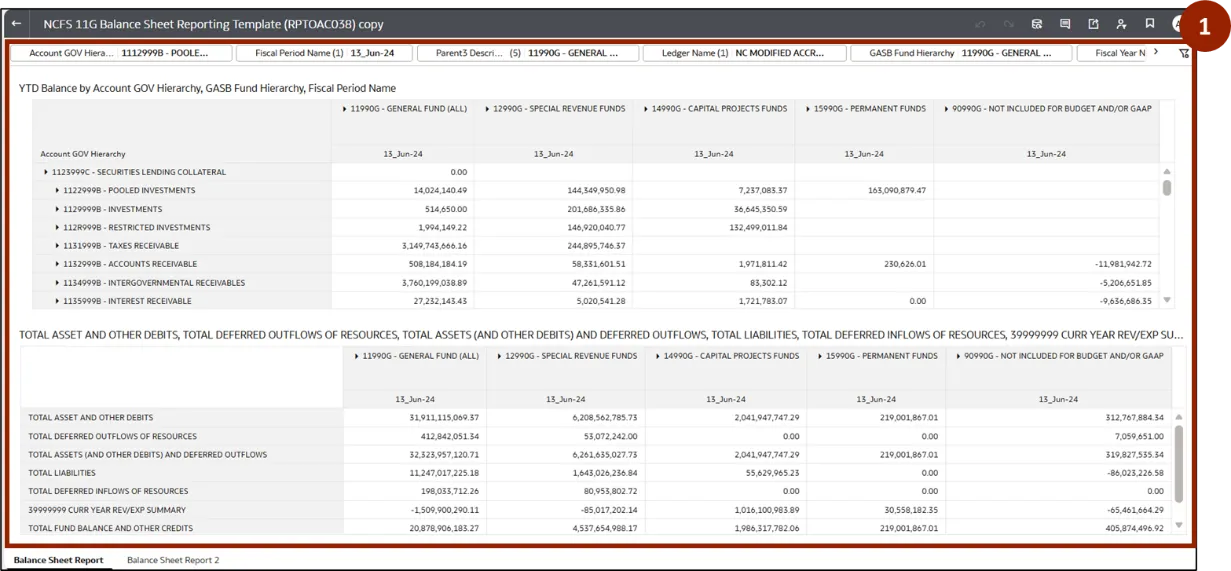
Step 1. To drill-down a report, navigate to the desired workbook.
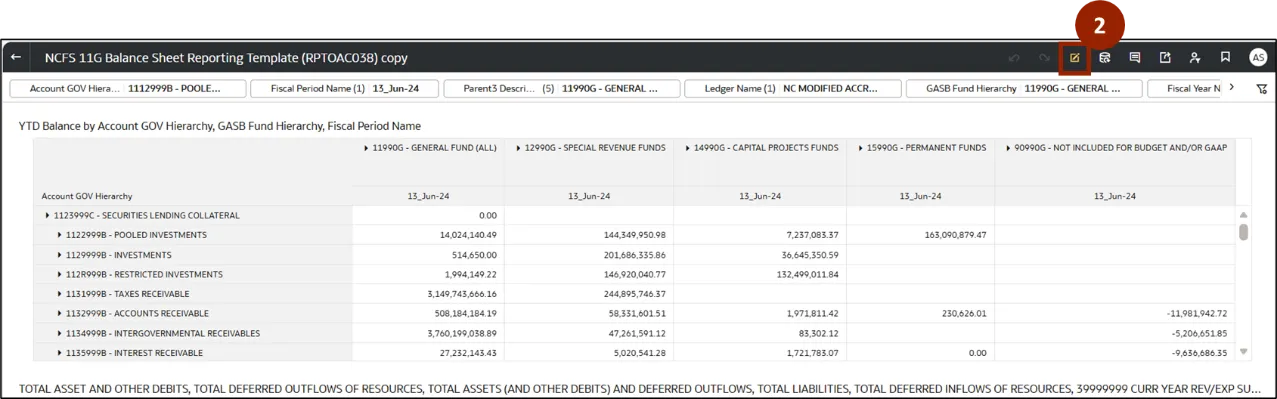
Step 2. Once the report is open, click the Edit icon.
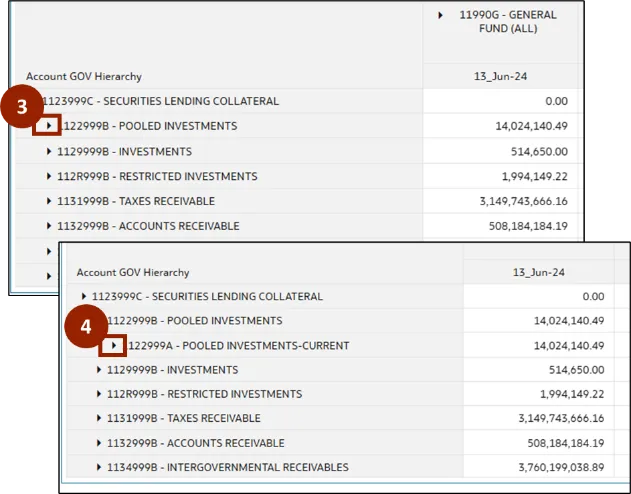
Step 3. The report opens in edit mode. Click the Expand (caret) icon next to the desired accounts row or column to expand and view the child accounts.
Step 4. Click the Expand (caret) icon again next to the sub account to expand further and display its child account details.
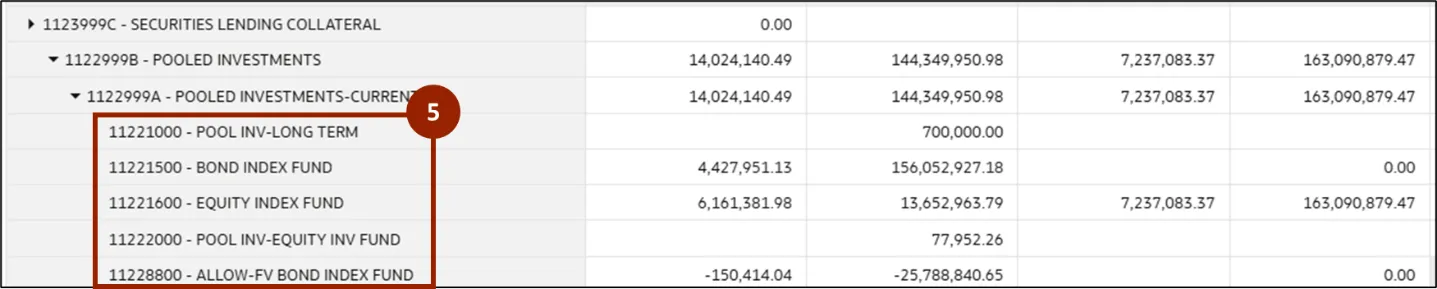
Step 5. The report now displays the lowest-level child accounts available under the selected account.
Note: In DV, users cannot drill-down to journal-level details.
Wrap-Up
OAC users can drill-down a report using the steps above. These features provide quick navigation through hierarchical data, supporting efficient and comprehensive financial analysis.
Additional Resources
- Virtual Instructor Led Training (vILT)