Purpose
The purpose of this Quick Reference Guide (QRG) is to provide a step-by-step guide of how to navigate to OAC DV Workspace layout in Oracle Analytics Cloud (OAC).
Introduction and Overview
This QRG covers the process of navigating to OAC DV workspace layout. It guides users through logging into OAC, accessing the DV homepage, and provides an overview of the DV Landing page along with its key features.
Navigate to OAC DV Workspace Layout
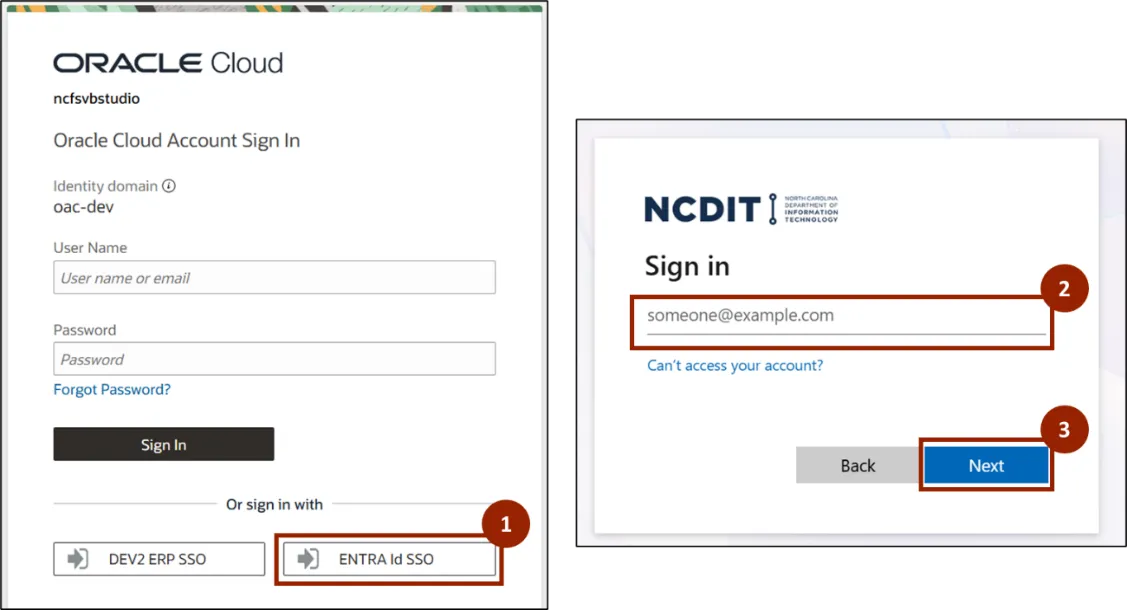
Follow the below steps to navigate to OAC DV workspace layout. There are 4 steps to complete this process.
Step 1. Navigate to the Oracle Analytics site. Click the ENTRA Id SSO button.
Step 2. Enter your @gov email address.
Step 3. Click Next then enter your password.
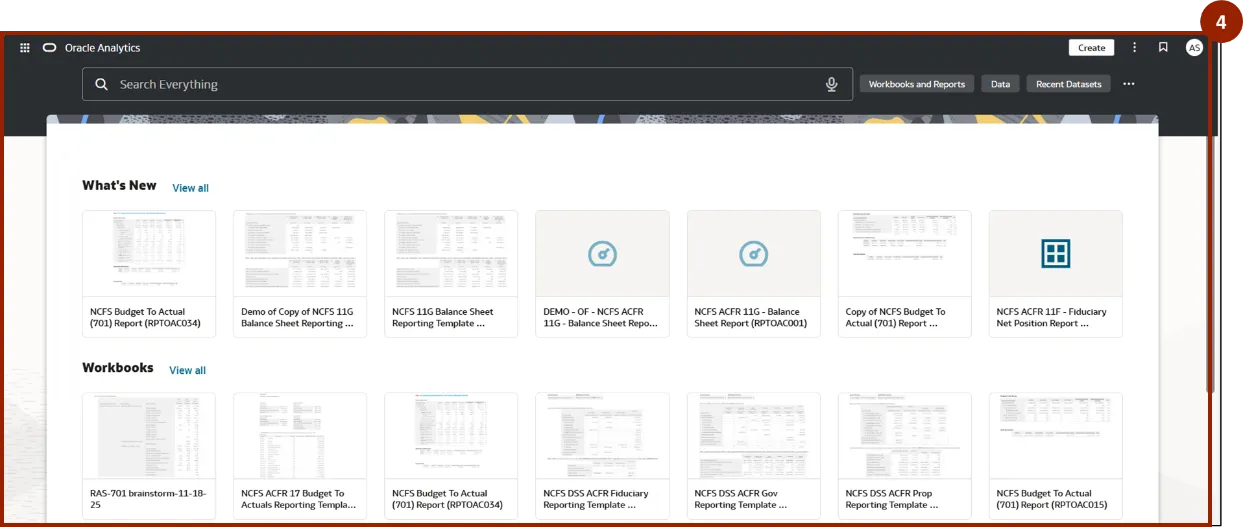
Step 4. OAC DV Home page is displayed.
OAC DV Home Page Layout
The OAC DV Home Page layout contains a search bar, Tabs, Navigation Menu, and Profile preferences. Each of these features are described in the list below.
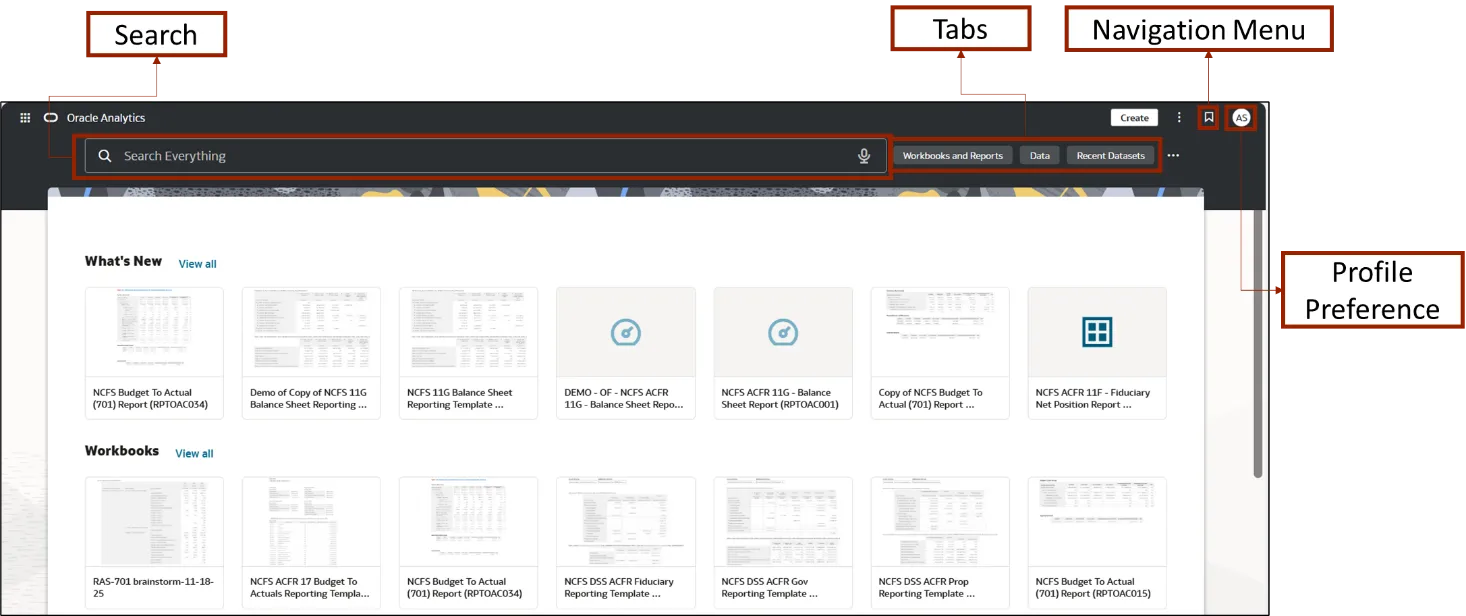
- Search Bar: Use the search bar at the top to quickly find reports, dashboards, or other items.
- Tabs:
- Workbooks and Reports: Access and manage your recent workbooks and reports.
- Data: Interact with data directly from the dashboard.
- Profile and Preferences: Adjust your profile and preferences to personalize your experience.
Navigation Menu: Move around different sections of OAC easily
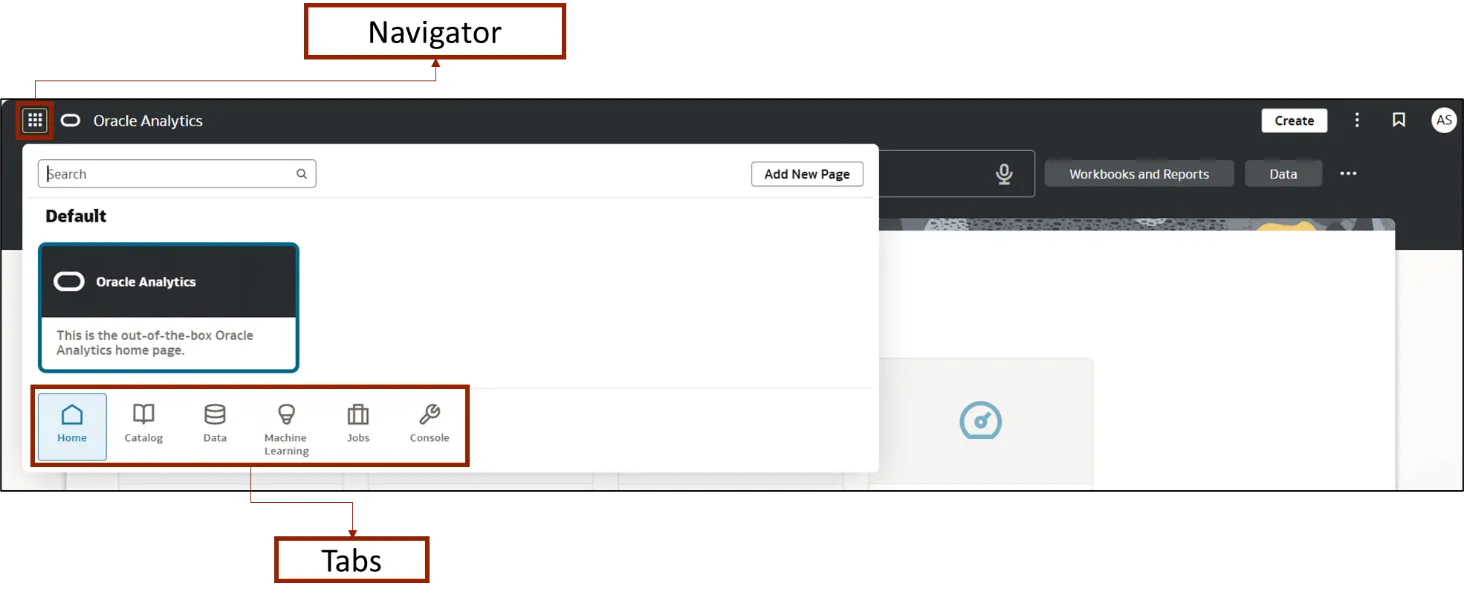
- Navigator: Organizes content into tabs for easier access across OAC.
- Tabs (Home, Catalog, Console, etc.): Switch between different collections with a single click, streamlining navigation and helping you move between areas without losing context.
Wrap-Up
OAC users can navigate OAC DV workspace layout using the steps above. By following these instructions, users can efficiently access the DV homepage, explore key features, and easily manage their reports and dashboards.
Additional Resources
- Virtual Instructor Led Training (vILT)