Purpose
The purpose of this Quick Reference Guide (QRG) is to provide a step-by-step guide of how to navigate subledger accounting in the North Carolina Financial System (NCFS).
Introduction and Overview
This QRG covers the process for navigating subledger accounting in NCFS.
Review Journal Entries Screen Navigation
There are 16 steps to complete this process.
Step 1. Click the Company Single Sign-On (SSO) button.
Step 2. Enter your @dac.nc.gov email address.
Step 3. Click Next, then enter your password.
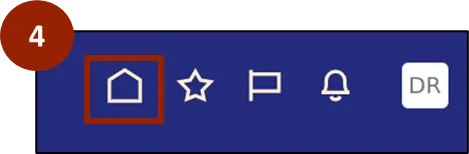
Step 4. Begin from the Home page, or click the Home icon.
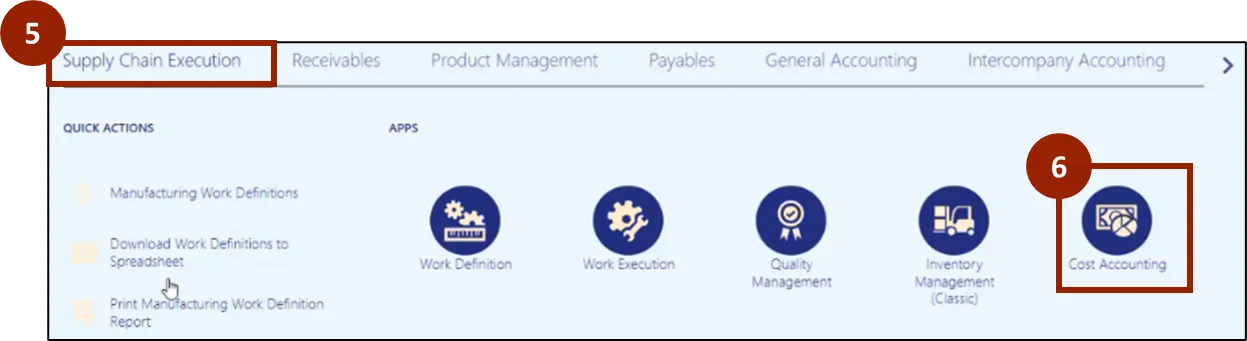
Step 5. On the Home page, select Supply Chain Execution.
Step 6. Within the Supply Chain Execution tab, select Cost Accounting.
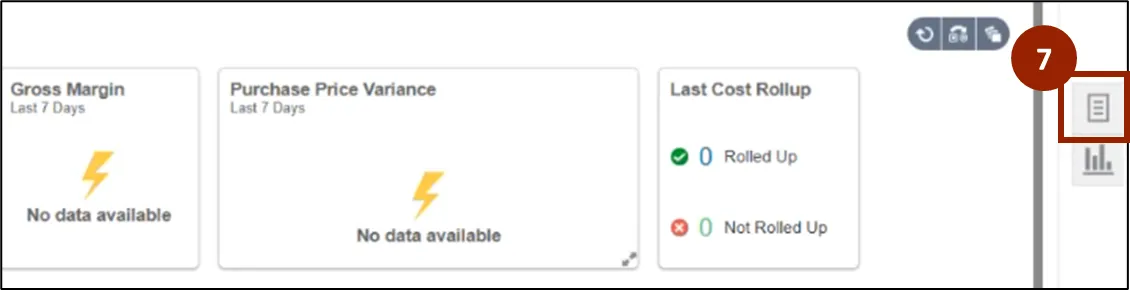
Step 7. On the Cost Accounting page, navigate to the Task icon.
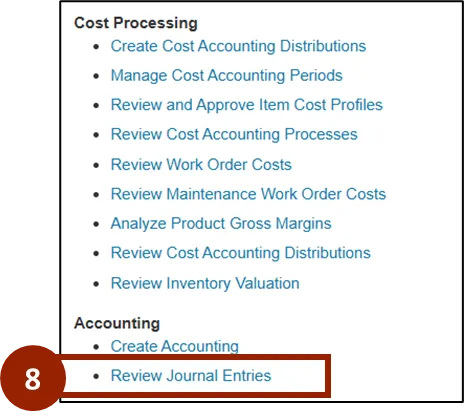
Step 8. Within the Task tab, select Review Journal Entries.
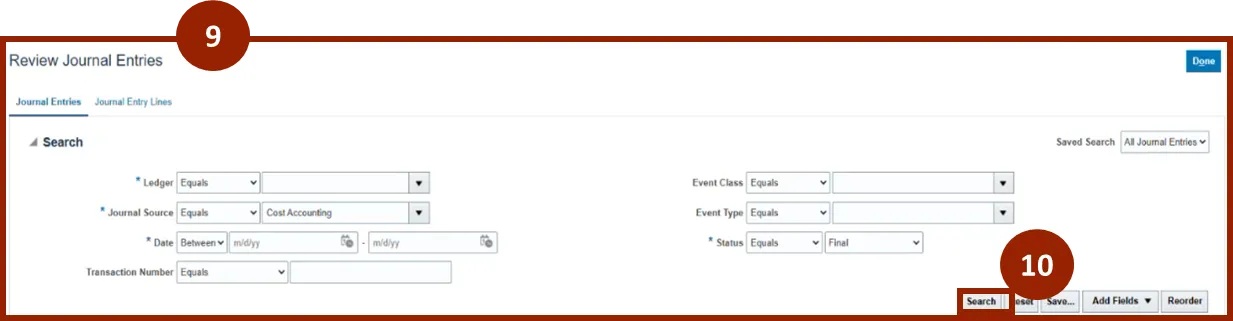
Step 9. On the Review Journal Entries screen, input and/or select the appropriate options from the following:
- Ledger: Select the appropriate ledger
- Journal Source: Select Cost Accounting
- Date
- Event Class
Note: Select the Event Class to narrow the search for specific transactions types, such as Sales Order Issue or WIP Material Transactions.
Step 10. Select Search.
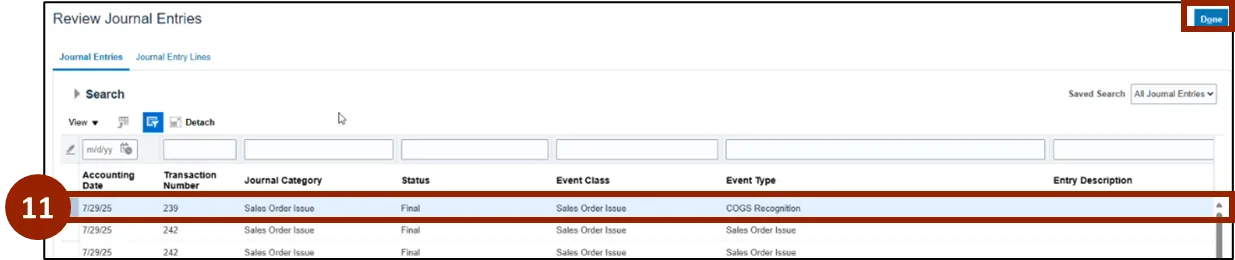
Step 11. Select a row to view more details and journal entries.
Step 12. Scroll down to view Journal Entries associated with highlighted row.
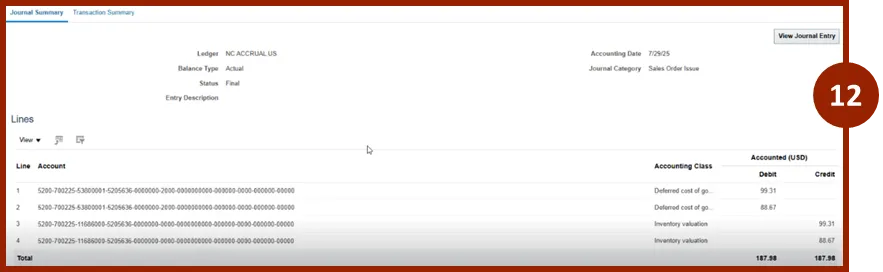
Step 13. Select Transaction Summary tab to view details such as item number, quantity, and warehouse.
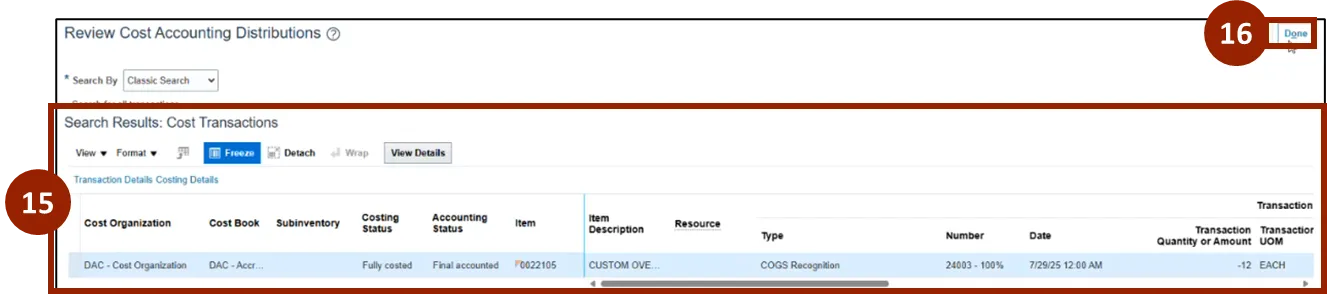
Step 14. Select View Transactions.

Step 15. View the Cost Transactions for the selected Journal Entry.
Step 16. Select Done.
Wrap-Up
NCFS users can navigate subledger accounting by following the steps outlined above.
Additional Resources
- Instructor Led Training (ILT)