Purpose
The purpose of this Job Aid is to provide a brief overview of the updated 2023 Federal W-4 Form and describe the process for entering data from the form using Infotype 0210 in the Integrated HR-Payroll System.
Background Information
The Internal Revenue Service (IRS) requires individuals who want to change their withholdings on or after 12/24/2019, or individuals hired after 12/24/2019, to complete an updated Federal W-4 Form.
Overview of the W-4 Form
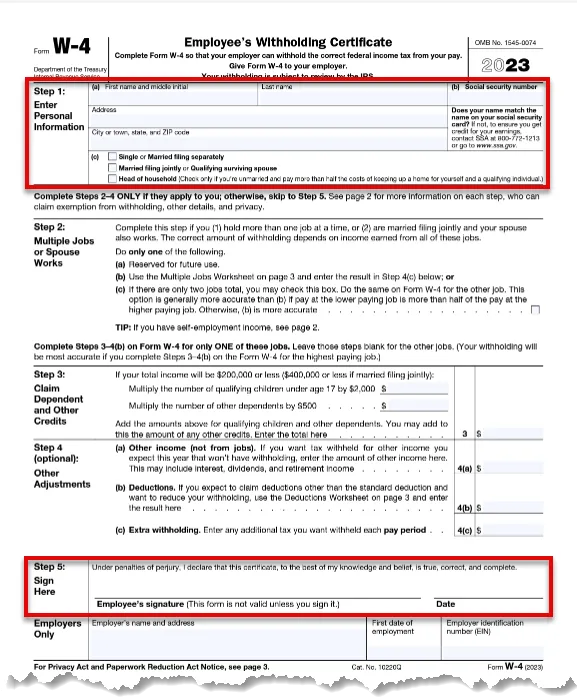
The updated Federal W-4 Form (including instructions) is available on the IRS website. The following sections briefly review the steps on the form (shown below). An employee needs to carefully read the instructions included in the W-4 form before completing it and MUST complete Step 1 and Step 5. The employee should complete Steps 2–4 ONLY if they apply.
If the employee has questions about the W-4 form, refer them to the IRS About Form W-4, Employee's Withholding Certificate. Please do not provide tax advice to employees.
There are 5 steps to complete this process.
Step 1. Enter Personal Information
The employee MUST enter their personal information.
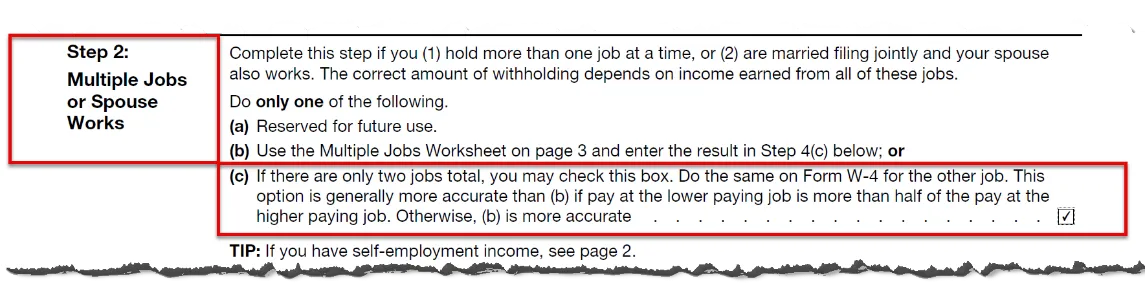
Step 2. Multiple Jobs or Spouse Works
The employee may complete this step, following the instructions on the W-4 form, if they (1) hold more than one job at a time, or (2) are married filing jointly and their spouse also works.
Step 3 Claim Dependents
The employee may complete this step to claim tax credits for dependents by following the instructions on the W-4 form.
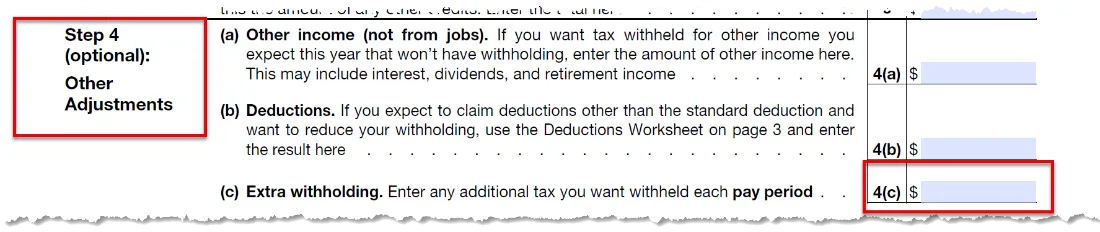
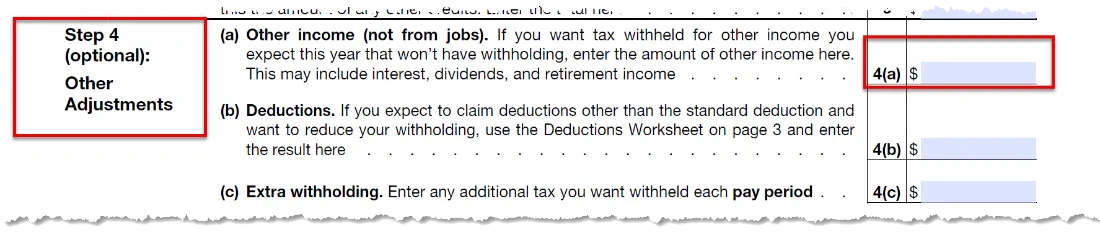
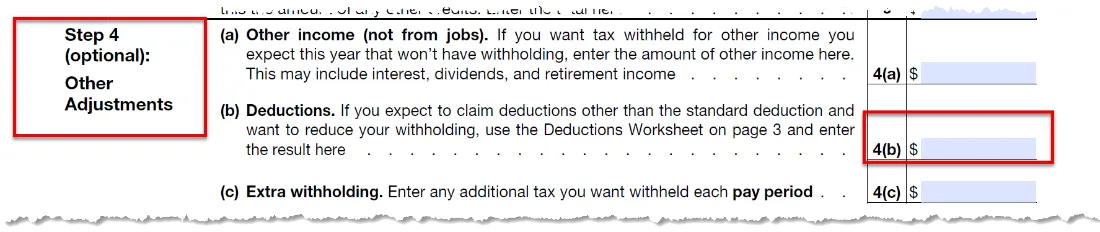
Step 4 (optional) Other Adjustments
The employee may choose to calculate other income, claim itemized deductions, or withhold additional taxes each pay period by following the instructions on the W-4 form.
Claimed Exemption: The employee may choose to claim an exemption from federal withholding by carefully following the instructions on page 2 of the W-4 form. They must submit a new W-4 each year they wish to claim the exemption.
You will follow the instructions in Processing Tax Exempt Withholding PY-17 to correctly process this exemption in the Integrated HR-Payroll System.
Step 5 Sign Here
The Federal W-4 Form is not valid unless it is signed and dated by the employee. If the employee completes a paper form, they MUST turn in a signed and dated original form. If the employee completes the form directly in the Integrated HR-Payroll system, they MUST use an electronic signature.
Note: Employees claiming “Exempt” status must complete a paper form.
Employers Only
The employer should enter the agency name, employee’s 1st date of employment, and the agency tax ID.
Infotype 0210 Entries
In the Integrated HR-Payroll System, Infotype 0210 (Withholdings Info W4/W5 US) underwent changes on 12/24/2019 to reflect the new Federal W-4 Form changes. When entering employee information or verifying a IT0210 record, it is important to review all data, including the employee information in the header. The following sections discuss the important IT0210 areas to review and how to enter or validate that information based on information in an employee’s completed and signed W-4 form.
Header
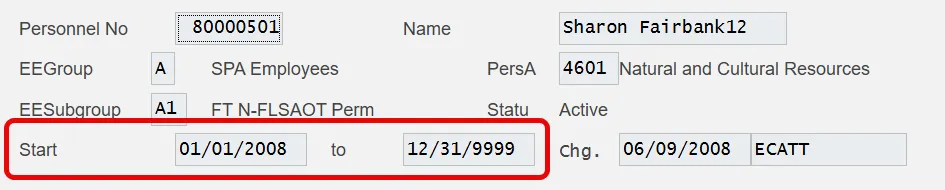
The Validity date should be active and Start date should match the date on the signed W-4 form.

Filing Information
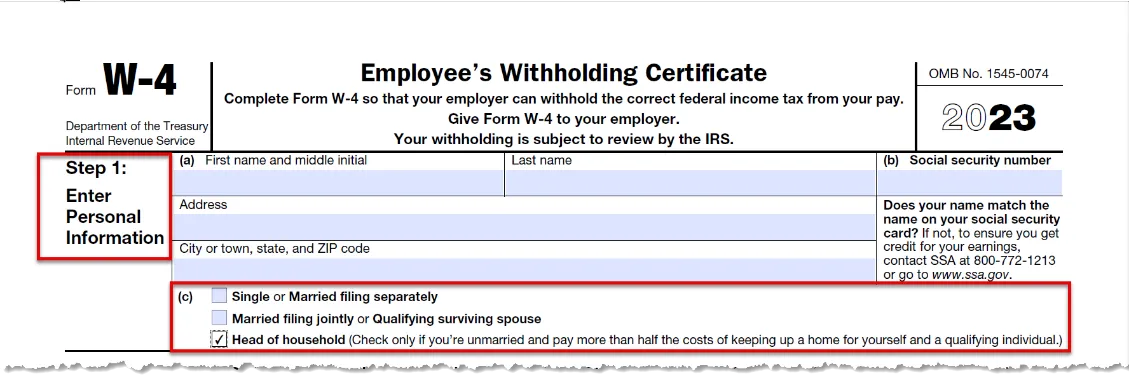
Select FED (Federal) for the Tax authority and Tax level will adjust automatically. Filing Status should reflect the employee selection on Step 1(c) of the W-4 form.

Withholding Format
Under Redesigned (TCJA) Data Input, check the box Use Higher Withholding Rates Schedule if the employee checked the box in Step 2(c) of the W-4 form.

Under Redesigned (TCJA) Data Input, enter the total dollar amount listed by the employee on Step 3 of the W-4
form into the Credits for dep. field. The amount should be entered in US dollars and must be $500 or more.


If the employee listed any Other income (not from a jobs) in Step 4(a) of the W-4 form, enter that amount in the Other income field under Redesigned (TCJA) Data Input.

If the employee listed any Deductions in Step 4(b) of the W-4 form, enter that amount in the Deductions field under Redesigned (TCJA) Data Input.

Withholding adjustments
If the employee listed any Extra withholding in Step 4(c) of the W-4 form, enter that amount in the Add. withholding field.