Purpose
The purpose of this job aid is to explain how to process tax exempt withholding in the Integrated HR-Payroll System.
Process Objective
To comply with IRS, NC Department of Revenue (NCDOR) and other tax authority tax withholding regulations
Overview
General Information: In accordance with state and federal Law, employees may claim “exempt” status for income tax withholding on Forms W-4 and NC-4EZ, but the exemption must be renewed each year. Additionally, employees cannot make changes to withholding through ESS if the change involves an exemption, so Human Resource or Administrative staff are responsible for keying the exemptions for active employees. Withholding forms for all separated employees should be sent to BEST Shared Services for processing.
Limitations: Exemptions expire annually on February 15 of the subsequent year, but any changes that cannot be processed prior to closing the February payrolls will result in an exemption being applied to future wages. However, any taxes withheld while the exempt status was not in place will not be refunded to an employee.
Effective Date: The start date for the exemption should be the beginning of the current pay period, if prior to finalization, or the first day in the next pay period if finalization has already occurred, except when a different date is noted on the form(s).
Responsibilities to Taxing Authorities: Forms must be retained for a period of not less than four years and must be available for review by the appropriate taxing authority upon request.
Special Instructions: All forms must be signed and dated by the employee. Additionally, forms should be submitted for the appropriate year:
- The Form W-4 submitted must be for the correct tax year. (See top left corner of Form W-4 for the year.)
- The “effective year” below line 4 of Form NC-EZ must be completed.
- Exemption forms that are received in a year prior to the year in which the exemptions are effective should be processed with a start date of January 1 in the next year. (An example would be an exemption submitted in December that is to begin in the next calendar year.)
Employees claiming a military spouse exemption for North Carolina must provide additional documentation consisting of a copy of the service member’s last “Leave and Earnings Statement” and a current military spouse photo ID.
Operational Process: Processing Exemptions to State and Federal Tax Withholdings
The exemption from income tax withholding does not change the amount of taxable income reported to the IRS or the NC Department of Revenue/state taxing authority, but it does ensure that no income tax is withheld from an employee’s pay.
Since exemptions expire each year, the start and end dates are important, as is the method used to record them. To correctly process an exemption, the following rules apply:
- The exemption record is always created by using the COPY function.
- The START date is always the first day of the current pay period, or the next pay period if finalization has occurred (unless the exemption begins in a subsequent year, in which case the START date would be January 1 of the subsequent year).
- The END date is NEVER later than February 15 of the next year.
- The payroll system will create a new tax withholding record automatically for the period following the end of the exemption. (This new record should represent the last valid withholding election on record. If no non-exempt record existed, then the new record should be modified to reflect a status of “single with zero allowances”.)
- The END date of a tax-exempt record should NEVER BE 12/31/9999.
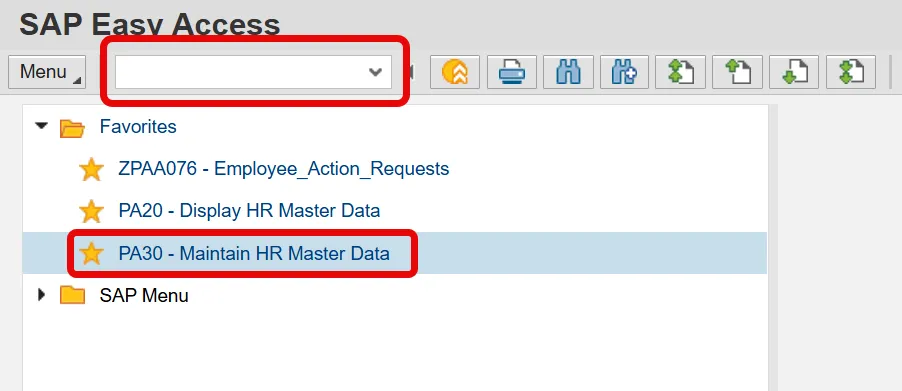
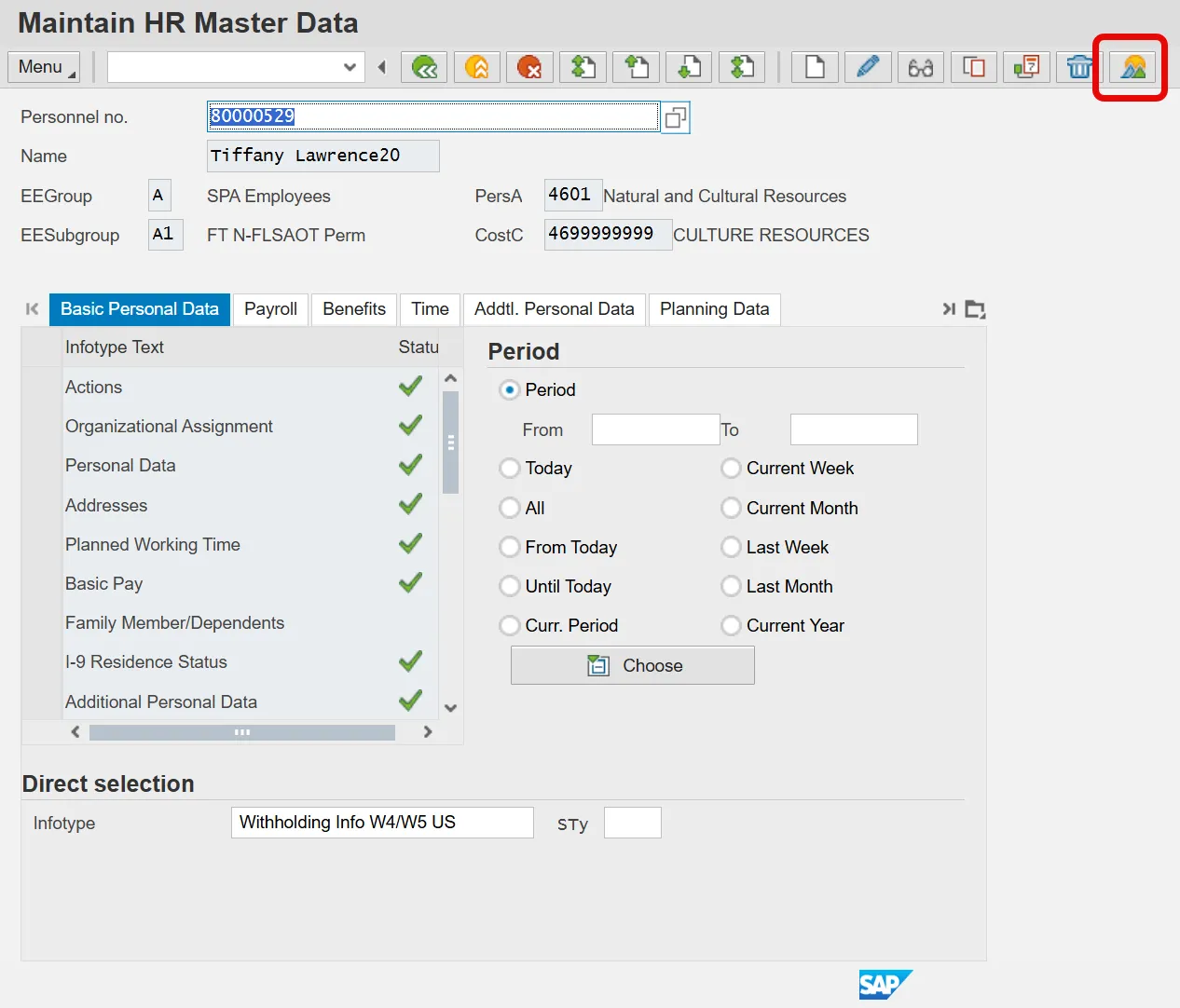
To update federal or state tax withholding records, access PA30 – Display HR Master Data from the Main Menu by double-clicking on the highlighted line shown below or by typing PA30 in the menu box.
Click Enter.
The following screen is displayed.
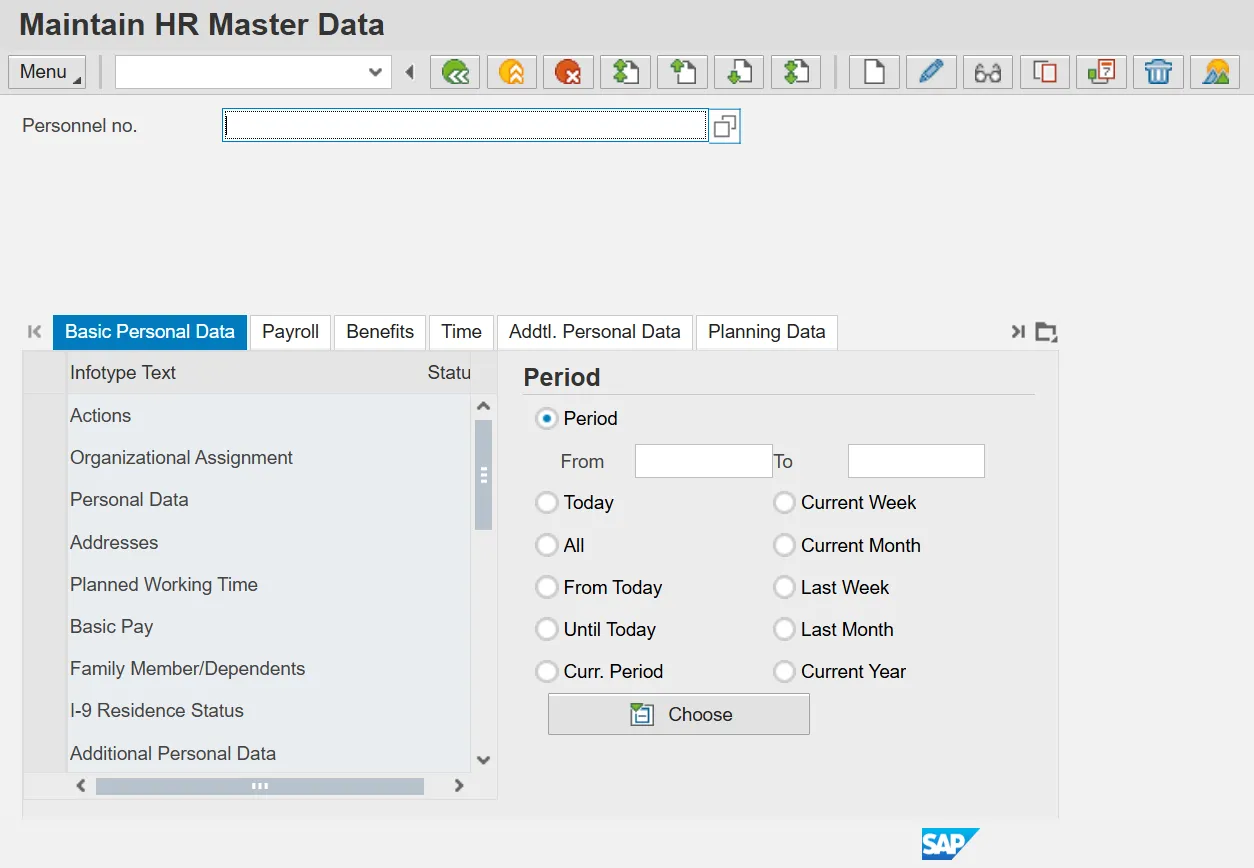
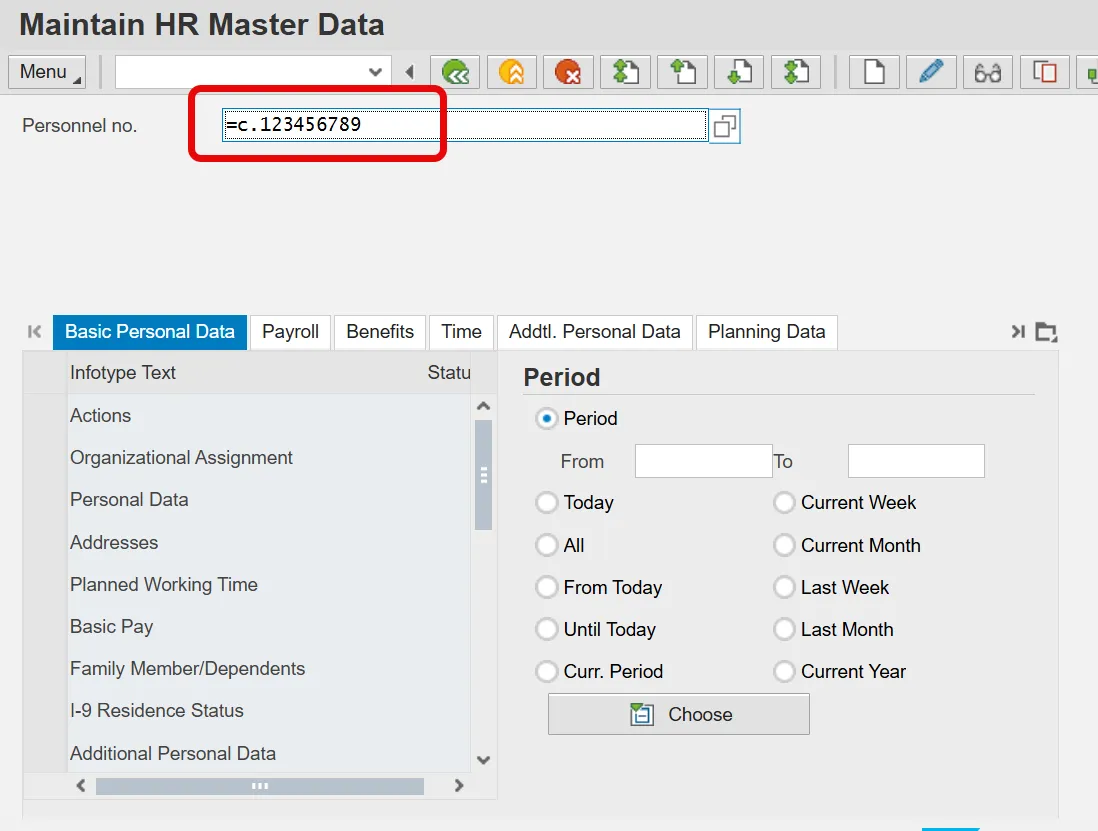
If the Personnel Number of the employee is unavailable, then use the employee’s Social Security Number to identify the employee in the payroll system. If the tax withholding form(s) do not contain the employee’s Social Security Number, return the form to the employee until the information is provided.
To identify the employee by their Social Security Number, key the following into the Personnel no. field: =c..ssn.
Click Enter.
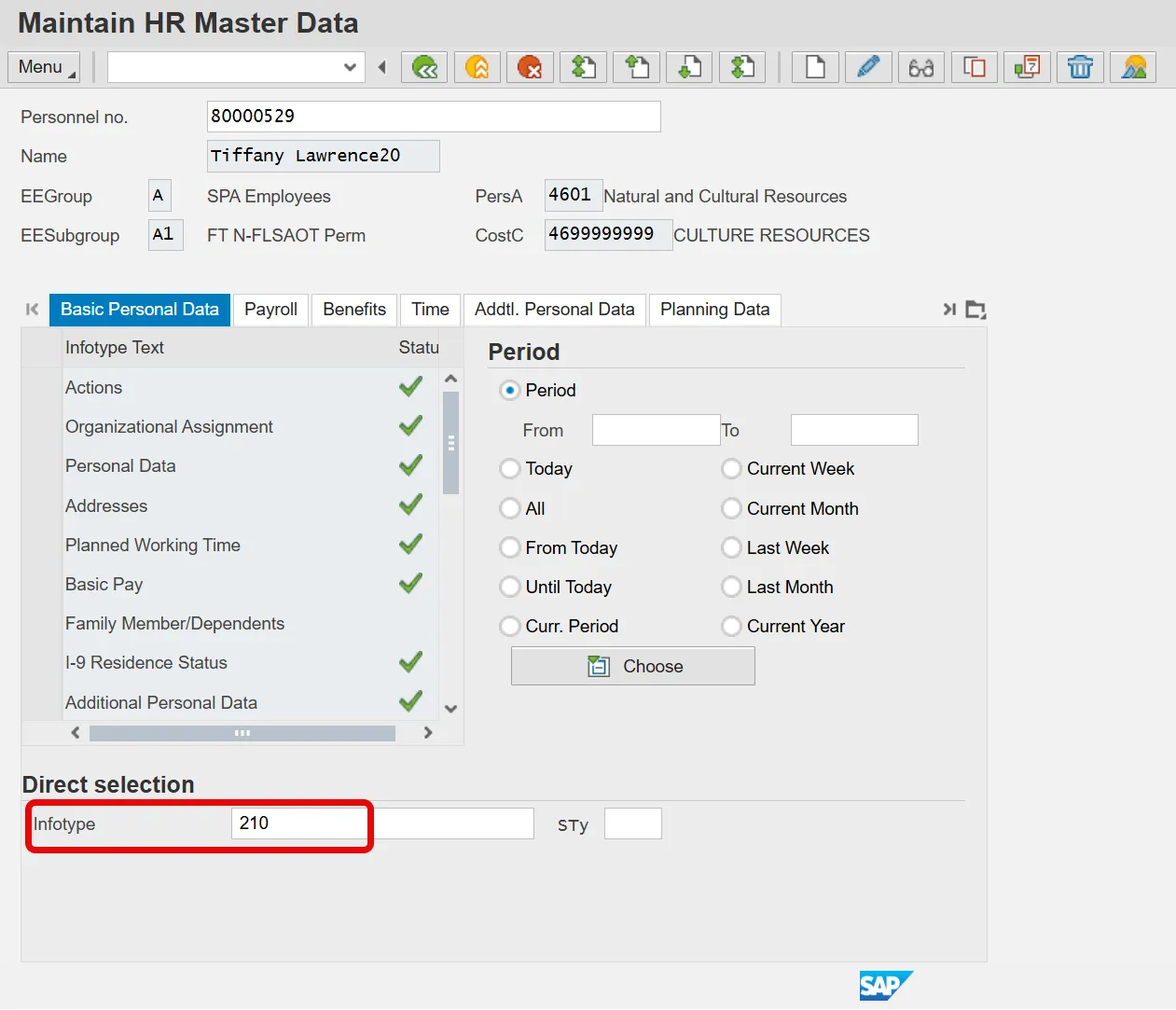
Verify that the correct employee has been selected. If correct, type 210 in the Infotype field at the bottom of the screen.
Click Enter.
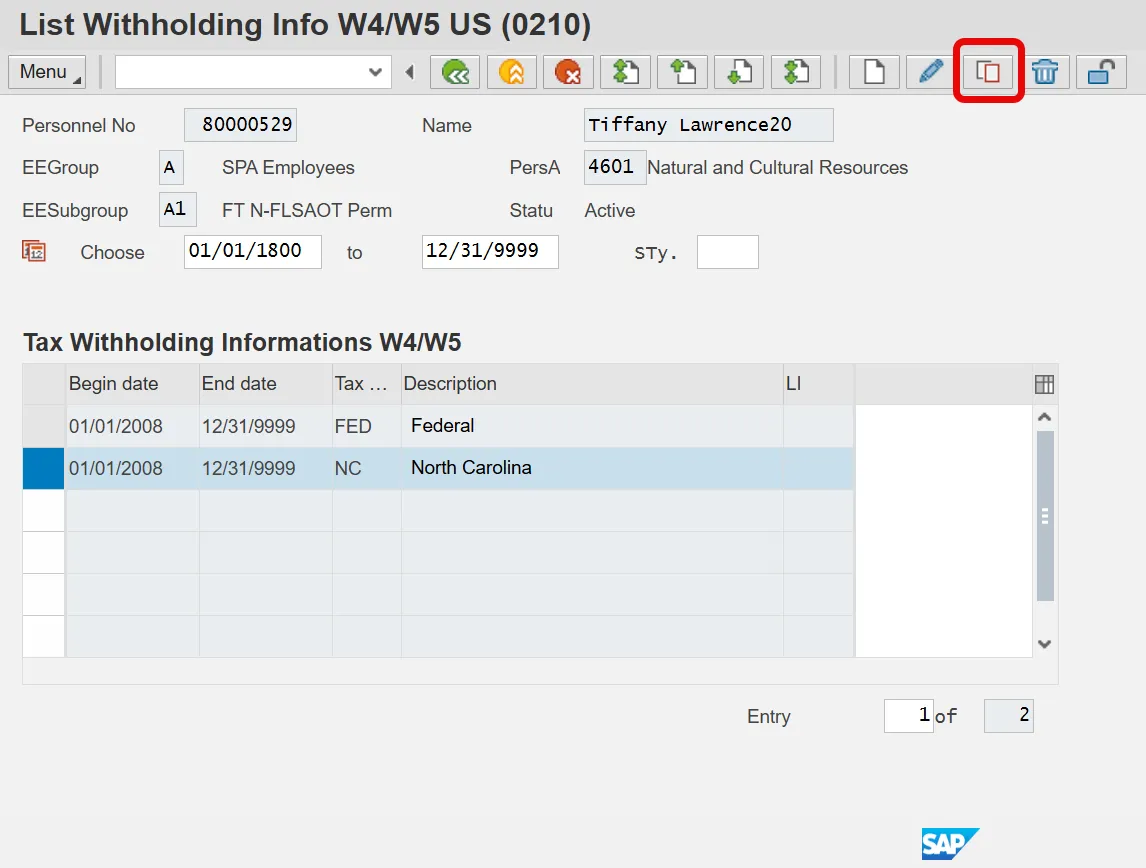
To access the most recent withholding records, click on Overview.
In the following example, the employee has submitted a North Carolina (NC) state tax Form NC-4EZ to claim exemption from state tax withholding for tax year 2014.
To record the state tax exemption, highlight the current NC withholding record and click Copy.
Once the record is displayed, verify that the employee does not have an IRS withholding mandate in place. A mandate overrides any elections made by the employee. An IRS mandate is in place if the IRS Mandates field is checked.
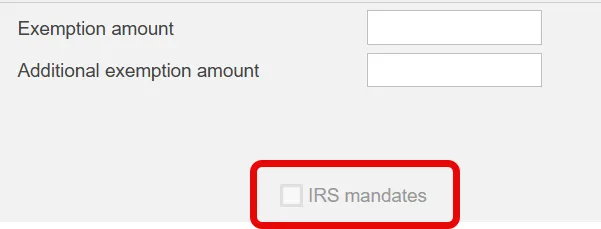
All mandates, whether ordered by the IRS or the state will be displayed on the screen as an IRS mandates.
If a withholding mandate is in place, the exemption should still be keyed in case the mandate is lifted prior to the exemption’s expiration date. However, the employee should be notified that the exemption is being barred by an existing tax withholding mandate.
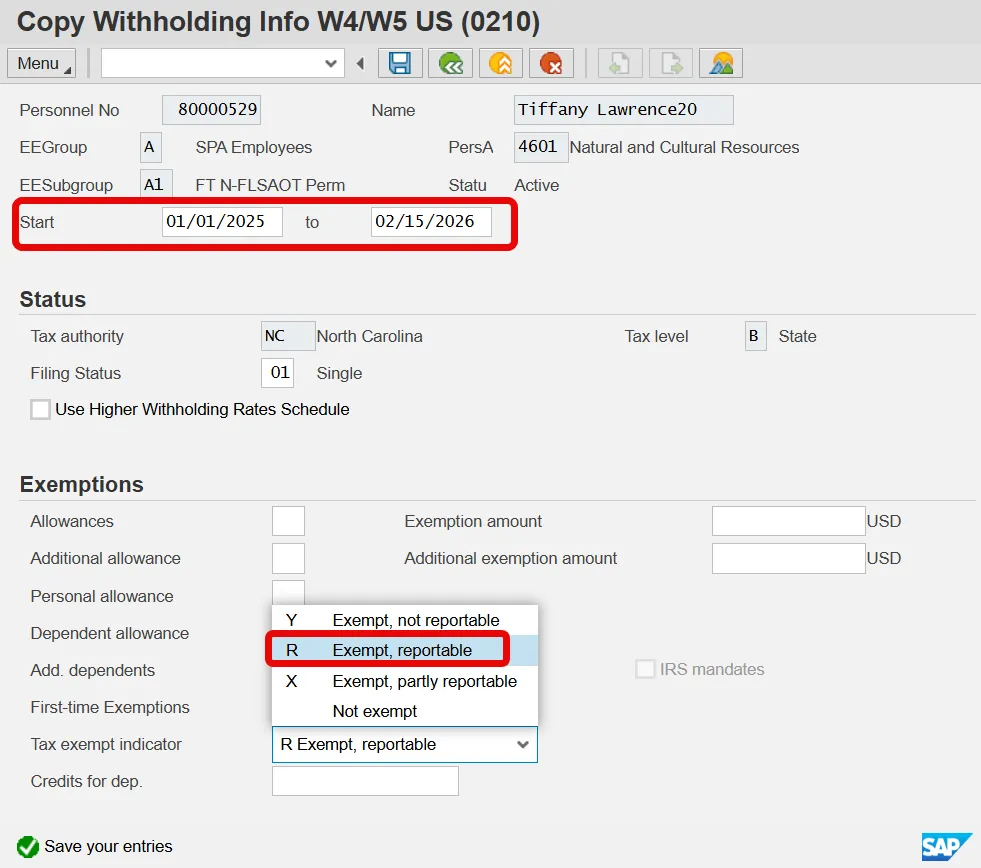
The Start date of the change should be the beginning of the current pay period if finalization has not occurred. If it is too late for the change to be effective in the current pay period (i.e., after finalization) then make the change effective for the next pay period. (Note: Taxes withheld due to timing issues are not refunded.)
In this example, the monthly employee filed Form NC-4EZ on January 15, 2025, so the start date should be 01/01/2025 and the end date should be 02/15/2025.
To make the individual exempt from state taxes, use the dropdown box to select R Exempt, reportable.
Press Enter to accept the change.
If the exemption dates are keyed correctly, then the following message is displayed. Click Enter, or the green check, to move to the next screen.
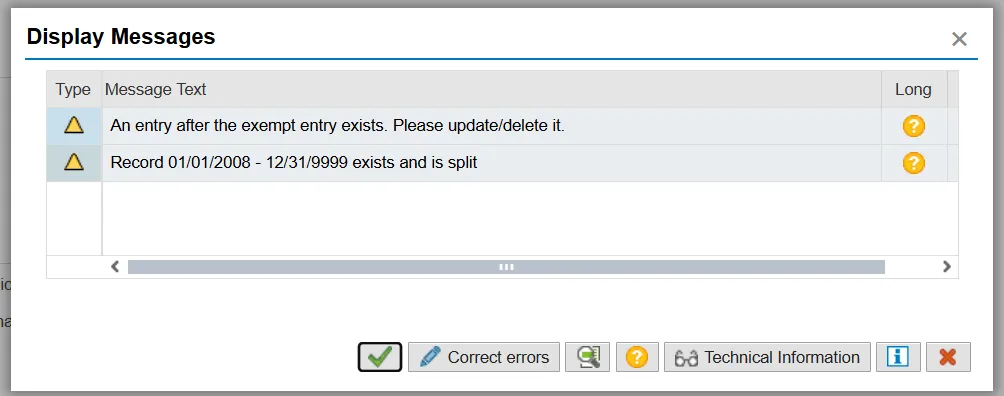
If the END date is keyed incorrectly, the system will provide a warning that the END date should be no later than February 15 of the subsequent year, as shown below:
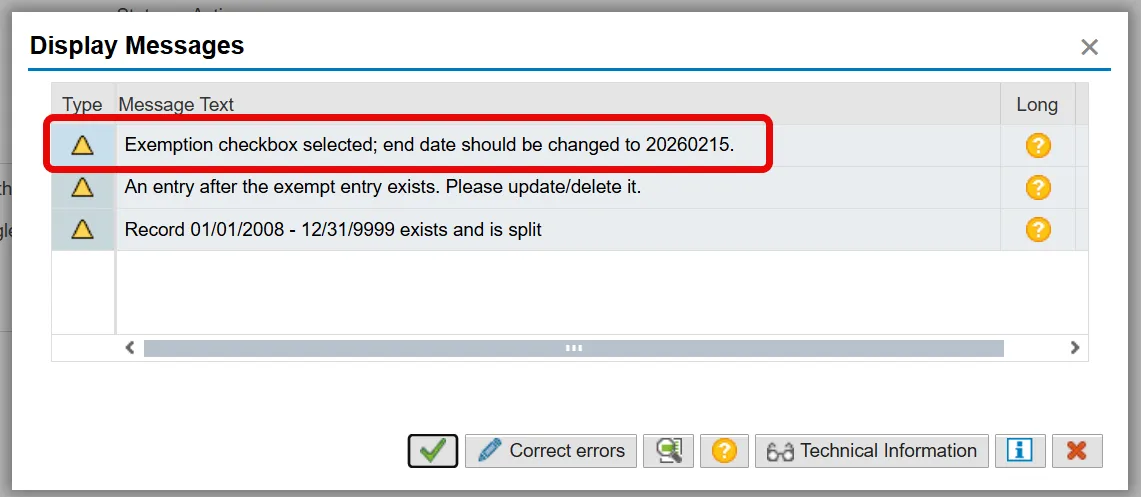
The message shown above is for a North Carolina state exemption. Federal expiration dates may be displayed as 20150217 (02/17/20xx), but the expiration date should still be keyed as 02/15/20xx.
Note: The employer should retain the withholding form (W-4/NC-4EZ) in the employee’s file. The retention schedule for Form W-4 is four years.
Continue to press Enter until all the messages have been displayed.
To retain the changes, click Save.
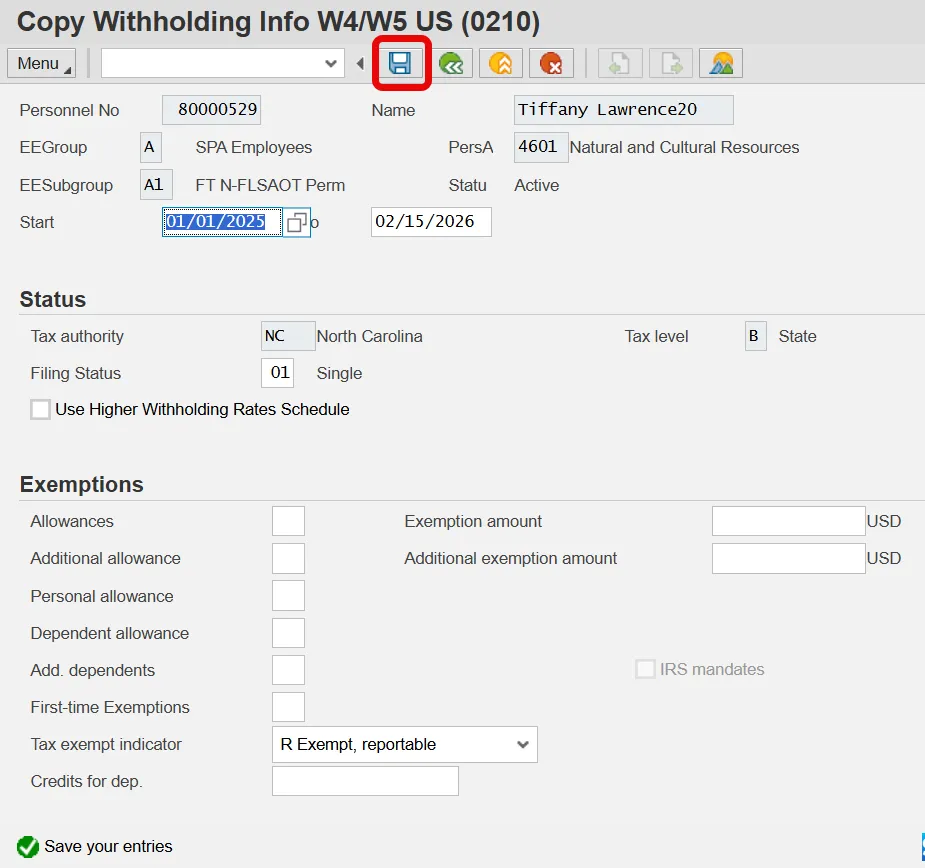
Note that the entry for the exemption automatically creates an additional entry for 02/16/2026 through 12/31/9999. To view the new entry, highlight it and click CHANGE.
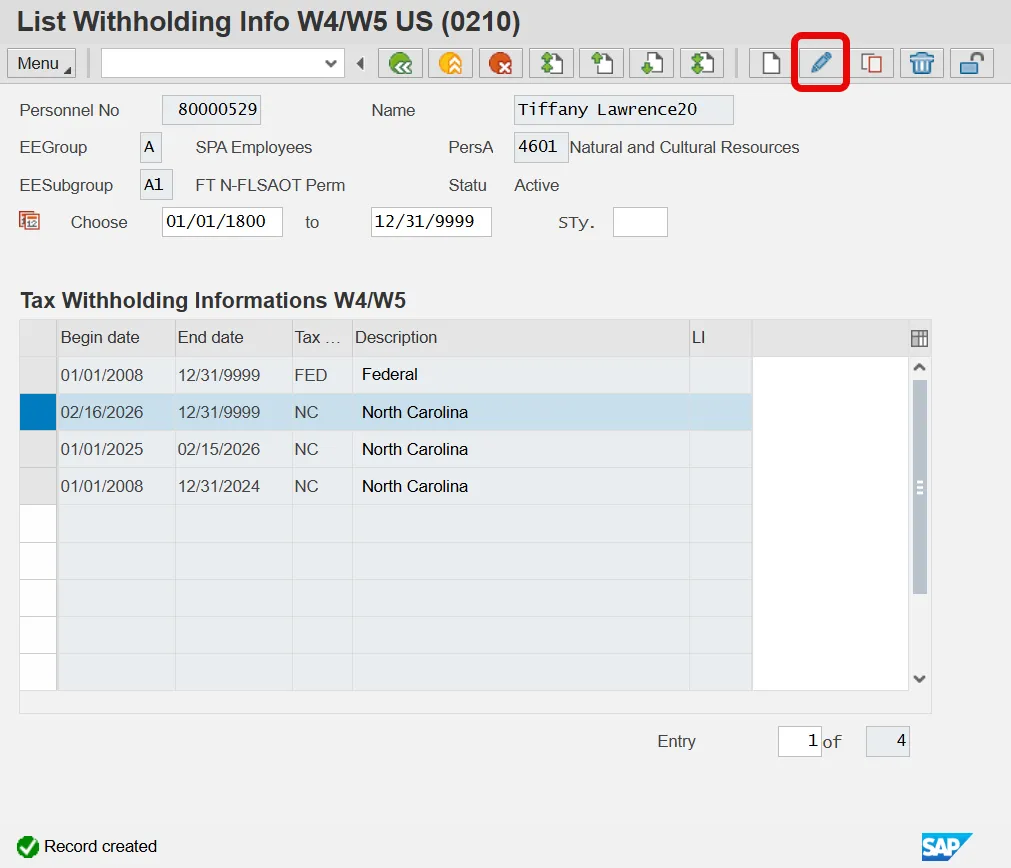
The new record ending on 12/31/9999 should appear as “Not exempt", as shown below.
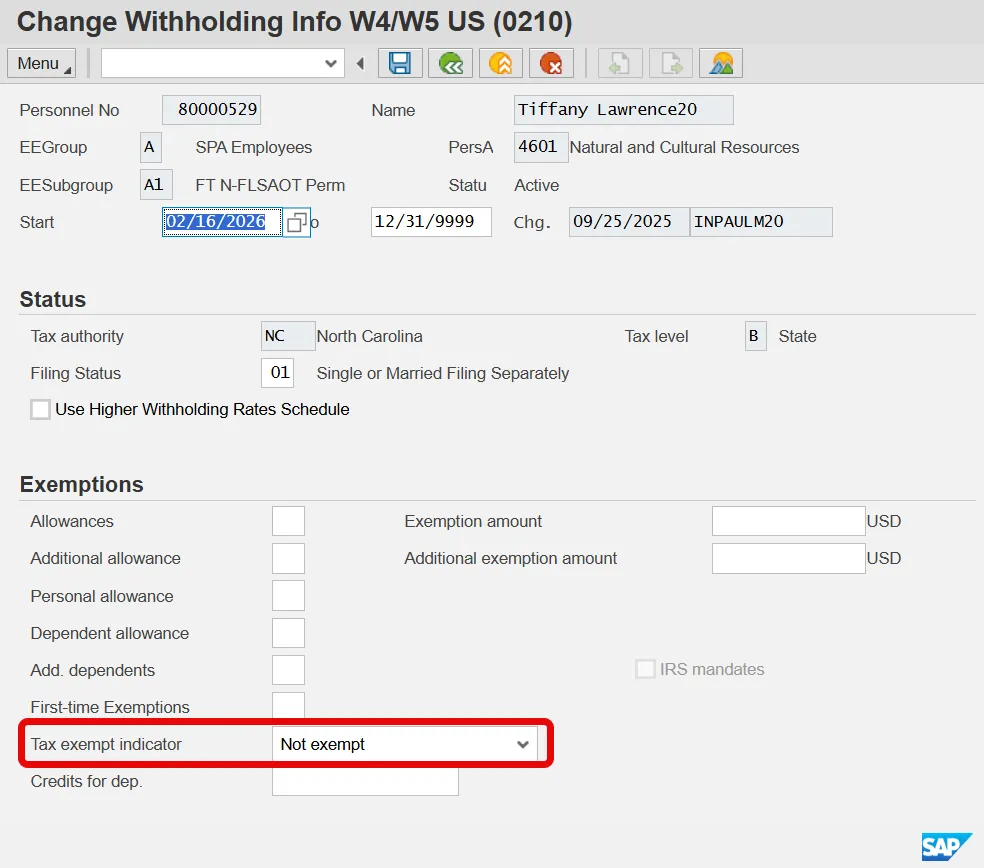
It is important to note that if the new record (02/16/20xx – 12/31/9999) still displays a status of R Exempt, reportable, then it should be changed to a filing status of Single and Zero Allowances. (See example above.)
To return to the main menu, continue to click the Back button until the main menu is displayed.