Security Role Requirements
NCFS access requires a security role after completing the required training courses and a request from your agency’s NCFS Security Administrator(s). If you are unsure whether you have a security role, please consult with your supervisor and review the NCFS System Training page, including the NCFS Training Success Checklist for detailed instructions for completing training courses to acquire the security role(s) you need to perform your duties.
Log In With Your Credentials
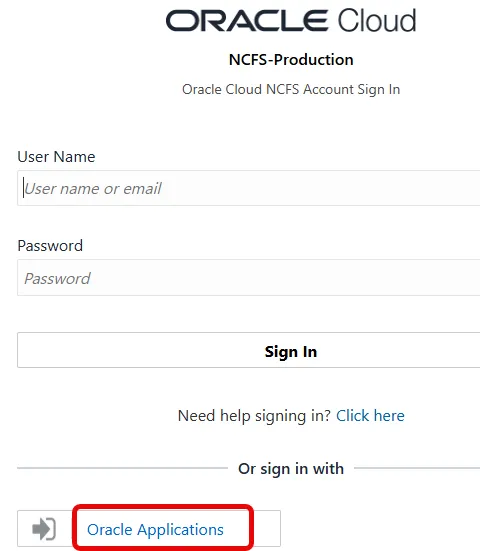
If you have an NCFS security role, log in to the NCFS portal with your assigned credentials to access the system using the Oracle Applications Sign-On button or the process specified by your agency.
Request Assistance
If you are having difficulty logging in, please submit a request for assistance on the OSC Contact Us page, select NCFS System in the Nature of Contact field and provide a detailed message describing the problem.