Purpose
The purpose of this Quick Reference Guide (QRG) is to provide a step-by-step guide of how to set up and maintain Available to Promise (ATP) and sourcing rules in the North Carolina Financial System (NCFS).
Introduction and Overview
This QRG covers the process of setting up and managing local and global sourcing rules as well as ATP (Available to Promise) within NCFS.
Set Up and Maintain Sourcing Rules
There are 16 steps to complete this process.
Step 1. Click the Company Single Sign-On (SSO) button.
Step 2. Enter your @dac.nc.gov email address.
Step 3. Click Next, then enter password.
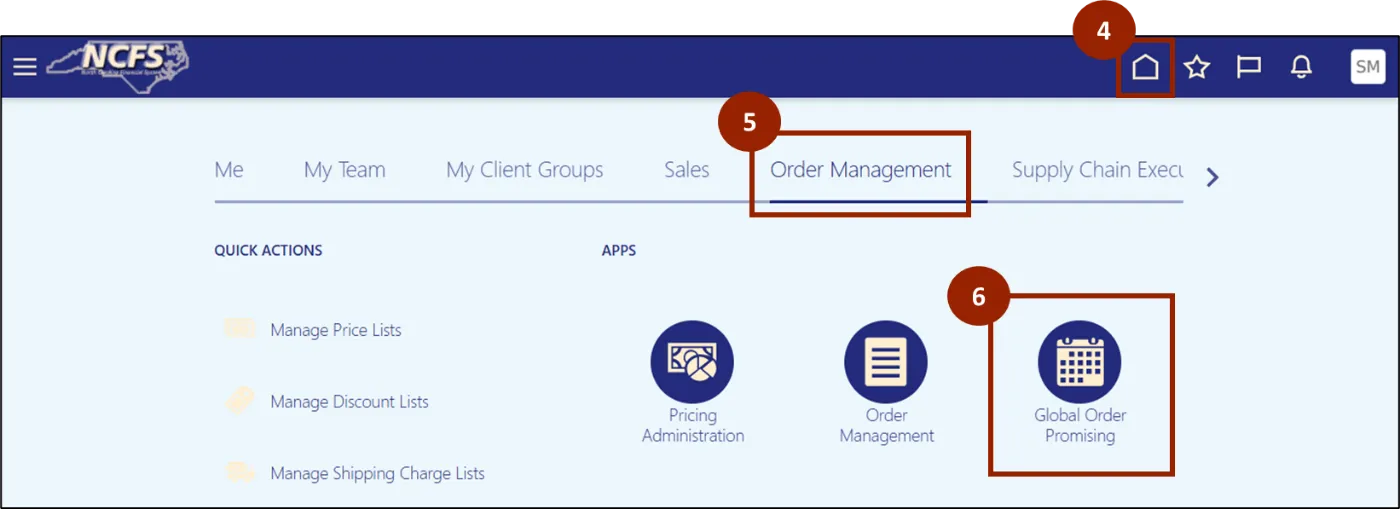
Step 4. Navigate to the Home page.
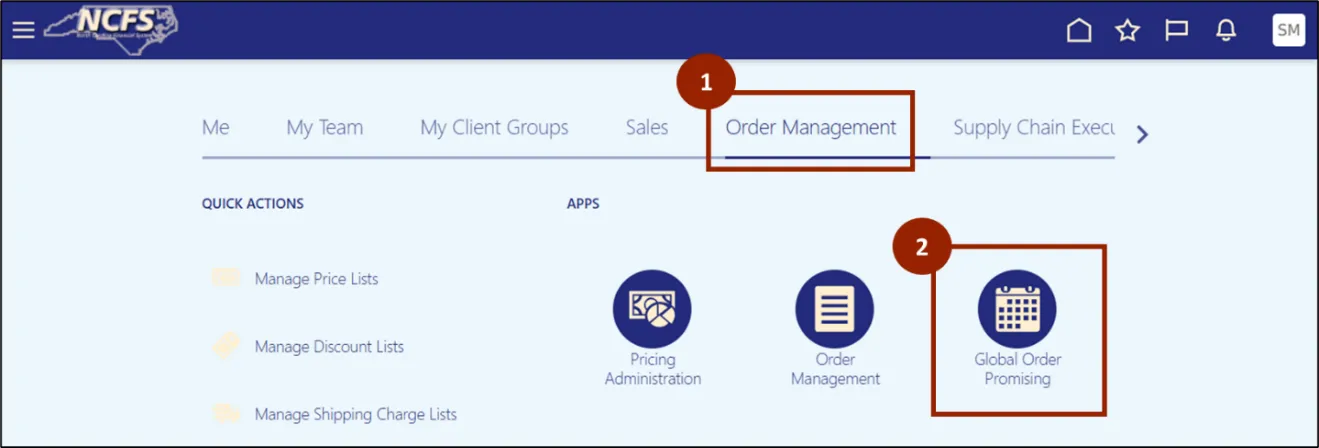
Step 5. While on the Home screen, navigate to the Order Management tab.
Step 6. In the Order Management tab, click on Global Order Promising.
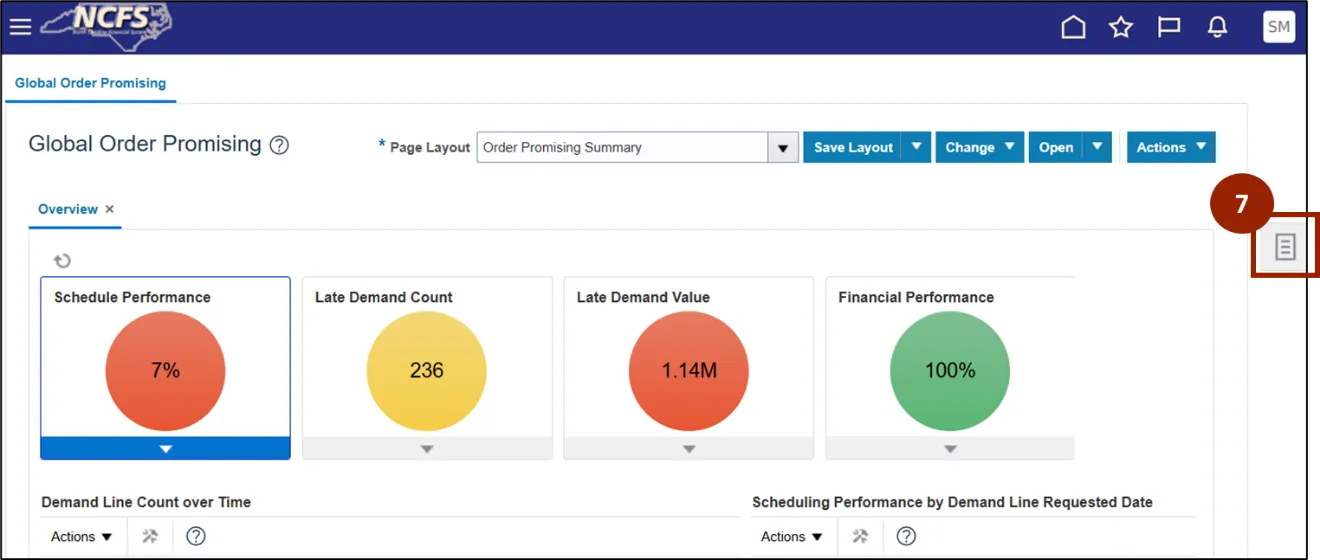
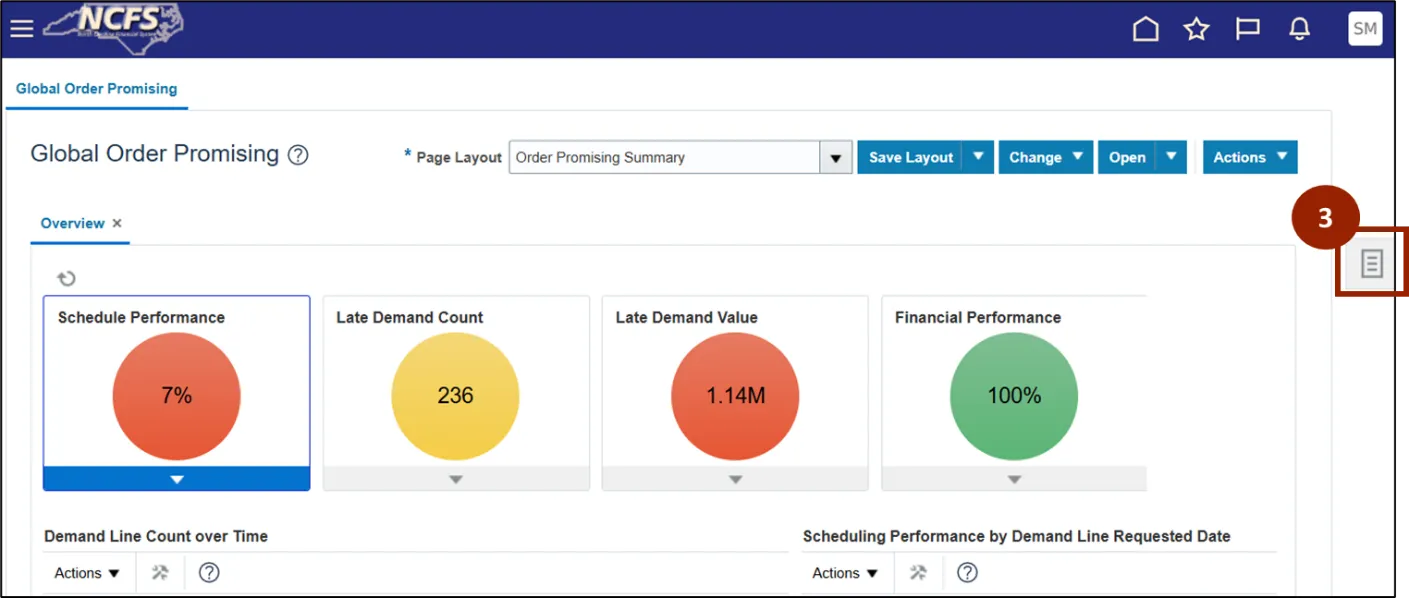
Step 7. Click the Task icon.
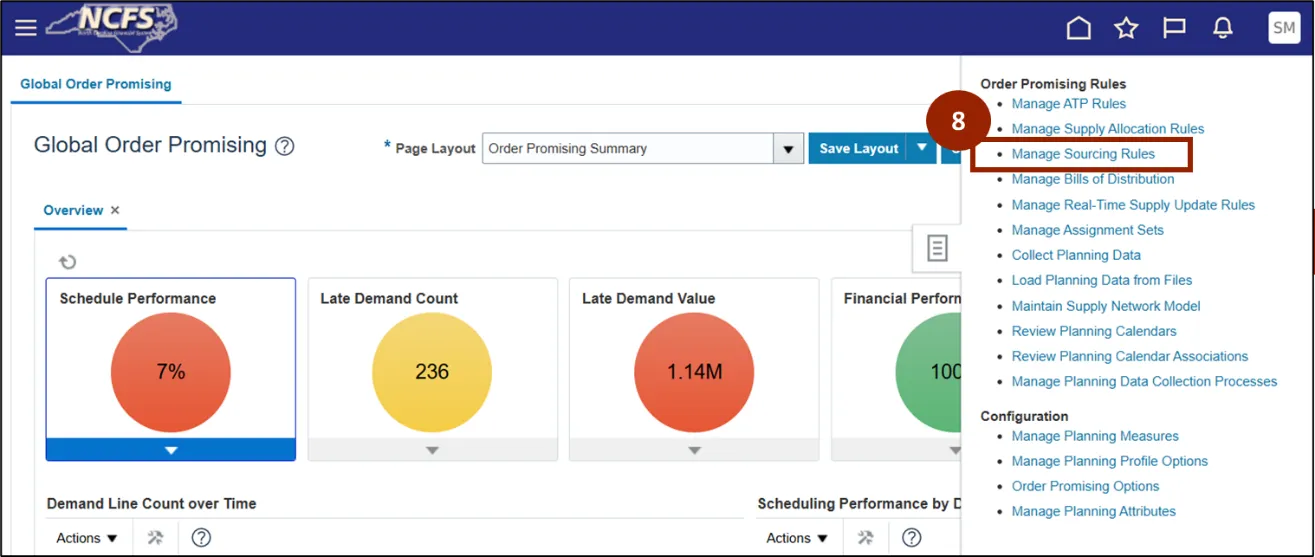
Step 8. Click Manage Sourcing Rules.
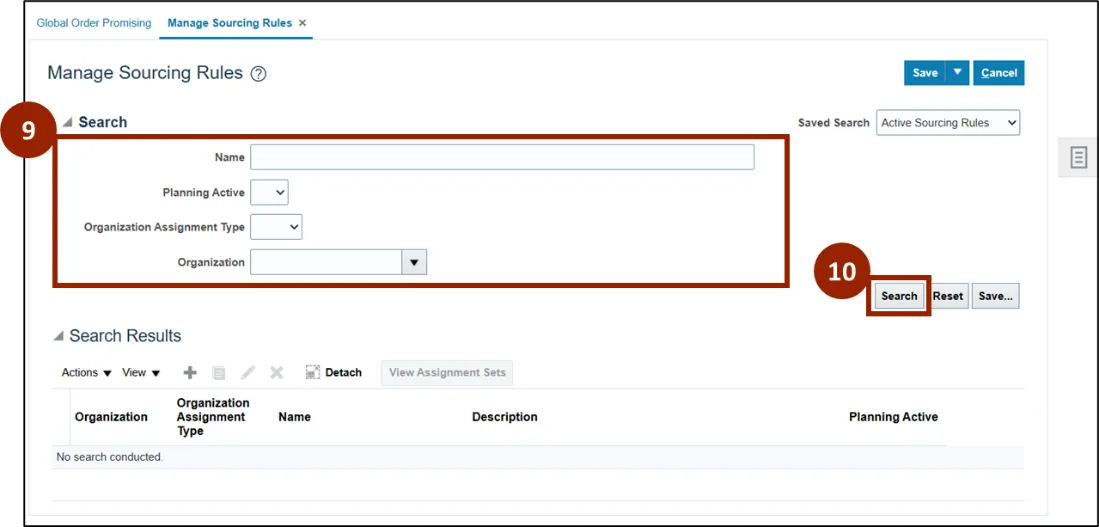
Step 9. In the Search section, enter sourcing rule details into the appropriate text entry fields.
Step 10. Click the Search button.
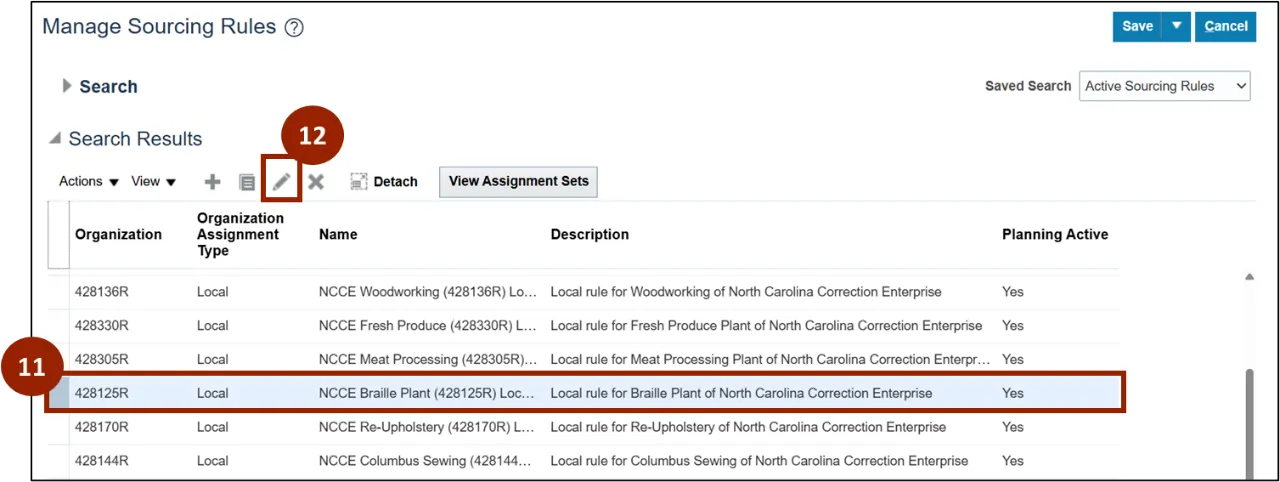
Step 11. Click on the Global Rule to manage (i.e., 428125R).
Step 12. Click the Edit (Pencil) icon.
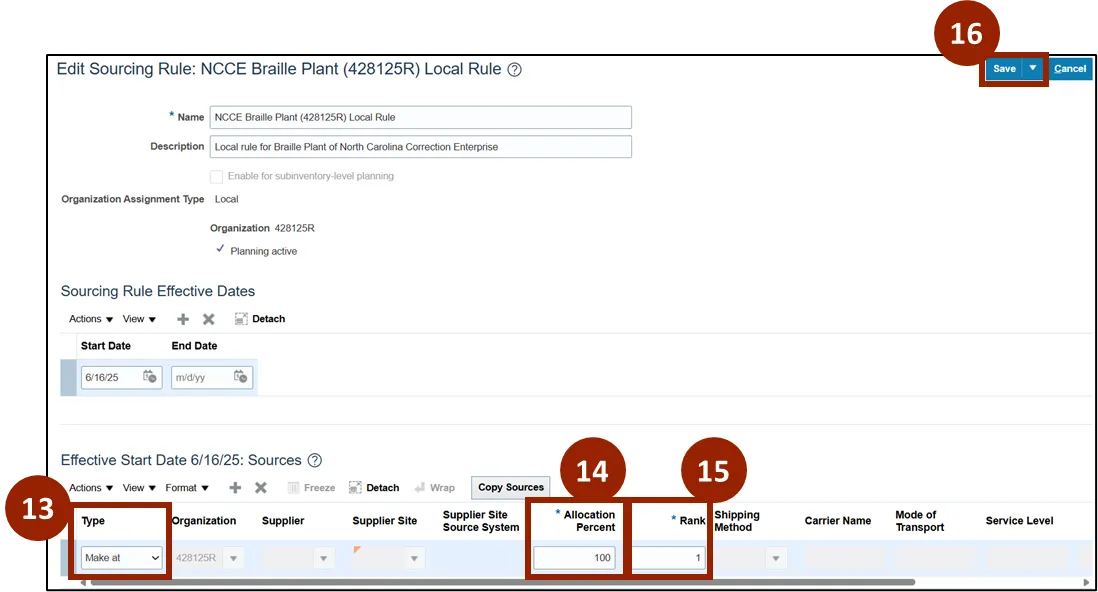
Step 13. Within the Type drop-down field, select the new type, if applicable (i.e., Make at).
Step 14. In the Allocation Percent field, enter the new allocation percentage, if applicable (i.e., 100).
Step 15. In the Rank field, enter the new rank, if applicable (i.e., 1).
Step 16. Click Save.
Set Up and Maintain ATP Rules
There are 10 steps to complete this process.
Step 1. On the Home page, select Order Management.
Step 2. Within the Apps tab, select Global Order Promising.
Step 3. Click the Task icon.
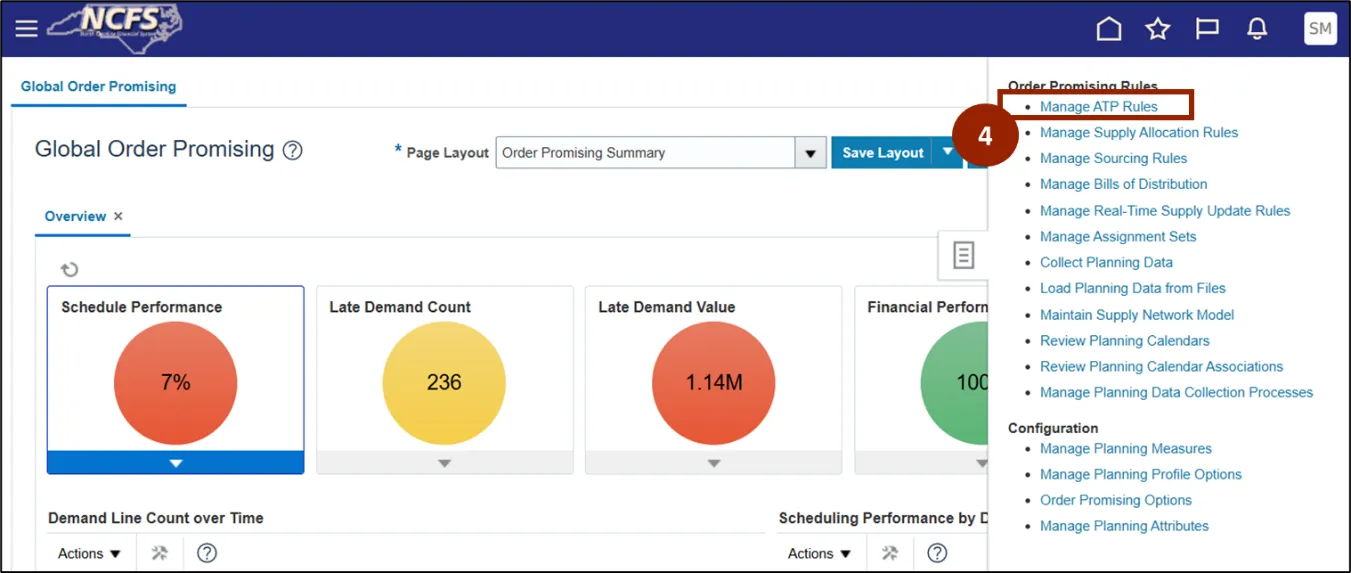
Step 4. Click on the Manage ATP Rules.
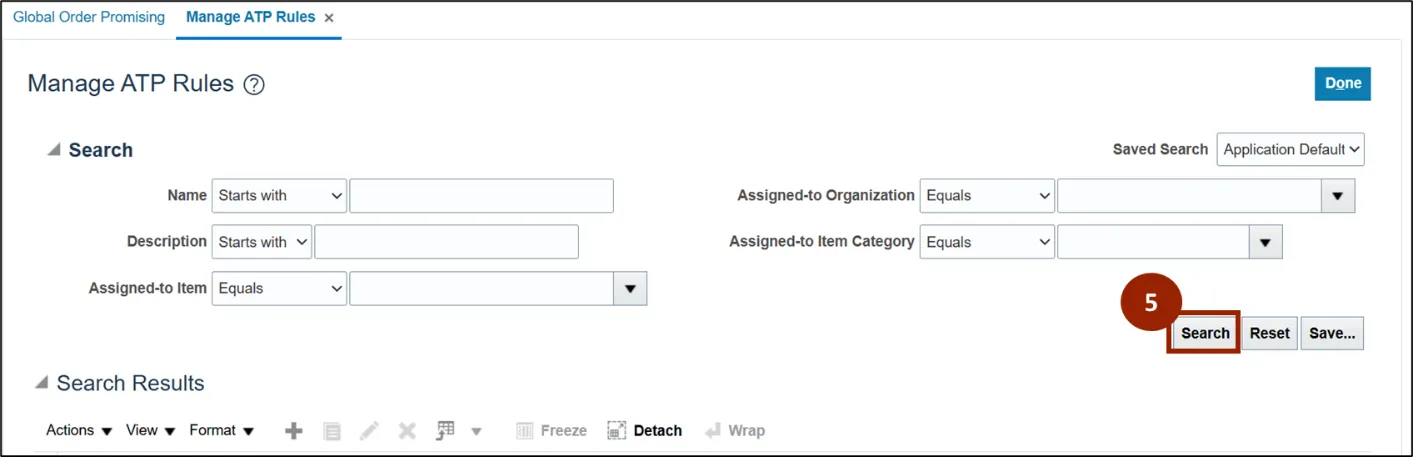
Step 5. In the Manage ATP Rules screen, click the Search button.
Note: Any of the fields within the Search section may be populated to narrow down the search results.
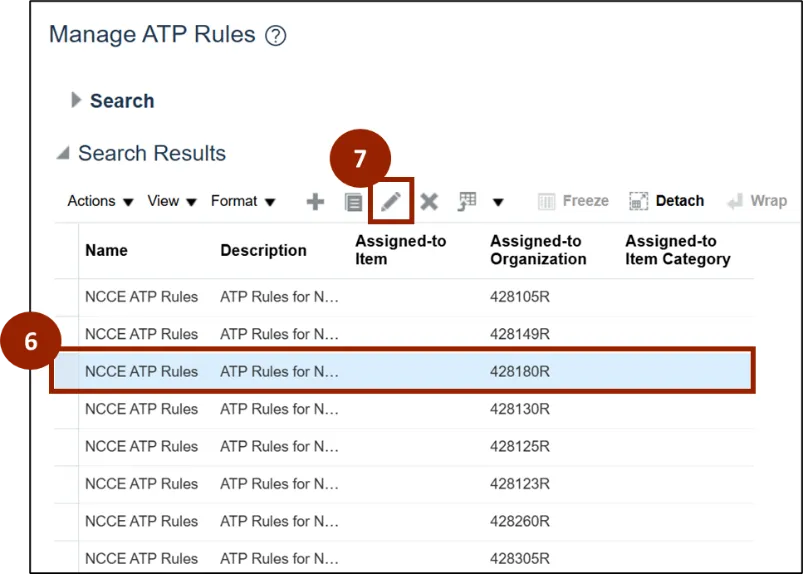
Step 6. From the Search Results, select the desired NCCE ATP Rule row.
Step 7. Click the Edit (Pencil) icon.
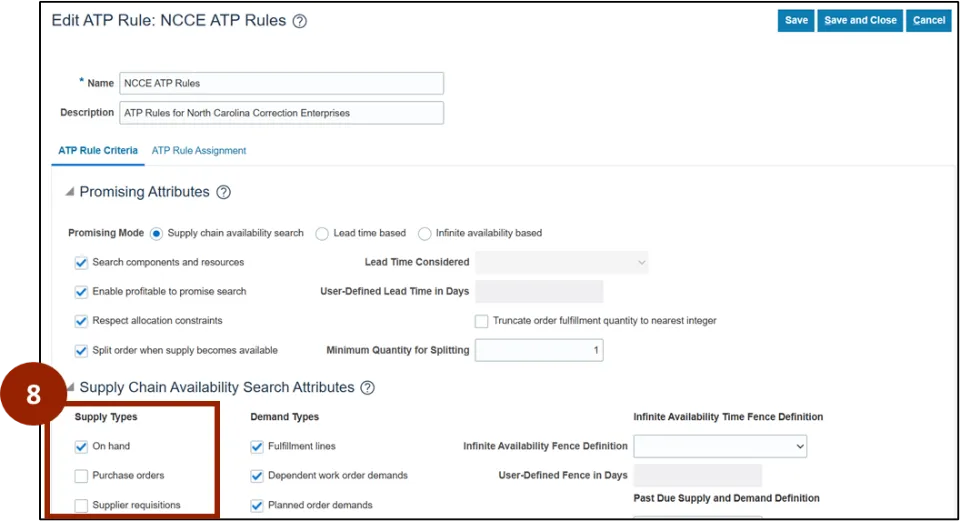
Step 8. In the Supply Types area, the system includes the following:
- Criteria include promising and supply chain attributes.
- System searches all relevant supply types.
- Considers on-hand inventory, sales orders, and work orders.
- Updates sales order with accurate availability.
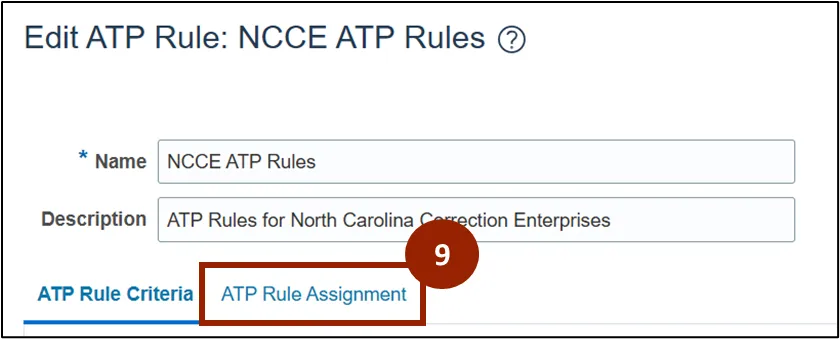
Step 9. Select the ATP Rule Assignment Tab.
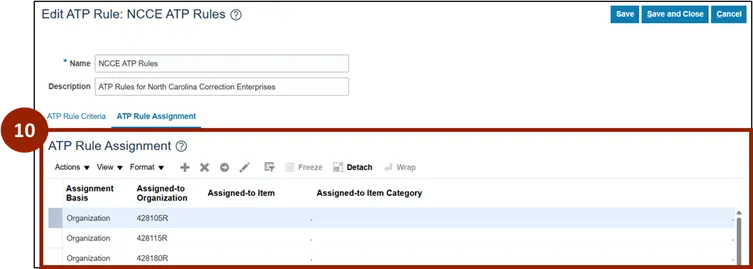
- ATP rule assignment links rules to organizations.
- Assignment can be set at organization, item, or item category level.
- For DAC, rules are assigned at the organization (plant) level.
- Each plant uses its assigned ATP rule during order creation.
Step 10. How ATP and sourcing rules work together:
- ATP rule determines when an item can be promised.
- Sourcing rules decide if the item is manufactured or shipped from stock.
- Sales order displays both promise date and fulfillment method.
- Two key sections in the sales order reflect these processes.
Wrap-Up
NCFS users can set up and maintain ATP and sourcing rules using the steps above.
Additional Resources
- Instructor Led Training (ILT)