Purpose
The purpose of this Quick Reference Guide (QRG) is to provide a step-by-step explanation on how to add a grouped asset in the North Carolina Financial System (NCFS).
Introduction and Overview
In NCFS, Grouped Assets are assets whose individual costs are less than the capitalization threshold for an individual asset when purchased as a group of similar assets at or near the same time and the aggregate value is significant. Assets which are part of a group should be of the same minor category. Professional judgement is required to determine of a purchase should be recorded as a capitalized grouped asset. Resources to aid in this determination can be found on the OSC website.
In NCFS, we represent Grouped Assets as a single capitalized asset for each group. It is not required to record the individual expensed assets to NCFS to record a capitalized Grouped Asset; however, you should check with your specific agency’s policy for direction.
Adding a Capitalized Grouped Asset
To Add a Grouped Asset, please follow the steps below. There are 7 steps to complete this process.
Step 1. Determine if the purchase is of significant value to be recorded as a capitalized Grouped Asset. Resources to aid in this determination can be found on the OSC website.
Step 2. Log in to the NCFS portal with your credentials to access the system.
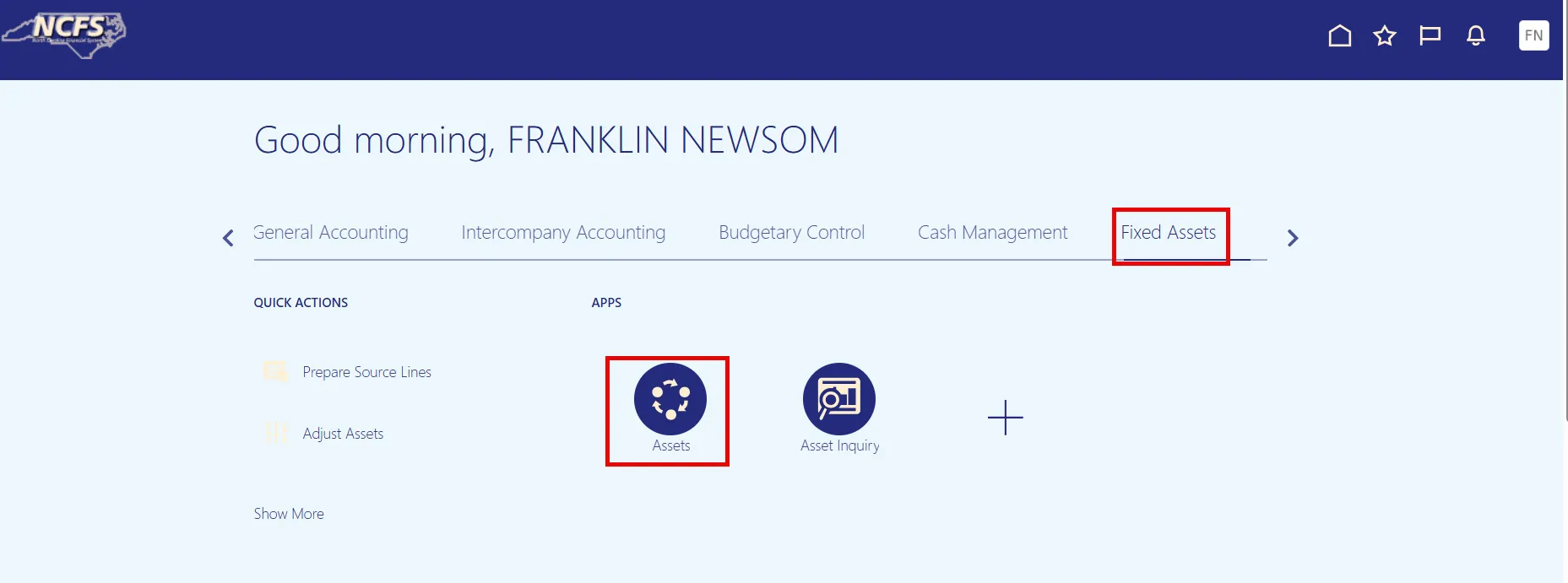
Step 3. On the Home page, under the Fixed Assets tab, click the Assets app.
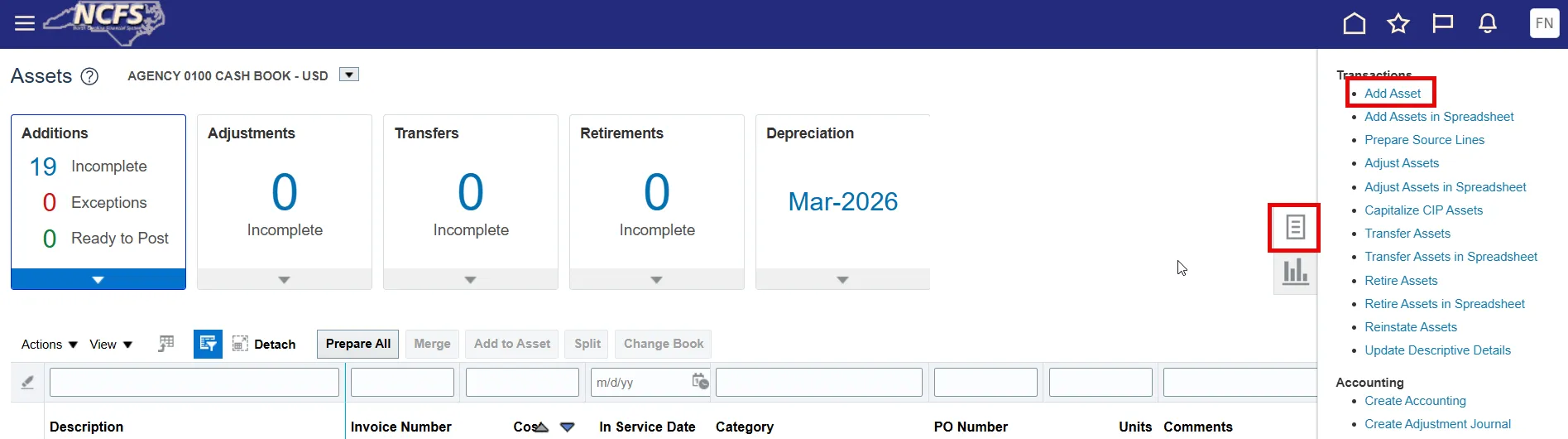
Step 4. Through the Tasks list, begin the task of Add Asset.
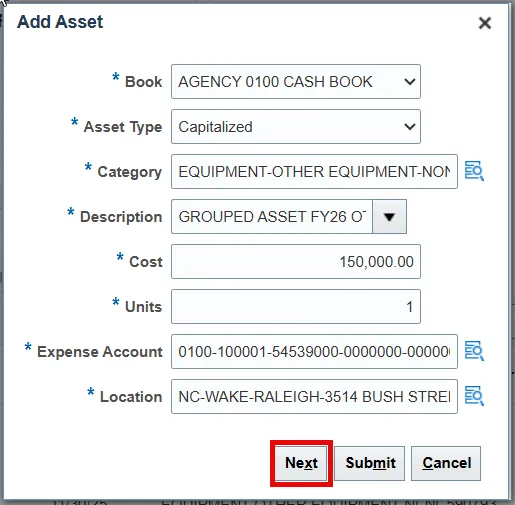
Step 5. Complete each section of the Add Asset pop-up. Click Next when finished to review.
- Book – Do not edit; defaults to the current asset book.
- Asset Type – Set to Capitalized
- Category – Same category combination as each expensed asset.
- Description – Format should begin with GROUPED ASSET FY## MINOR CATEGORY
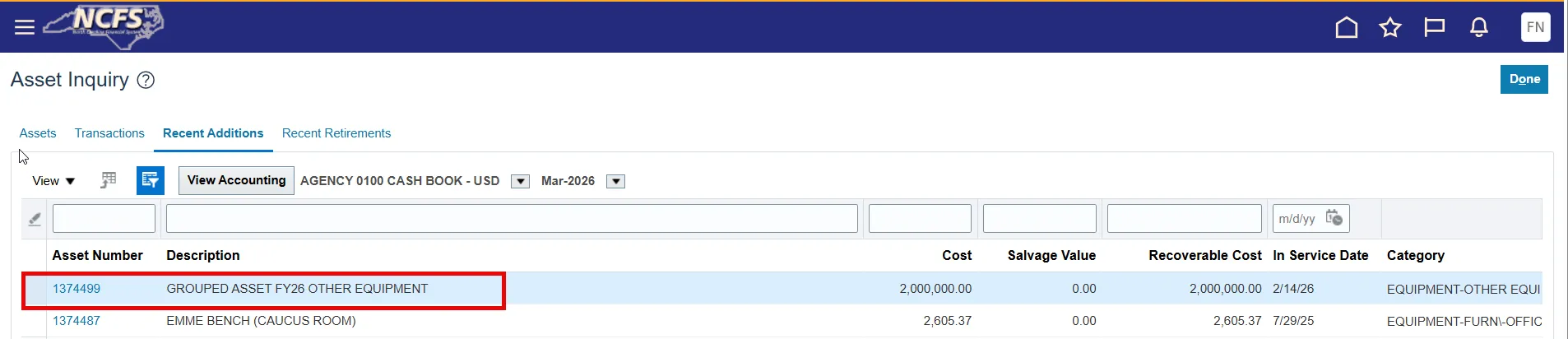
- Example: GROUPED ASSET FY26 OTHER EQUIPMENT
- Cost – The sum value of all expensed assets represented in the group.
- Example: 1,000 laptops of $2,000 each were purchased. Cost should be $2,000,000.
- Units – Set to 1 in most cases. Contact OSC if you feel your purchase should differ.
- Expense Account – Budget Fund should be equivalent to the fund used for the purchase.
- Location – Choose the best location or HQ location.
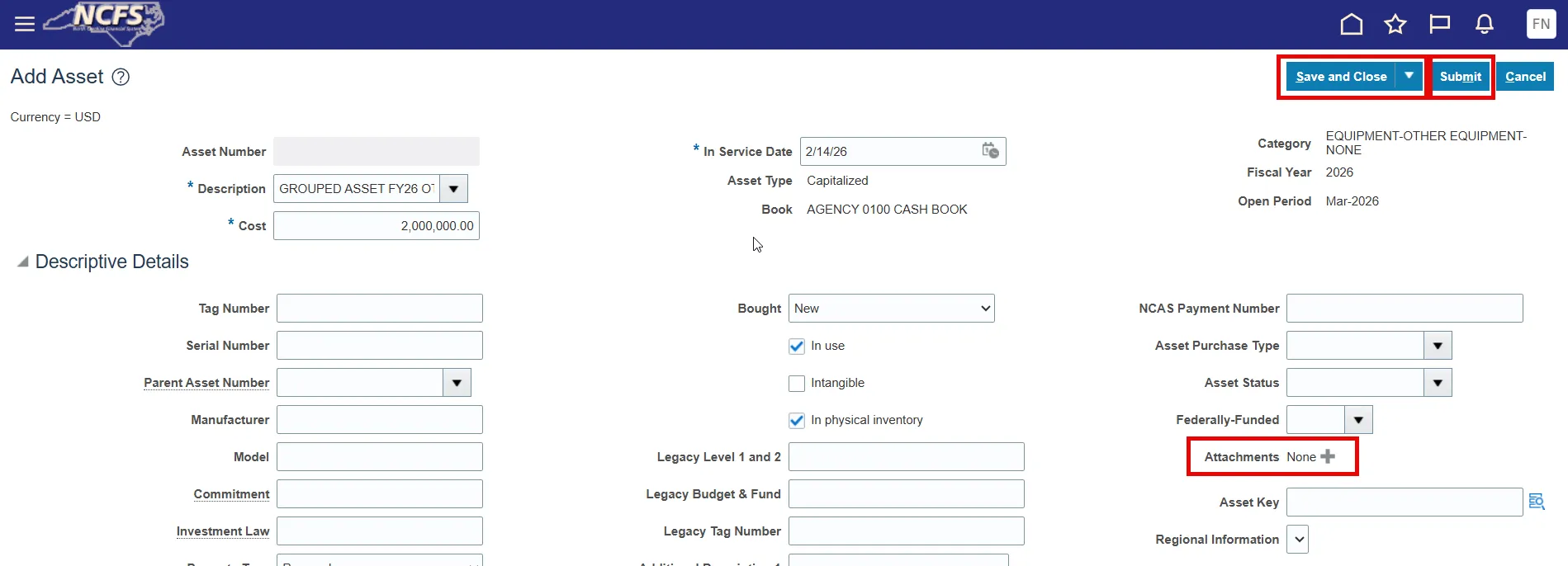
Step 6. The Add Asset page should appear. Edit the asset details and review the asset details on this page. You can click Save and Close to save your work or Submit to fully post the capitalized Grouped Asset.
Note: Attachments can be added on this page. It is recommended, but not required, to attach a list of the expense assets related to the capitalized group asset.
Step 7. Once fully posted, confirm asset addition with Asset Inquiry. You have successfully added a capitalized Grouped Asset.
Wrap-Up
The steps above detail how to add a capitalized Grouped Asset.