NOTE: This document is for historical information only. Agencies are no longer able to make these adjustments.
Purpose
The purpose of this Business Process Procedure is to allow agencies to account for employees who used certain types of Approved leave during conversion that would have created overtime and need to be compensated in the Integrated HR-Payroll system. This is a one-time entry only valid on 4/1/2008.
Trigger
To enter any leave types during the March dates in the conversion/go-live overtime period to allow the system to make the overtime calculation correct.
Business Process Procedure Overview
There are three absence types that should be included in the determination of overtime compensation:
- 9540 - Other management Approved Leave
- 9550 - Civil Leave/Jury Duty
- 9300 - Holiday Leave
If an employee used any of these types of leave on the March dates in the conversion/go-live overtime period, even if they were reported on the timesheet in the Integrated HR-Payroll System, an adjustment record needs to be created for their overtime calculation to be correct.
Time Administrators can check to see what was entered for these three absence/attendance (A/A) types using the CATS_DA report.
The total of these three A/A types, or what the total should have been if it was not originally included, should be entered on the Infotype 2012.
Infotype 2012 subtype ZADJ (Pre-SAP Absence Adjustment) has been created to allow these hours to be entered. The combined number of hours used by the employee for these absence types should be entered on ONE IT2012-ZADJ record. This adjustment record will not affect the holiday leave quota, it is only meant to provide the number of hours for the overtime calculation.
For example:
- If an employee used 8 hours of Holiday Leave but did not report it in the Integrated HR-Payroll System, create an IT2012-ZADJ for 8.00 hours.
- If an employee used 8 hours of Holiday Leave and did report it in the Integrated HR-Payroll System, also create an IT2012-ZADJ for 8.00 hours.
- If an employee used 8 hours of Holiday Leave and 8 hours of Civil Leave, create an IT2012-ZADJ for 16.00 hours.
Note: This Infotype 2012 Subtype ZADJ is only valid on April 1, 2008. When creating the record, you must use 4/1/08 as both the Start and To dates. You will not be able to choose this subtype if your date is not 4/1/08.
Procedure
There are 12 steps in this process.
Step 1. Access Transaction PA30.
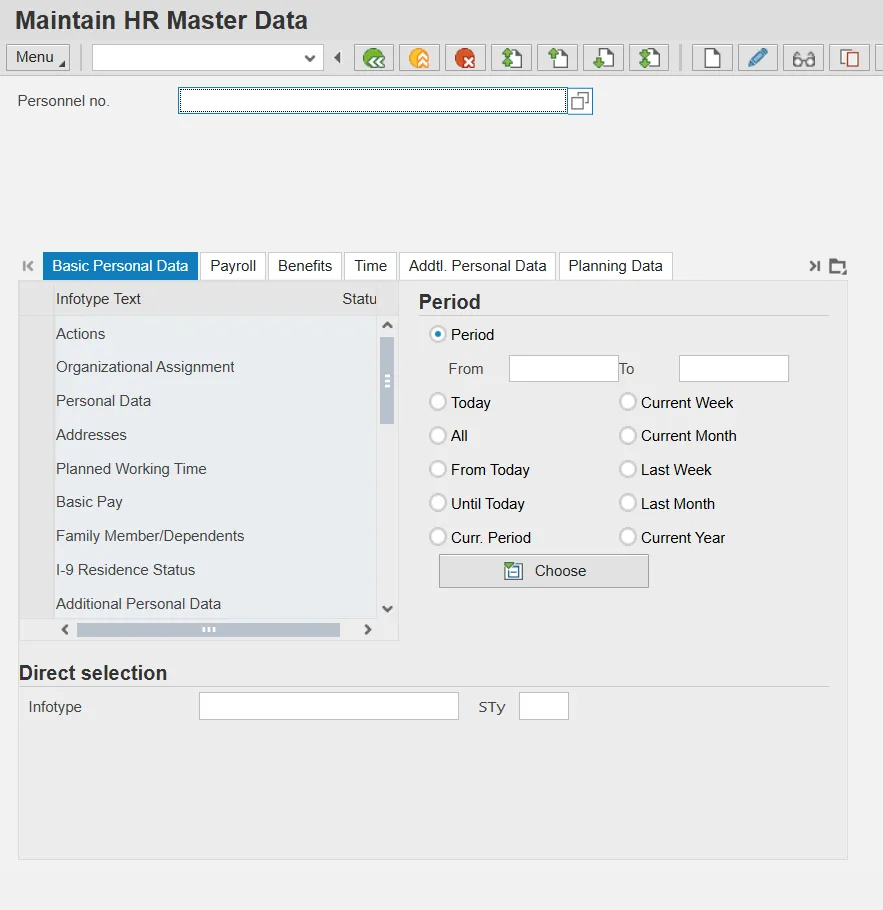
Step 2. Enter the employee Personnel number.
Step 3. Click Enter. Confirm that this is the correct person for whom an adjustment needs to be made.
Step 4. Under Period, enter the From date of 04/01/2008.
Step 5. Under Direct selection, in the Infotype field, enter 2012 (Time Transfer Specifications).
Step 6. Under Direct selection, click the STy matchcode and select ZADJ.
Information: If you did not use the From date of 4/1/08 for the Period, you will not be able to see the subtype ZADJ on this list.
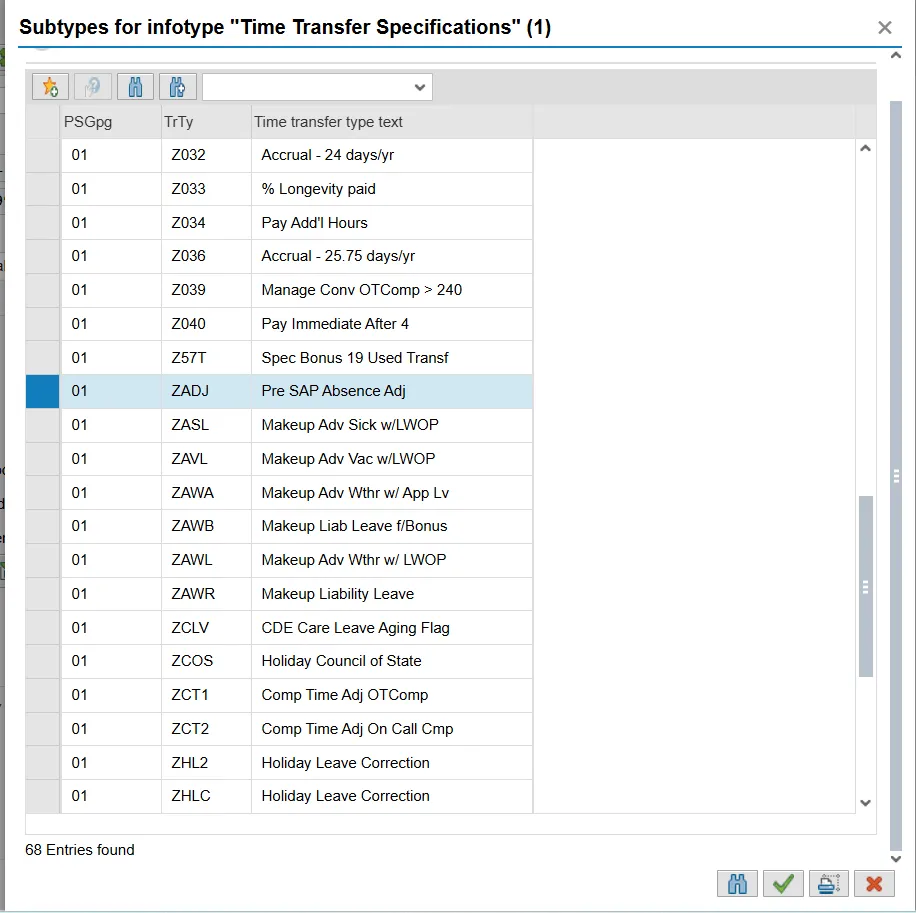
Step 7. Click the Copy (Enter) button.
Step 8. Click the Create (F5) button.
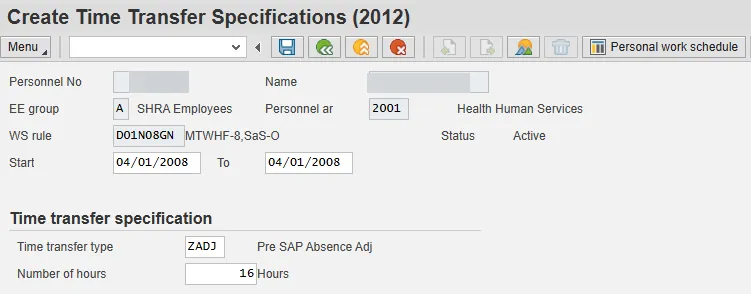
Step 9. Enter the number of hours that this employee needs to be compensated in the Number of hours field. Remember to combine the hours of the three acceptable leave types:
- 9540 Other Management Approved Leave
- 9550 Civil Leave/Jury Duty
- 9300 Holiday Leave
Step 10. Click the Save (Ctrl+S) button.
Step 11. Click the Overview button to view the new record.
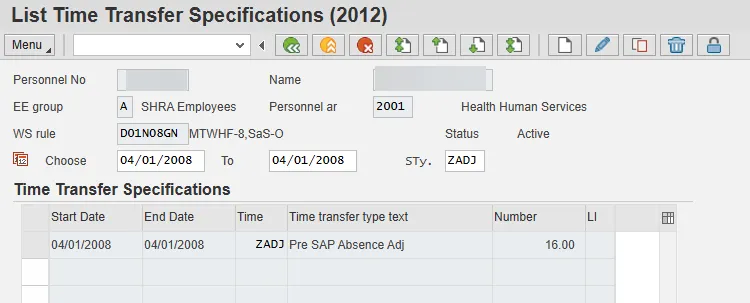
Step 12. Select the Back (F3) button. The system task is complete.