Purpose
The purpose of this job aid is to explain the process for recovering advanced leave in the Integrated HR/Payroll System.
Office of State Human Resources (OSHR) policy states that an employee who has been granted Advanced Vacation or Advanced Sick Leave should repay the liability by the end of the calendar year. If they do not, they will fail Time Evaluation in January of the following calendar year (Time Evaluation errors are E6 – Advanced Vacation Liability Exists and E7 – Advanced Sick Liability Exists). The errors must be corrected for Time Evaluation to run successfully.
In December, an agency can proactively identify and correct employees with a liability in Quota 36 - Advanced Vacation leave or Quota 37- Advanced Sick leave by:
- running transaction PT_BAL00 to identify employees with a liability and determine the amount of the liability, and then,
- having the Leave Administrator manually recover the overdue hours via IT2012.
In January, an agency can identify and correct employees who have errored out/failed Time Evaluation due to Advanced Leave liabilities by:
- running transaction PT_ERL00 to identify employees who have received the E6 or E7 Time Evaluation error messages, and then,
- running transaction PT_BAL00 for those employees to determine the amount of the liability, and then,
- having the Leave Administrator manually recover the overdue hours via IT2012.
Instructions follow for running PT_BAL00, for running PT_ERL00, and for Recovering the Liability.
Note: This method is also acceptable to be used in the event an employee separates and has a remaining liability balance in Quota 36 or Quota 37.
PT_BAL00
There are 4 steps in this process.
In December, run transaction PT_BAL00.
Step 1. Select Period of Current Month.
Step 2. To search for one or more specific employees, enter the personnel number(s) in the Personnel Number field; to search by personnel area, select Further selections, and, under Selection options, double click on Personnel Area and select the green check. Enter the personnel area in the Personnel area field.
Step 3. Enter T36R and T37R in the Day balances field using the Multiple Selection button.
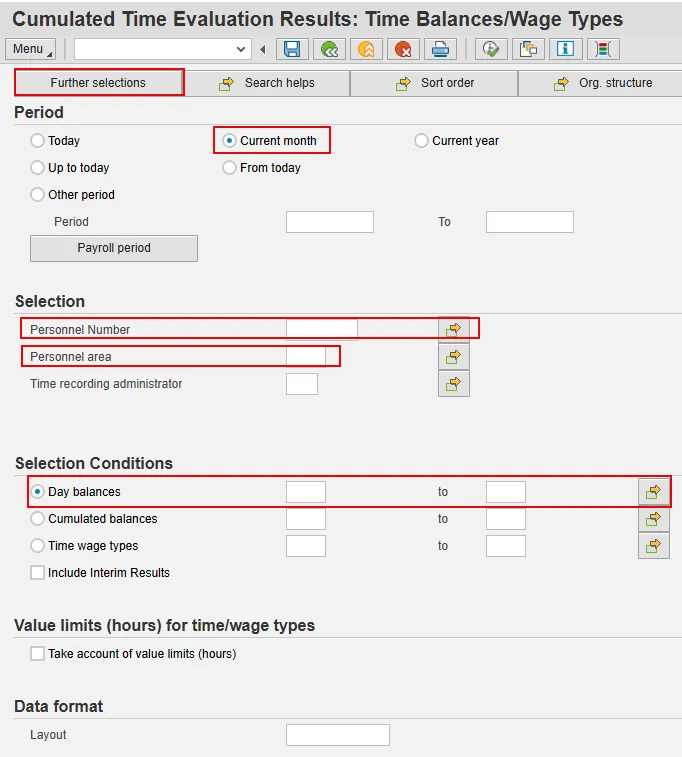
Step 4. Execute.
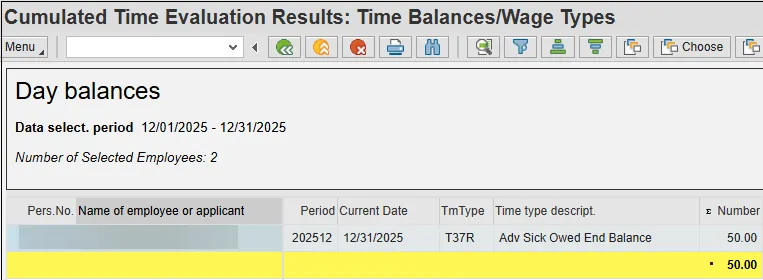
PT_ERL00
There are 5 steps in this process.
In January, run transaction PT_ERL00.
Step 1. For Period, select Current Month.
Step 2. Enter the appropriate Selection criteria – Personnel Number(s) or Personnel Area.
Step 3. For Number of Message Type, enter E6 and E7 using the multiple selection button.
Step 4. For Message Type, enter E.
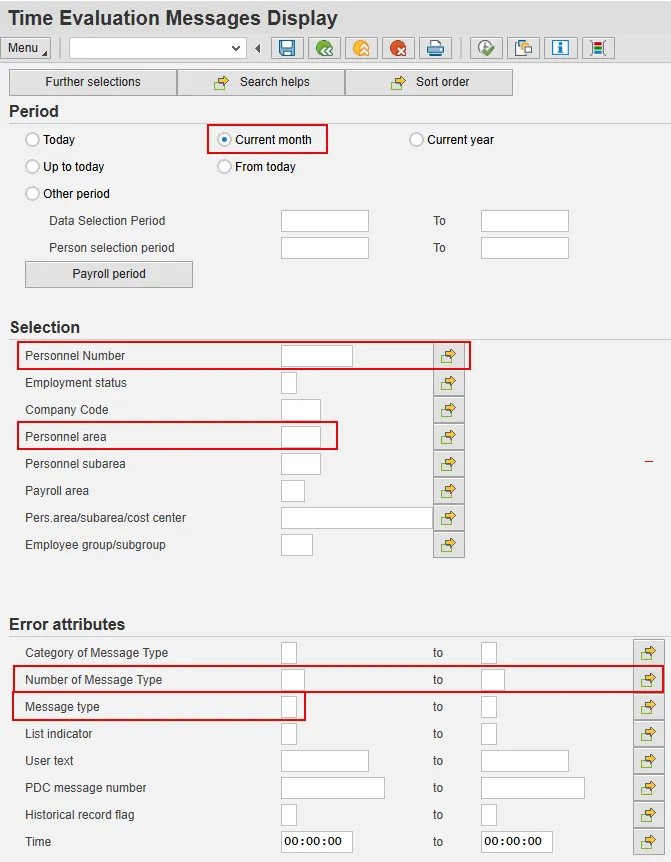
Step 5. Execute. The Logical date displayed with the error messages, below, is the date of liability due.

Recovering the Liability
There are 9 steps in this process.
There are two subtypes for Infotype 2012 to allow the Leave Administrator to recover Advanced Vacation or Sick Leave liabilities at year end or when an employee separates: ZAVL – Make up Adv Vacation w/LWOP and ZASL – Make up Adv Sick w/LWOP.
Step 1. Run transaction PA61 or PA30 and enter the personnel number of the employee with a leave liability to recover.
Step 2. Enter value 2012 in the Infotype field and press Enter. (Selecting Time Transfer Specifications from the list of infotypes is also an option.) Enter the appropriate value in the STy Field and press Enter.
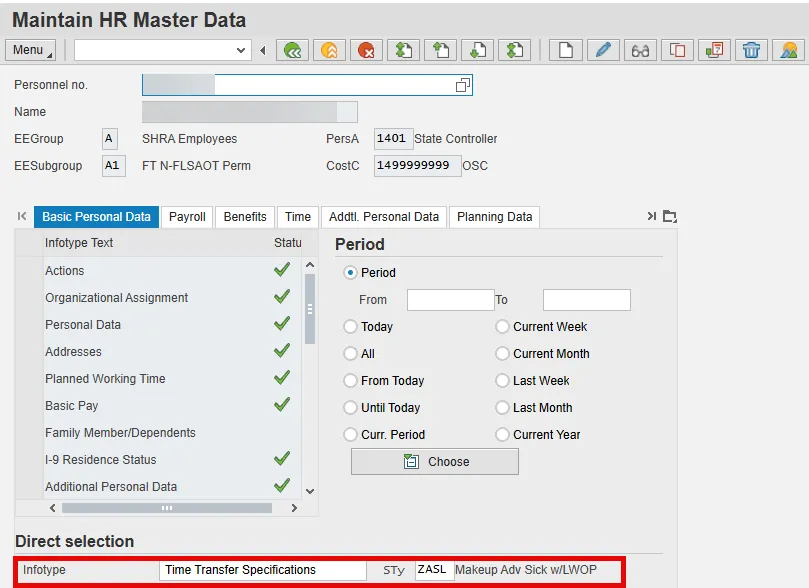
Step 3. Click the Create button.
Step 4. Change the Start value to be the date hours were due. This date can be any date between when the liability was incurred and the due date.
Note: If creating an entry for an employee who is separating, use a date prior to the separation date.
Step 5. Change the To value to the same date as the Start value.
Step 6. Enter the number of hours to be recovered in the Number of hours field.
Note: Do not enter a negative sign for this number.
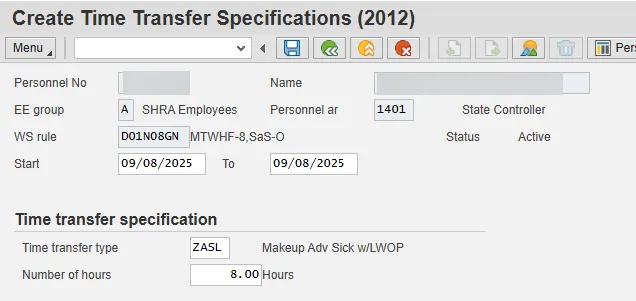
Step 7. Click Menu > Edit > Maintain text and enter any notes if appropriate.
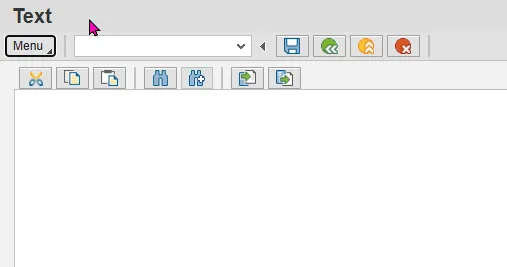
Step 8. Click the Save button to save your notes. The Detail record screen will display again on your screen.
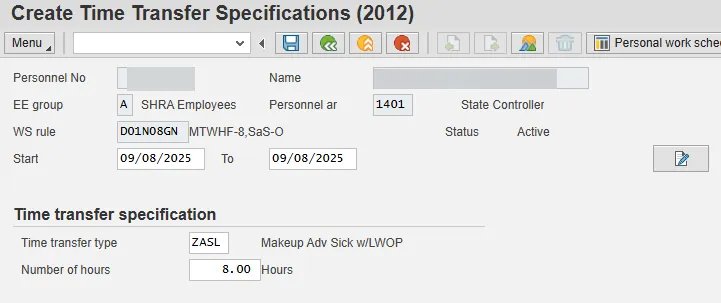
Step 9. Click the Save button to save the record.