Purpose
The purpose of this Business Process Procedure is to explain how to display bank detail information in the Integrated HR-Payroll System.
Trigger
You need to view an employee’s direct deposit information.
Business Process Procedure Overview
All employees working for the State of NC are required to maintain bank details in the System. This infotype maintains the bank information for direct deposit. State of NC employees have the option of identifying "Other" Bank for depositing portions of their pay to another bank or account other than their "Main" Bank. The bank details functionality works by making the "Other" Bank deposits first with any remaining payment deposited in the "Main" Bank. State of NC employees must have one "Main" Bank infotype record and can have up to three "Other" Bank infotype records.
CRITICAL!!! Any change made to the bank must be made on the first day of the payroll period (monthly or biweekly). This includes changes being made through transaction code [PA30] and ESS as an end user. If a change is made in the middle of the payroll period, the payroll process will pick up both records as valid for the entire payroll period.
For example, if you are sending 90% of your pay to your main bank account A, and 10% to a second savings account B, and make a change in the middle of the payroll period to move the 10% from savings account B to a new savings account C, the system will read both B and C as valid. For that payroll period, you will receive 80% in your main account A and 10% in the other two accounts B and C. The secondary accounts are funded first.
Access Transaction
Via Menu Path: Human Resources >> Personnel Management >> Administration >> HR Master Data >> PA20 - Display
Via Transaction Code: PA20
Procedure
There are 11 steps to complete this process.
SAP Easy Access
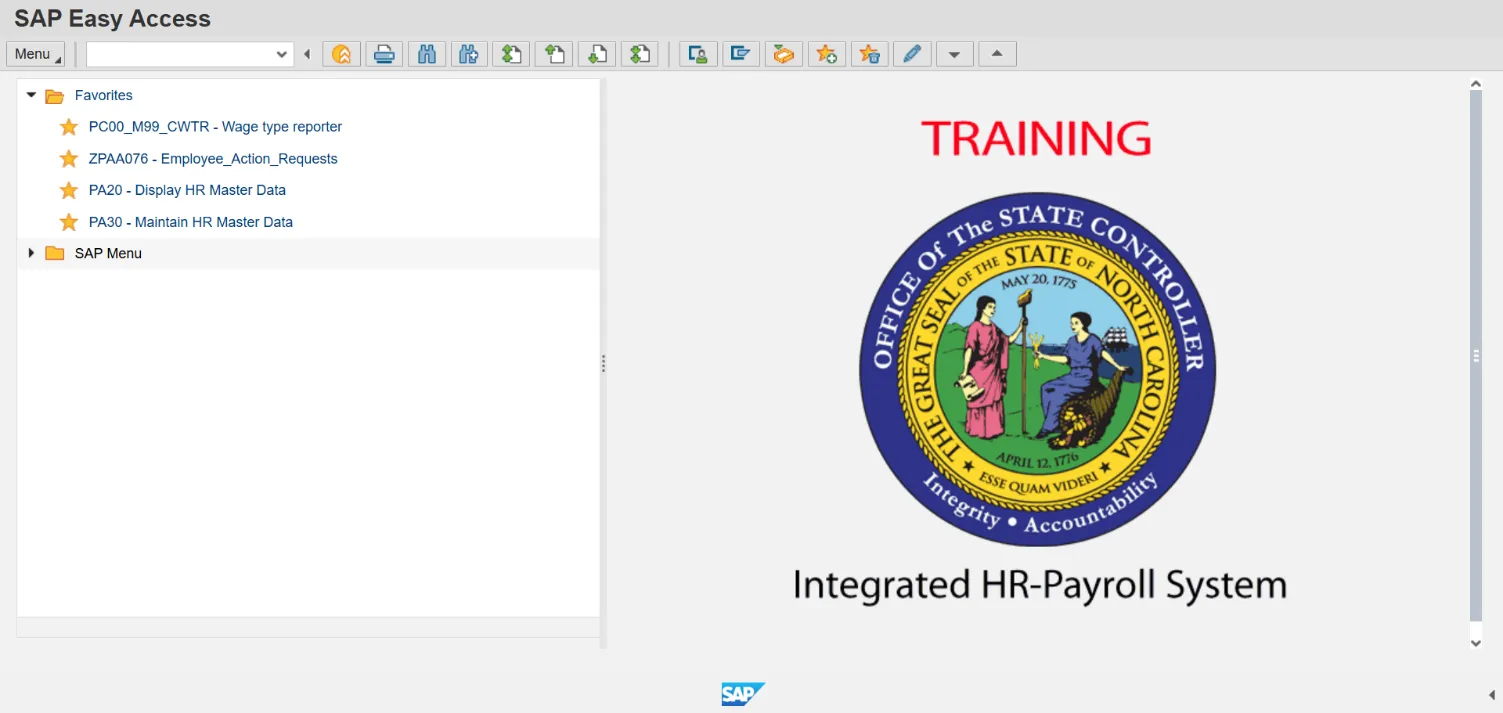
Step 1. Update the following required and optional fields:
| Field Name | Description | R/O/C | Values |
|---|---|---|---|
| Command | White alphanumeric box in upper left corner used to input transaction codes. | R |
Enter value in Command. Example: PA20 |
Step 2. Click Enter.
Display HR Master Data
Step 3. Update the following required and optional fields:
| Field Name | Description | R/O/C | Values |
|---|---|---|---|
| Personnel no. | Unique employee identifier | R |
Enter value in Personnel no. Example: 1234567 |
Step 4. Click Enter.
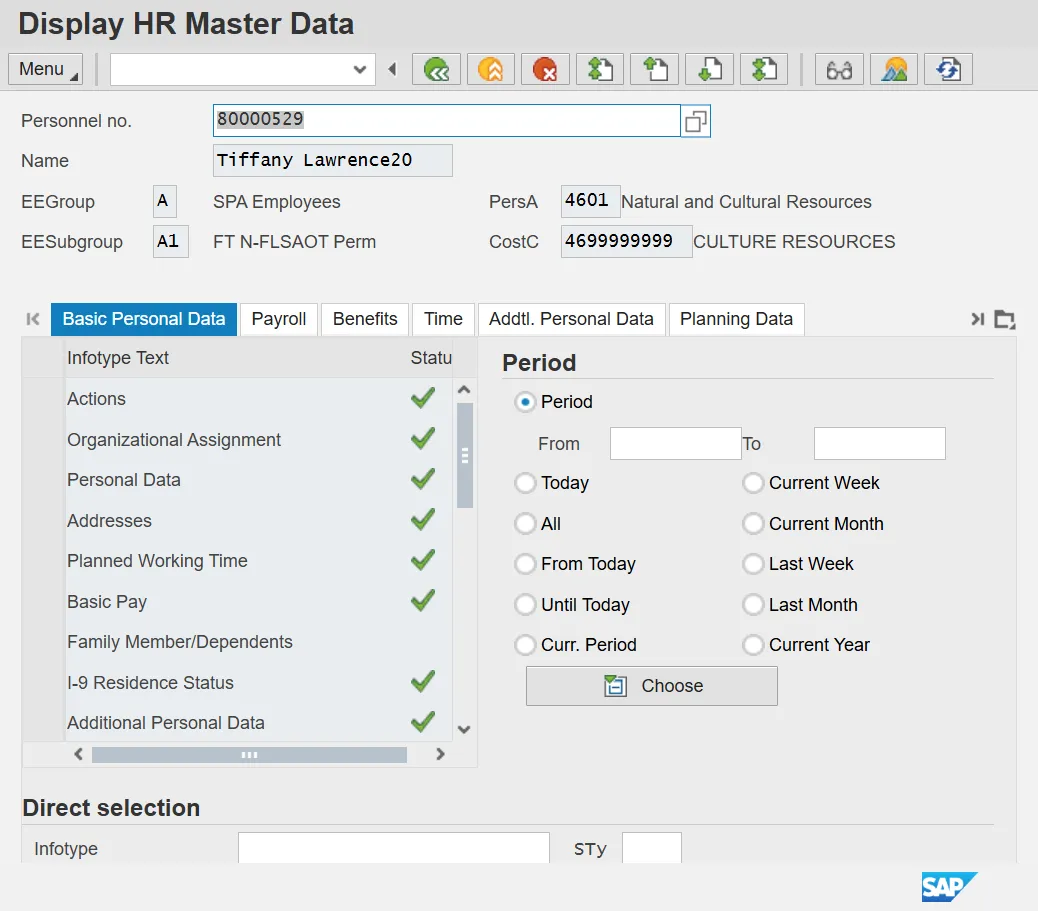
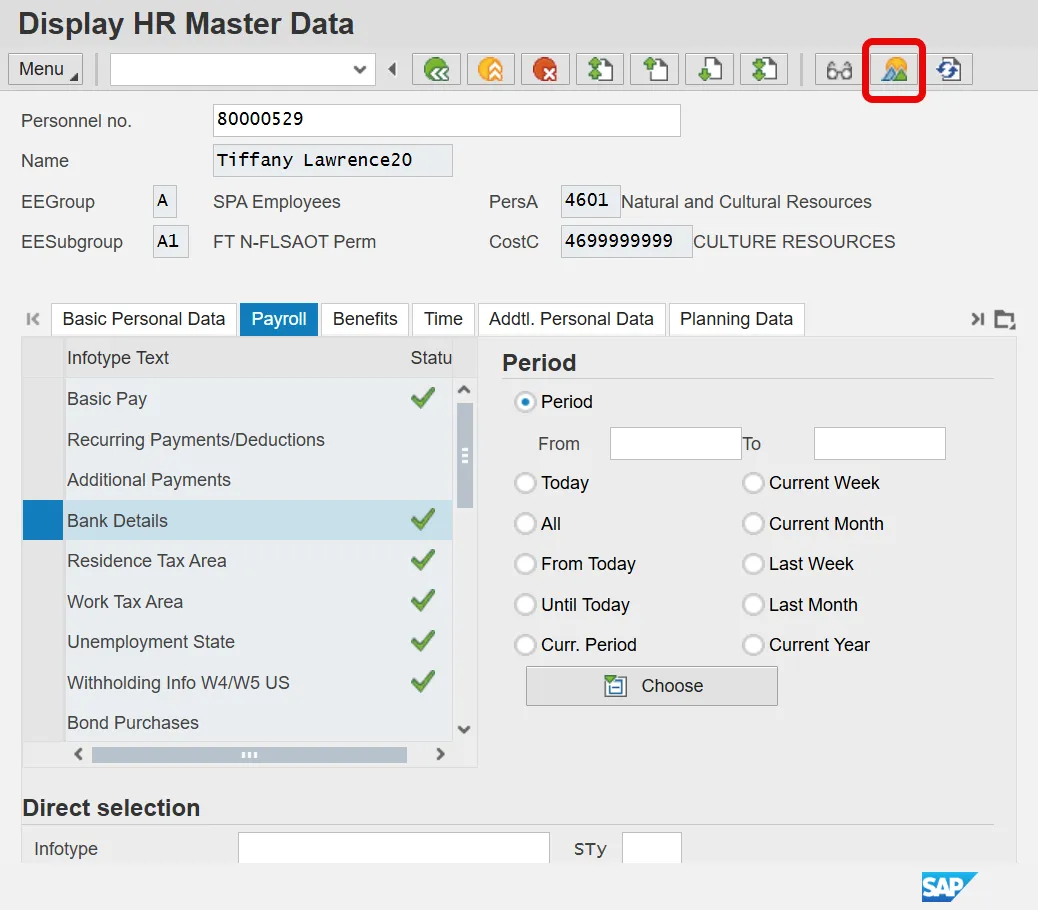
Step 5. Click the Payroll tab.
Step 6. Click on the Bank Details Infotype selection.
Information: Select the appropriate Infotype to display. Infotype records can be accessed through the various /Tabs/ or through the /Direct Selection/ section of the screen. Infotypes listed within the Tabs with a corresponding green checkmark indicate that he infotype records is populated with data. Infotypes without a green checkmark may not be populated at this time.
Step 7. Click Overview.
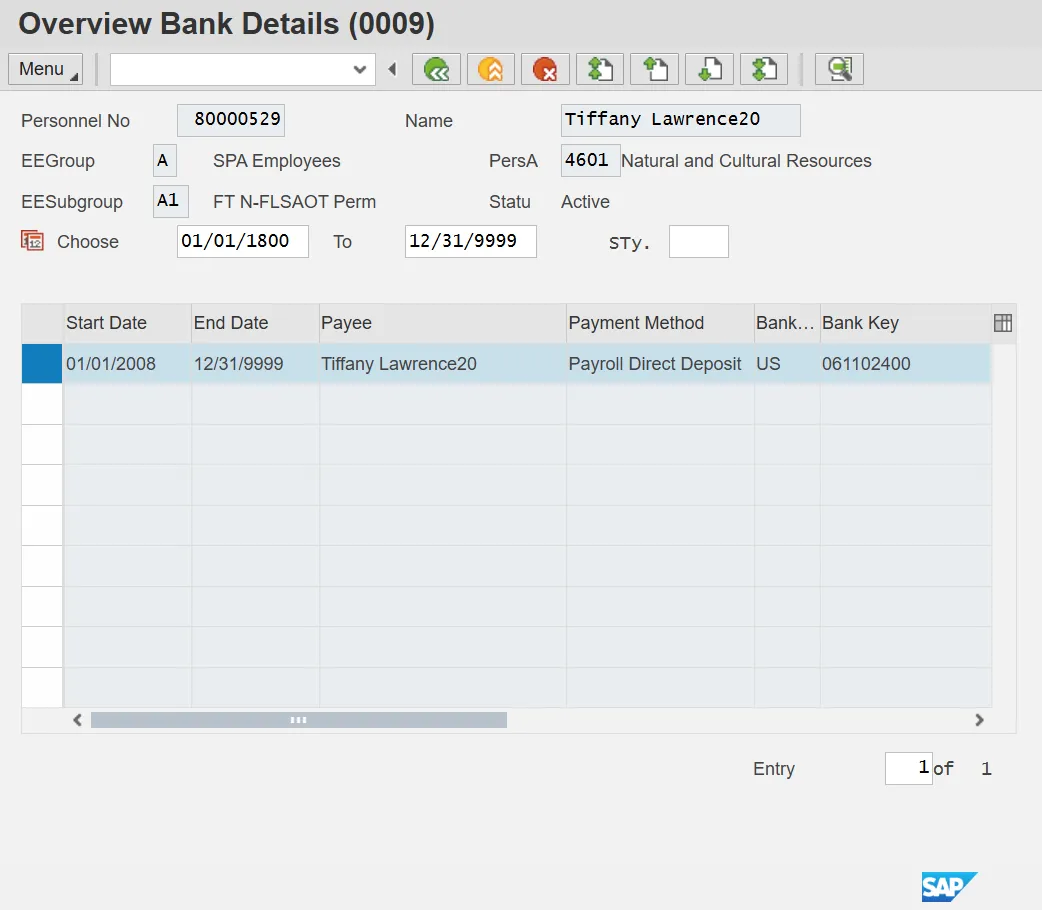
Information: Review the Bank Details infotype data as appropriate. There may be multiple records for infotype 0009, available by clicking on the next line. If there are multiple records on the screen, additional data is available by selecting the other records.
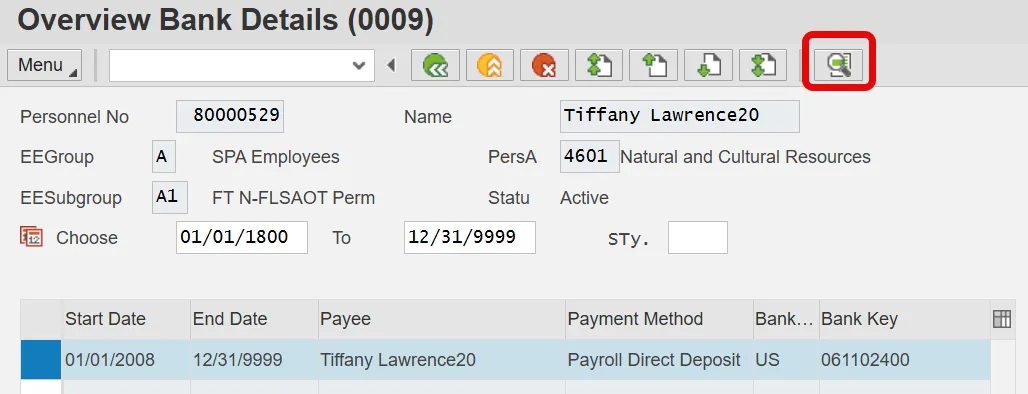
Overview Bank Details (0009)
Step 8. Select the account. Multiple accounts can be selected by holding the control key and clicking to the left of each account.
Step 9. Click Choose.
Step 10. The Employee’s bank information displays.
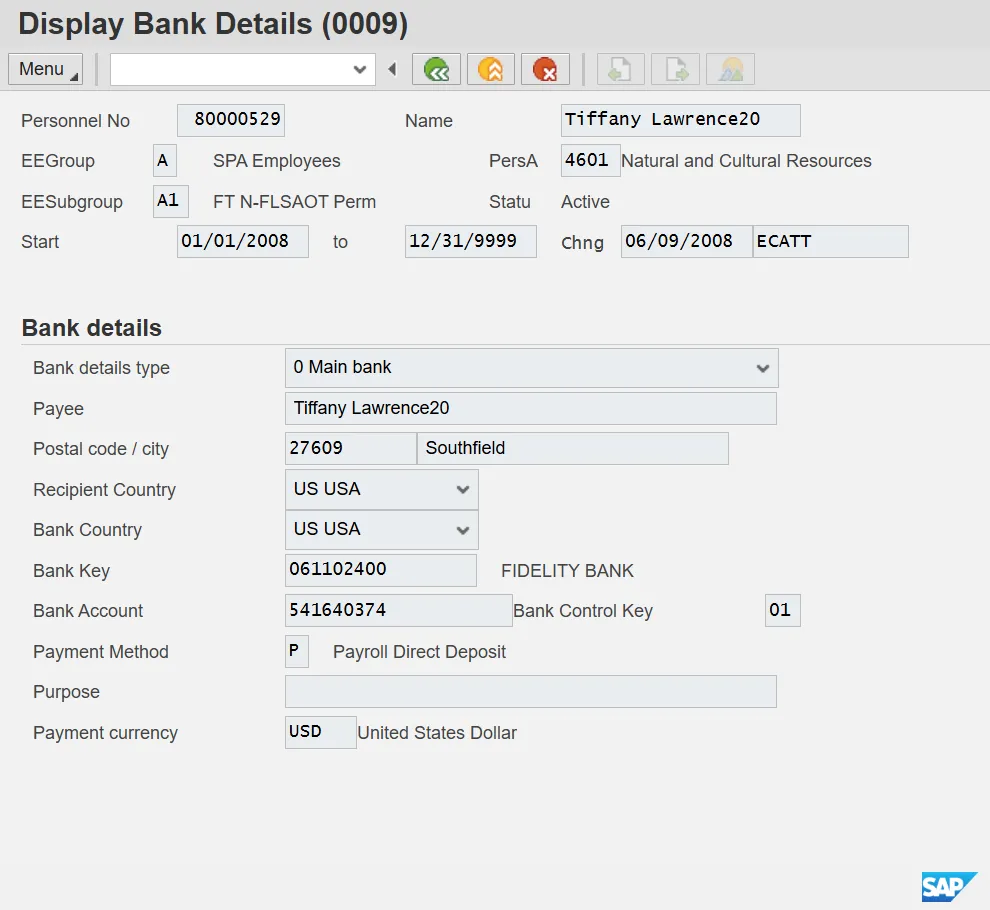
Information: Click the Next Record button to view the next bank detail record.
Step 11. The table below provides a description of the fields in Infotype 0009.
| Field | Description |
|---|---|
| Bank Details Type | Bank detail type 0 (Main Bank) is the employee’s primary bank details payments of wages and salaries. There can be only one active record at a time. |
| Bank Details Type | Bank detail type 1 (Other Bank) is used when an employee wants to split their payment of wages and salaries. |
| Bank key | The ABA number from the employee’s voided check. |
| Bank Account | The Bank account number from the employee’s voided check. |
| Payment Method | Specifies how payment is to be made: C – Payroll Check Paper P – Payroll Direct Deposit |
| Standard Value | Used when Other Bank is entered in the Bank Details Type indicates that a portion of the employee’s wage/salary is transferred to the bank. |
| Standard Percentage | Used when Other Bank is entered in the Bank Details Type; indicates what percentage of the employee’s wage. |
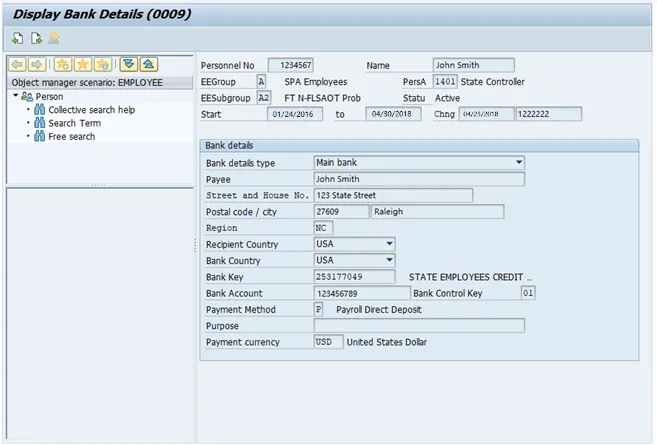
The system task is complete.