Purpose
The purpose of this Report Description is to explain how to lookup employee information in the Integrated HR-Payroll System.
Report Description
This report provides a list of all employees based on a single Last Name lookup.
Report Location
PA: Employee Lookup
Report Uses
The report provides look-up functionality to assist agencies in locating a specific employee.
How to Generate This Report
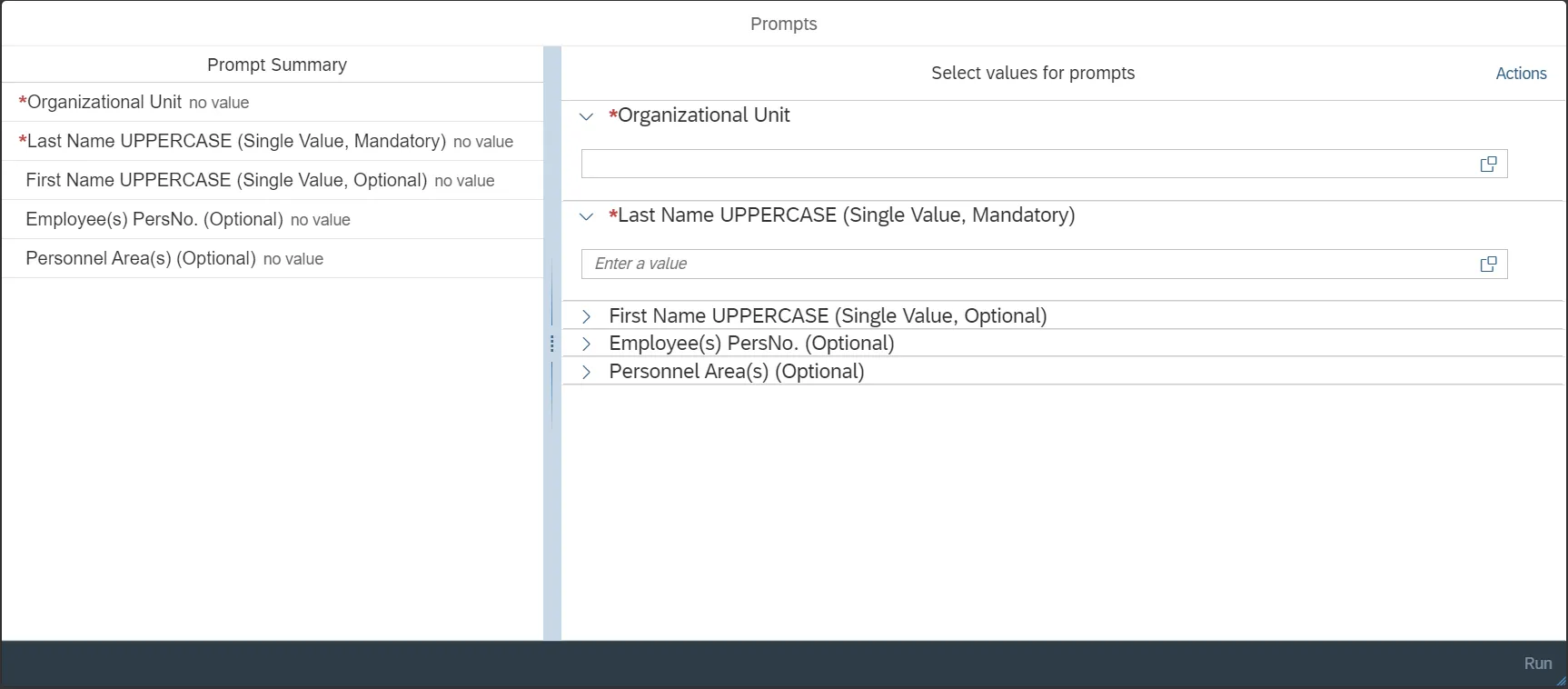
This report is generated after selecting values for the mandatory prompts. All mandatory prompts must have values selected before the Run Icon can be used to generate the report. Mandatory prompts can be identified as mandatory by the exclamation mark inside of the yellow-orange triangle, the square with the checkmark, or the display of (Mandatory). Detailed instructions for interaction with each prompt can be found on the Crystal Report Prompt List on the OSC website.
The Mandatory prompts for this report are:
- Organizational Unit
- Last Name UPPERCASE (Single Value, Mandatory)
This report can also be further limited by utilizing the Optional prompts to further limiting the amount of data that retrieved into the body of the report. Optional prompts are indicated as option in parentheses beside the prompt.
The Optional prompts are:
- First Name UPPERCASE (Single Value, Optional)
- Employee(s) PersNo. (Optional)
- Personnel Area(s) (Optional)
Report Layout
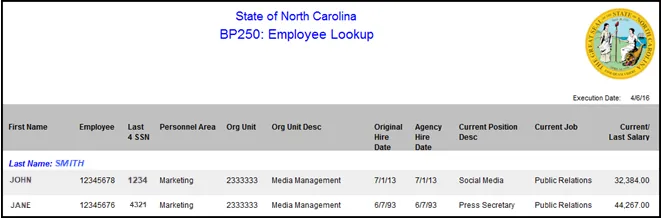
The report lists current information for all employees corresponding to the Last Name selected. Below is a sample rendering.
Special Report Considerations/Features
- The following Employee Subgroups are excluded because they are not paid from the Integrated HR-Payroll System.
- G1 Contractor
- G3 Volunteer
- G4 Board Member
- G6 Federal
- 'Current/Last Salary’ reflects the employee’s current salary or, in the case of a separated employee, the employee’s last salary.