Purpose
The purpose of this Report Description is to explain how to generate a list of all employees and their current information based on a single Last Name lookup in the Integrated HR-Payroll System.
Report Description
This report provides a list of all employees, and their current information based on a single Last Name lookup.
Report Location
Public Information
Report Uses
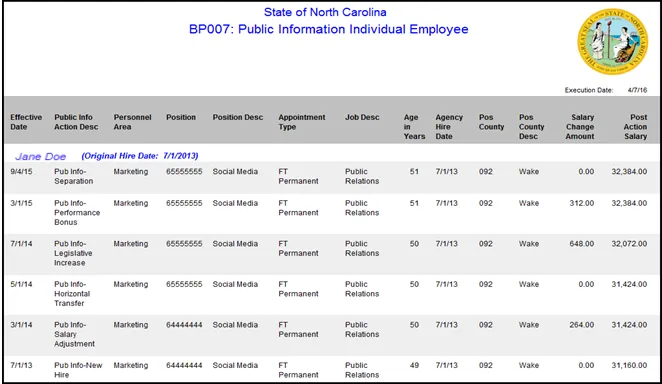
Agencies use this report to look up a particular employee and then launch report ‘BP007: Public Information Individual Employee’ to obtain the employee’s Public Information reportable action history.
How to Generate This Report
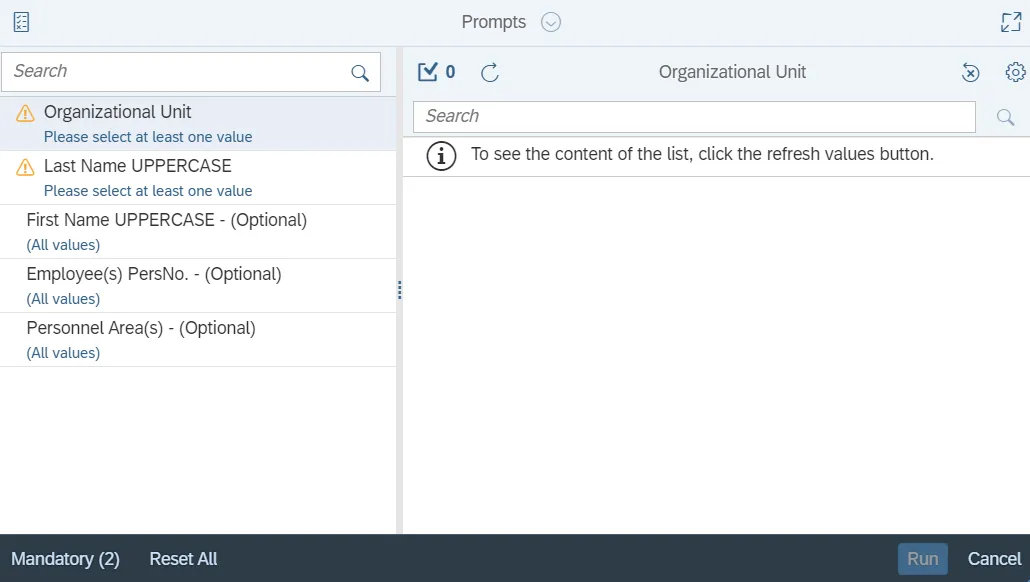
This report is generated after selecting values for the mandatory prompts. All mandatory prompts must have values selected before the Run Icon can be used to generate the report. Mandatory prompts can be identified as mandatory by the exclamation mark inside of the yellow-orange triangle, the square with the checkmark, or the display of (Mandatory). Detailed instructions for interaction with each prompt can be found on the Web Intelligence Prompt List on the OSC website.
The Mandatory prompts for this report are:
- Organizational Unit
- Last Name UPPERCASE
This report can also be further limited by utilizing the Optional prompts to further limiting the amount of data that retrieved into the body of the report. Optional prompts are indicated as optional in parentheses beside the prompt.
The Optional prompts are:
- First Name UPPERCASE - (Optional)
- Employee(s) PersNo. - (Optional)
- Personnel Area(s) - (Optional)
Note: Since the system contains a large number of employees, using broad wildcard searches can be very slow and may result in an error if the search exceeds the system limit. If the employee number is not known and a name search must be done, narrow down your search by using the wildcard with specific text strings when looking for an employee by name such as:
Jane*Doe*
*Doe
If the employee number is known, it is best to use the manual entry field in Employee(s) PersNo. - (Optional) to enter the selection.
Initial Layout
The report lists current information for all employees corresponding to the Last Name selected. Below is a sample rendering.
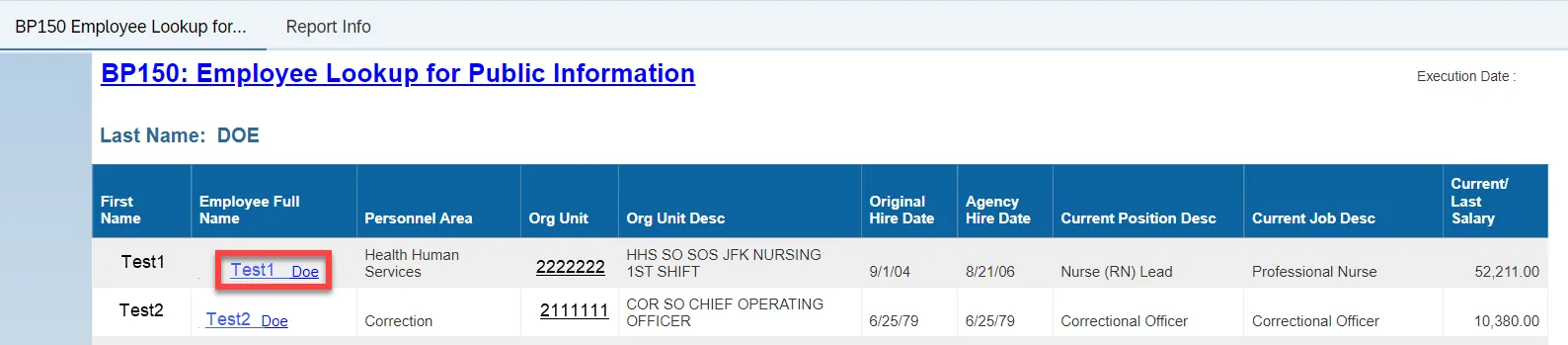
- Click on the Employee Full Name to launch BP007 report.
Available Objects
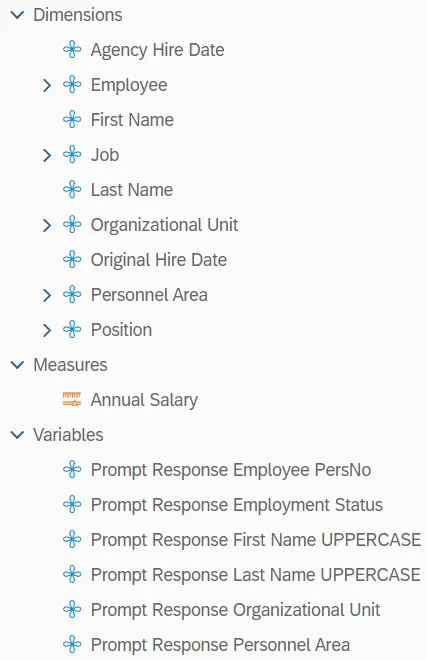
This is a list of the available objects that can be added to the report, from the Document Dictionary once in the Design mode:
Dimensions
- Agency Hire Date
- Employee
- First Name
- Job
- Last Name
- Organizational Unit
- Original Hire Date
- Personnel Area
- Position
Measures
- Annual Salary
Variables
- Prompt Response Employee PersNo
- Prompt Response Employment Status
- Prompt Response First Name UPPERCASE
- Prompt Response Last Name UPPERCASE
- Prompt Response Organizational Unit
- Prompt Response Personnel Area
Special Report Considerations/Features
- The following Employee Subgroups are excluded because they are not paid from BEACON.
- G1 Contractor
- G3 Volunteer
- G4 Board Member
- G6 Federal
- ‘Current/Last Salary’ reflects the employee’s current salary or, in the case of a separated employee, the employee’s last salary.