Purpose
The purpose of this Quick Reference Guide (QRG) is to provide a step-by-step explanation of how to perform view Item Supply and Demand in the North Carolina Financial System (NCFS).
Introduction and Overview
This QRG covers how to view Item Supply and Demand. Balancing your inbound supply with your outbound demand is critical to ensuring you have enough on-hand quantity to meet demand without stockpiling more supply than you'll actually use. The Item Supply and Demand page provides you with a quick summary of the on-hand quantity, incoming supply, and out-going demand on inventory items, so that you can see a time-phased look at on-hand quantity.
You can access your item supply and demand using the Redwood Item Supply and Demand page available under the Inventory tasks in the Inventory Management work area. The Item Supply and Demand page allows you to search and view all your supply and demand per item, delivering an improved user experience.
Perform View Item Supply and Demand
To View Item Supply and Demand in Inventory Module Setup in NCFS, please follow the steps below. There are 6 steps to complete this process.
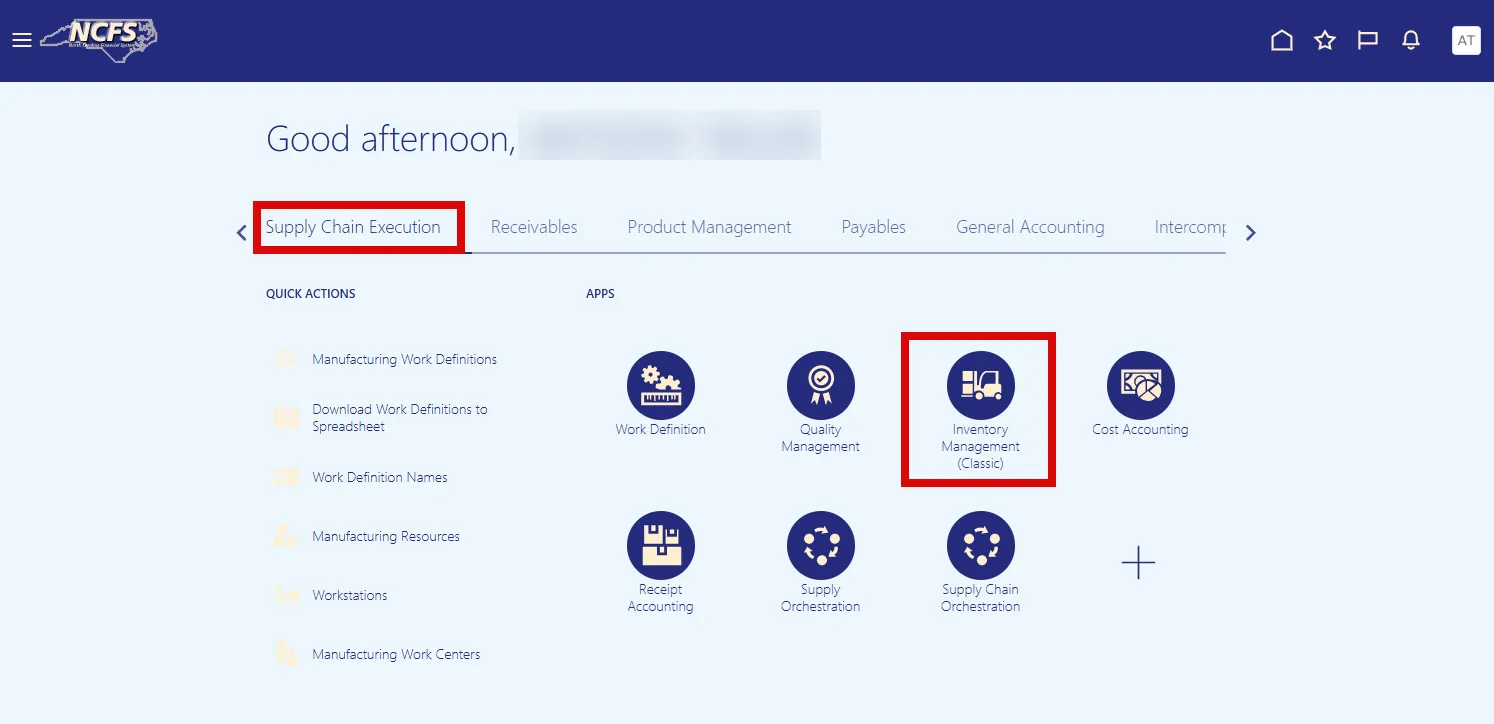
Step 1. On the Home page, click the Supply Chain Execution tab, and select the Inventory Management icon.
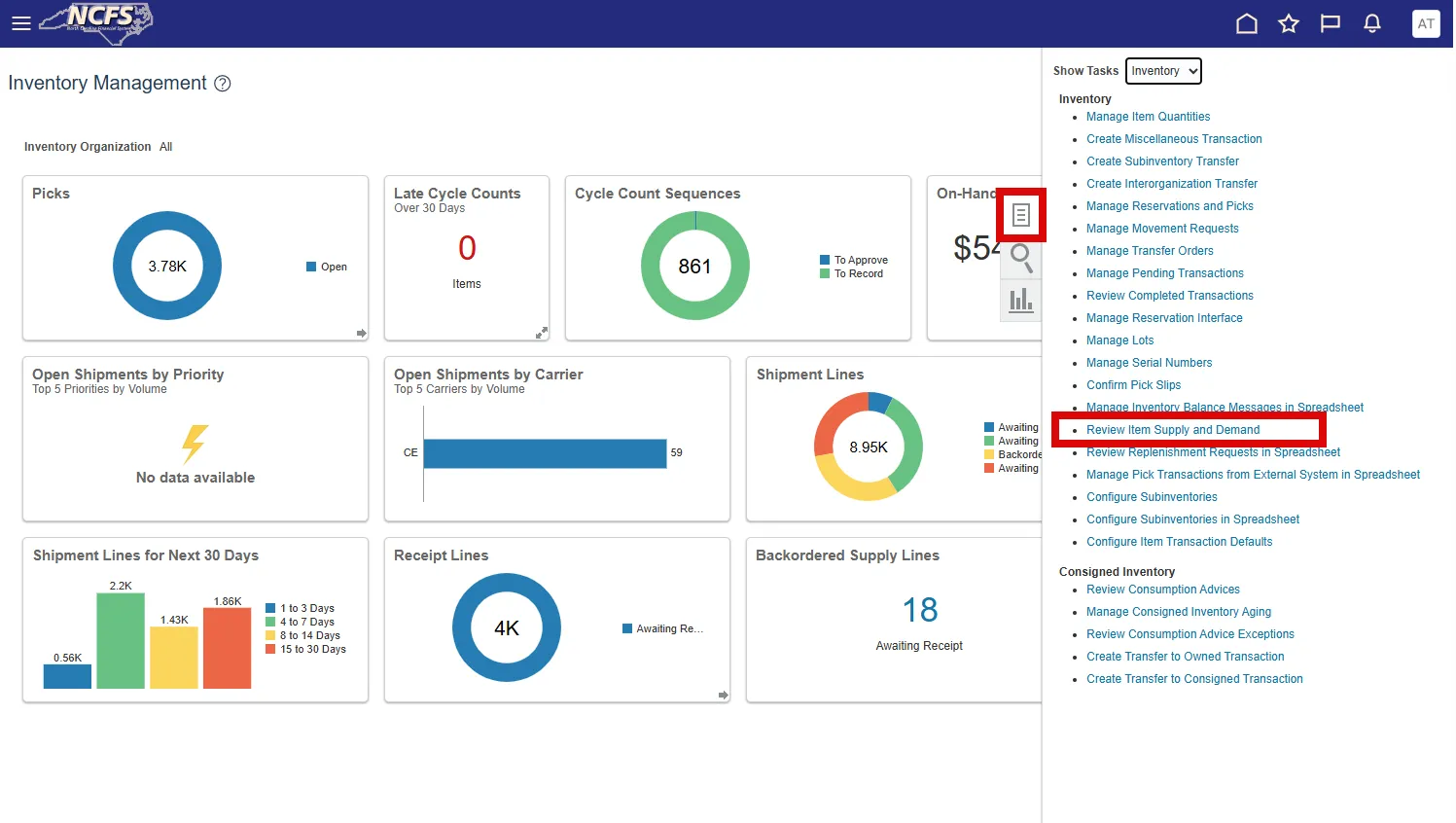
Step 2. Click the Tasks menu, under Inventory show tasks, and select Review Item Supply and Demand.
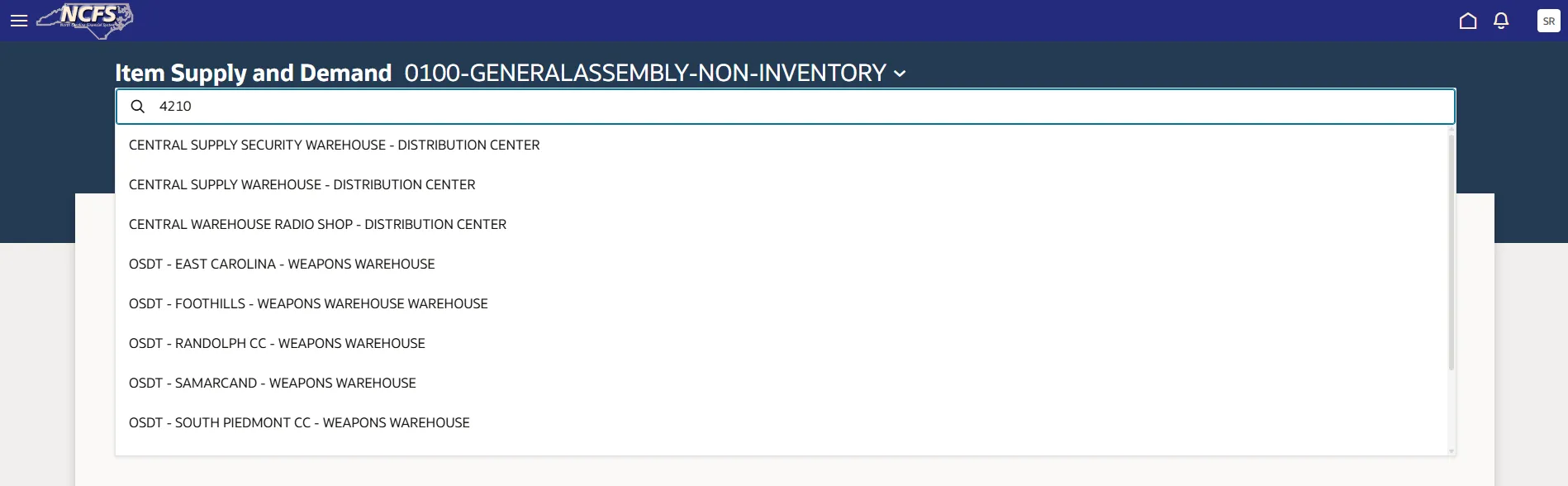
Step 3. Select the appropriate Inventory Organization from the drop-down selection. You can type in the Inventory Organization to narrow search.
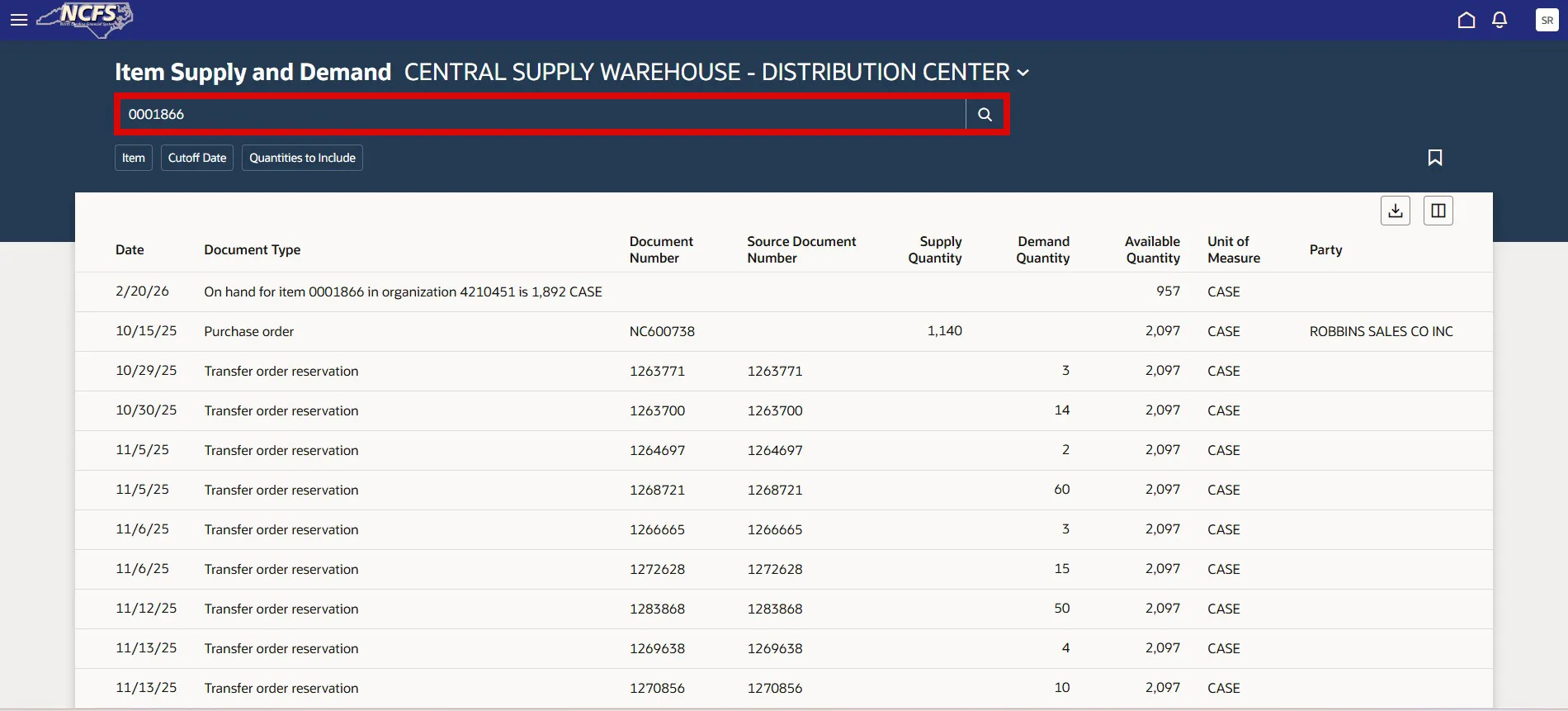
Step 4. Next, enter the item number you wish to view supply and demand data for and click the search icon.
Step 5. There are three filter options to select from:
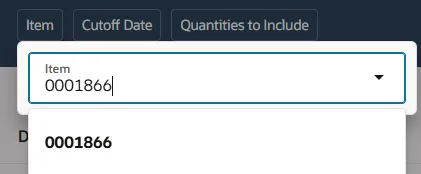
- Item Number: Enter Item number to review supply and demand data
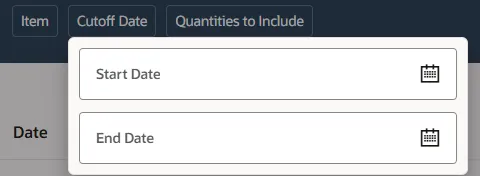
- Cutoff Date: Select Start and End date to see data for a specific time period
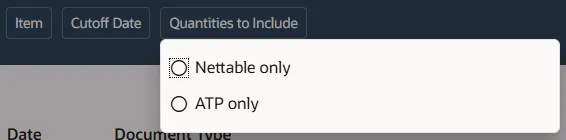
- Quantities to Include:
- Nettable: Quantities available for fulfilling demand
- ATP(Available to Promise): Part of inventory and planned production which are available for future orders.
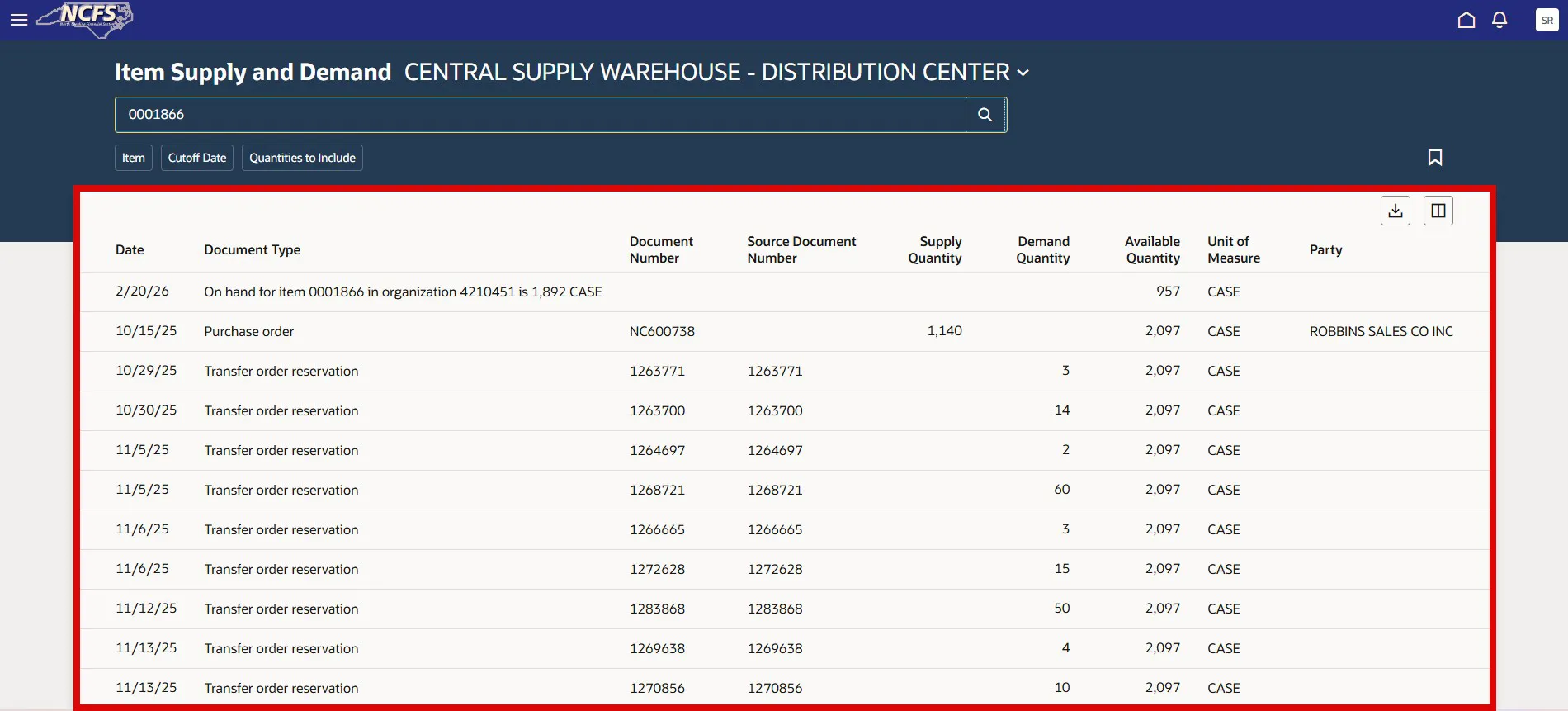
Step 6. You can now view important information regarding Inventory Item Supply and Demand
- Date of Transaction
- Document Type
- Supply Types:
- On-hand quantity
- Purchase order quantity in Receiving
- Purchase orders
- Purchase requisitions
- In-transit shipments
- Transfer orders
- Transfer order quantity in Receiving
- Work order assembly
- Demand Types:
- Sales orders
- Transfer orders
- Transfer order shipment lines
- Shipment lines
- Outside processing orders
- Return to supplier orders
- Return to supplier orders from outside processing manufacturing
- Sales order reservations
- Transfer order reservations
- Work order reservations
- User-defined reservations
- Account reservations
- Account alias reservations
- Cycle count reservations
- Movement request transfer demand
- Movement request issue
- Work order components
- Supply Types:
- Document Number
- Source Document Number
- Supply Quantity: Quantity to be received to replenish on hand quantity
- Demand Quantity: Quantity requested
- Available Quantity: Quantity available to transact with
- Unit of Measure: Stock Keeping Unit
- Party: Supplier Name
Wrap-Up
Perform the steps shown above to set view Inventory Item Supply and Demand
Additional Resources
The Document Number field displays the external source order number.
The Source Document Number field displays the Oracle Order Management sales order number. This column displays values for only the sales order and sales order reservation demand types.
When you capture sales orders using an external source system and integrate those orders into Oracle Order Management, it's helpful to have both the Document Number and Source Document Number fields available on the Review Item Supply and Demand page. This lets you view both the external source order number and Oracle Order Management sales order number when reviewing your item's specific supplies and demands.
Several demand types always decrement the available quantity. These include outside processing orders, user-defined reservations, movement request transfer demands, movement request issues, and work order components.
A few demand types only decrement the available quantity when the supply isn't on hand. These include sales order reservations, transfer order reservations, and work order reservations.
There are also special cases for sales orders, transfer order shipment lines, and transfer orders. Sales orders and transfer order shipment lines only decrement the available quantity when there are no reservations. And transfer order lines only decrement the available quantity when there are no shipment lines.
Nettable quantities are available to fulfill demand. The on-hand quantity and available quantity calculations on the Review Item Supply and Demand page include nettable quantities. If the subinventory, locator, and lot for a quantity are nettable for their associated material statuses, then the item quantity is also nettable.
Non-nettable quantities aren't available for fulfilling demand. The on-hand quantity and available quantity calculations on the Review Item Supply and Demand page don't include non-nettable quantities.