Purpose
The purpose of this Quick Reference Guide (QRG) is to provide a step-by-step guide of how to manage standard operations in the North Carolina Financial System (NCFS).
Introduction and Overview
This QRG covers the process of managing standard operations. Once the work area, work center, and resources have been set up, the next step is to manage standard operations. This involves defining the specific steps required for each process, identifying the necessary resources, and detailing the actions to be performed. Standard operations can be managed directly within the system, which is the approach plant managers will use.
Manage Standard Operations
To manage standard operations in NCFS, please follow the steps below once logged in to the NCFS portal with your credentials to access the system. There are 16 steps to complete this process.
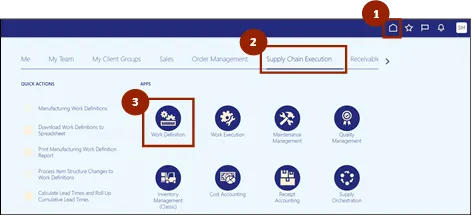
Step 1. Begin from the Home page, or click the Home icon.
Step 2. On the Home page, select Supply Chain Execution.
Step 3. Within the Supply Chain Execution tab, select Work Definition.
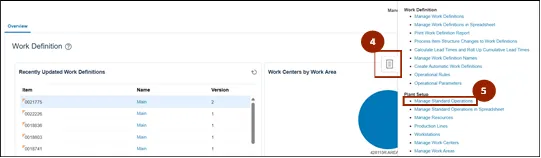
Step 4. From the Work Definition page, click the Task icon.
Step 5. Select Manage Standard Operations.
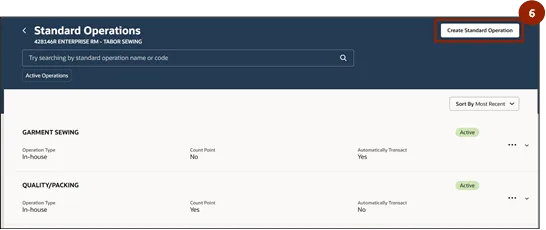
Step 6. On the Standard Operations page, select Create Standard Operation.
Step 7. In the Name field of the New Standard Operation page, enter the name for the Standard Operation.
Step 8. In the Code field, enter the unique identifier for the Standard Operation.
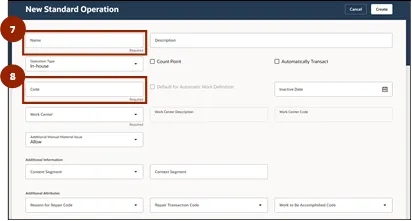
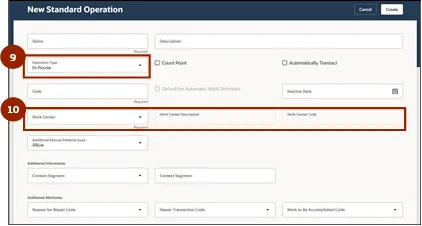
Step 9. In the Operation Type drop-down, select In-house or Supplier.
Step 10. In the Work Center drop-down, select the appropriate Work Center.
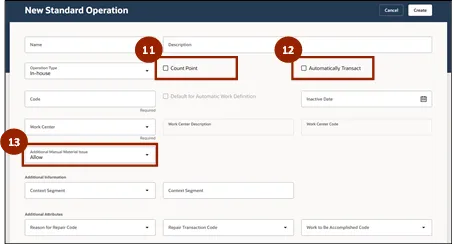
Step 11. Select the Count Point checkbox, if applicable.
Note: The Count Point checkbox is typically selected for packing operations, where the system requires manual confirmation point to record progress before proceeding.
Step 12. The Automatically Transact checkbox will be checked for all other operations (non-packing) so that the system automatically records the transaction when the step is completed.
Step 13. In the Additional Manual Material Issue dropdown, select Allow.
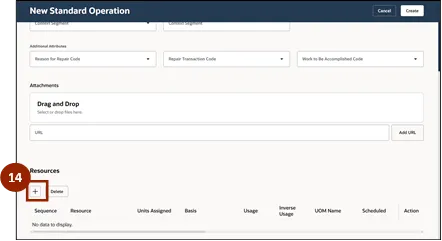
Step 14. To assign a resource to the Standard Operation in the Resources section, select the Add icon.
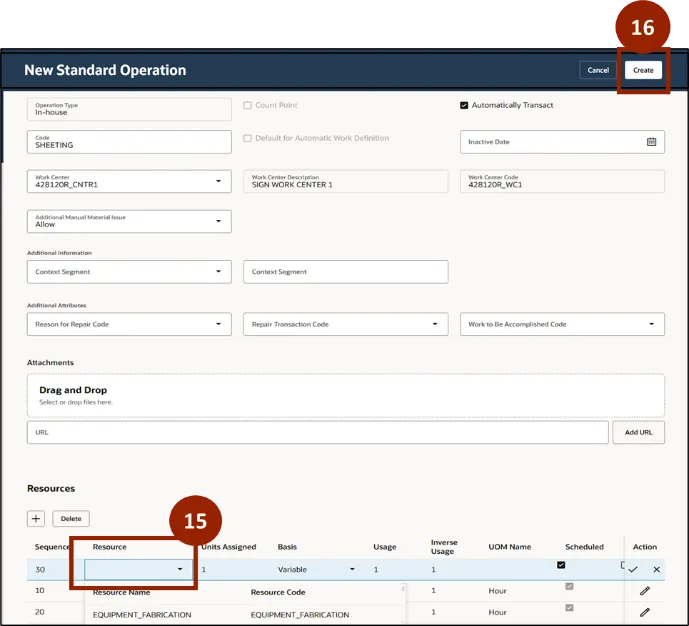
Step 15. In the Resource drop-down field, choose the desired resource from the list.
Step 16. Once all fields are complete, click Create.
Access the Manage Standard Operations Spreadsheet
Use the following steps to access and download the Manage Standard Operations spreadsheet in NCFS. This process allows users to view or manage standard operation data in Excel.
To manage standard operations in NCFS, please follow the steps below once logged in to the NCFS portal with your credentials to access the system. There are 5 steps to complete this process.
Step 1. Begin from the Home page, or click the Home icon.
Step 2. On the Home page, select Supply Chain Execution.
Step 3. Within the Supply Chain Execution tab, select Work Definition.
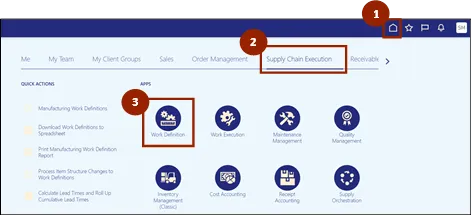
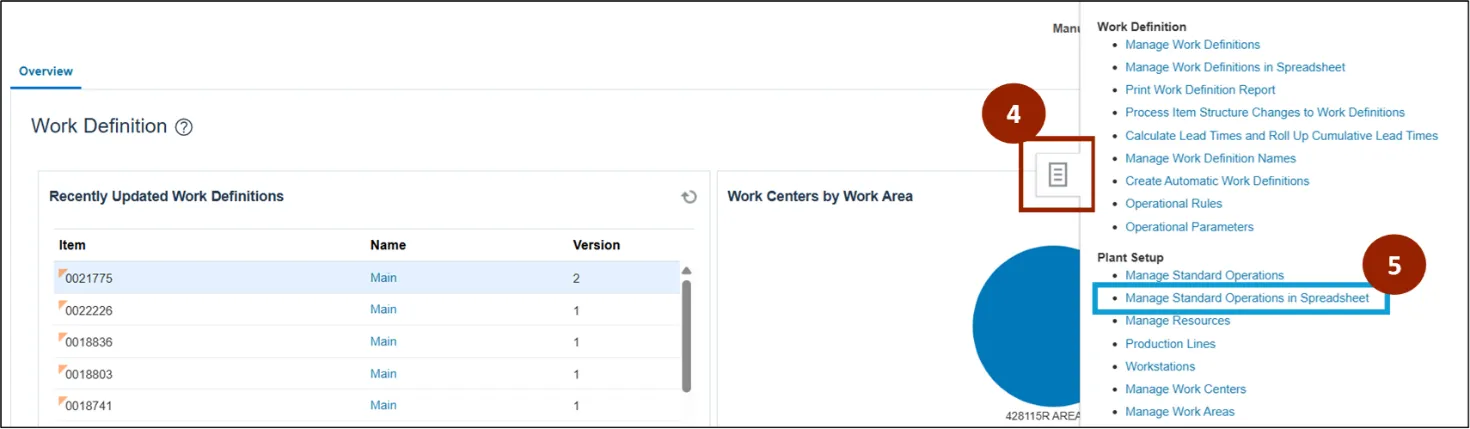
Step 4. From the Work Definition page, click the Task icon.
Step 5. Select Manage Standard Operations in Spreadsheet. The spreadsheet will automatically download for use in Excel.
Wrap-Up
NCFS users can follow the steps above for daily operation management within the system.
Additional Resources
- Instructor Led Training (ILT)
- Web-based Training (WBT)