Purpose
The purpose of this Quick Reference Guide (QRG) is to provide a step-by-step guide of how to Submit Collect Planning Data in the North Carolina Financial System (NCFS).
Introduction and Overview
This QRG covers the process of initiating and monitoring the scheduled job that updates inventory and reference data after transactions.
Submit Collect Planning Data
There are 11 steps to complete this process.
Step 1. Click the Company Single Sign-On (SSO) button.
Step 2. Enter your @dac.nc.gov email address.
Step 3. Click Next, then enter password.
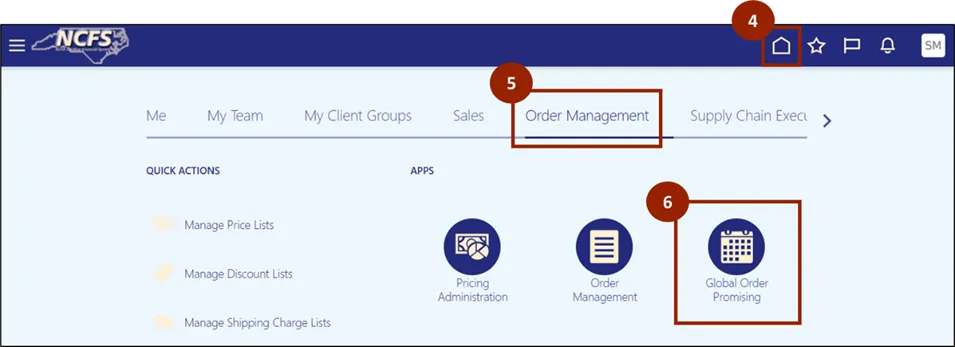
Step 4. Navigate to the Home page.
Step 5. While on the Home screen, navigate to the Order Management tab.
Step 6. In the Order Management tab, click on Global Order Promising.
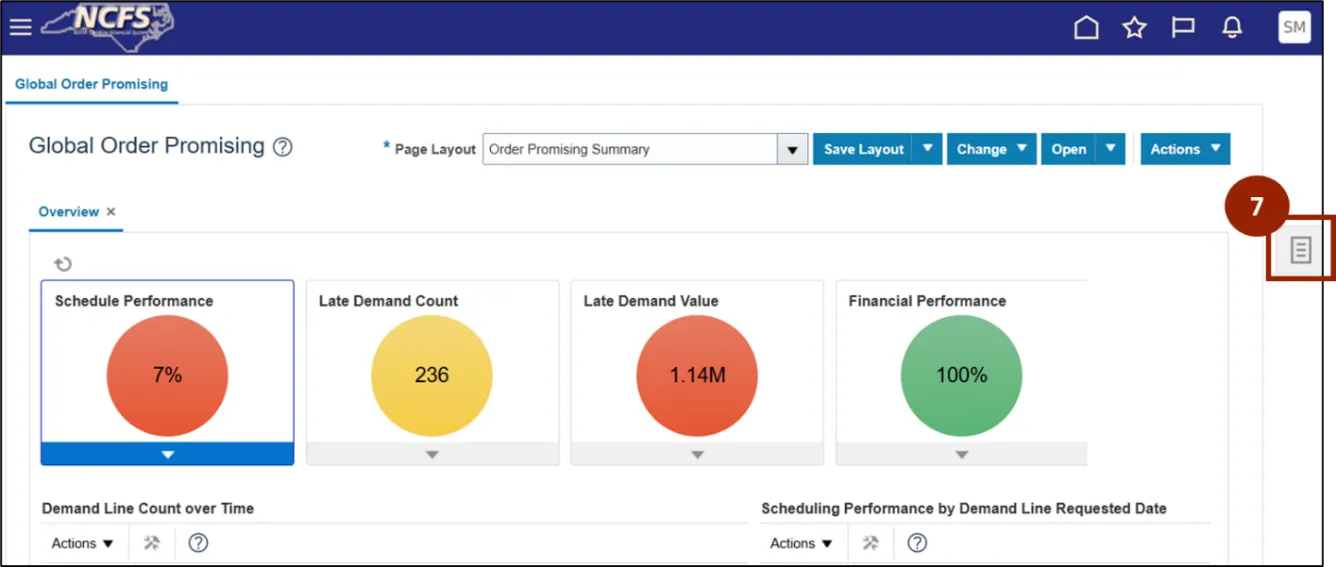
Step 7. Click on the Task icon.
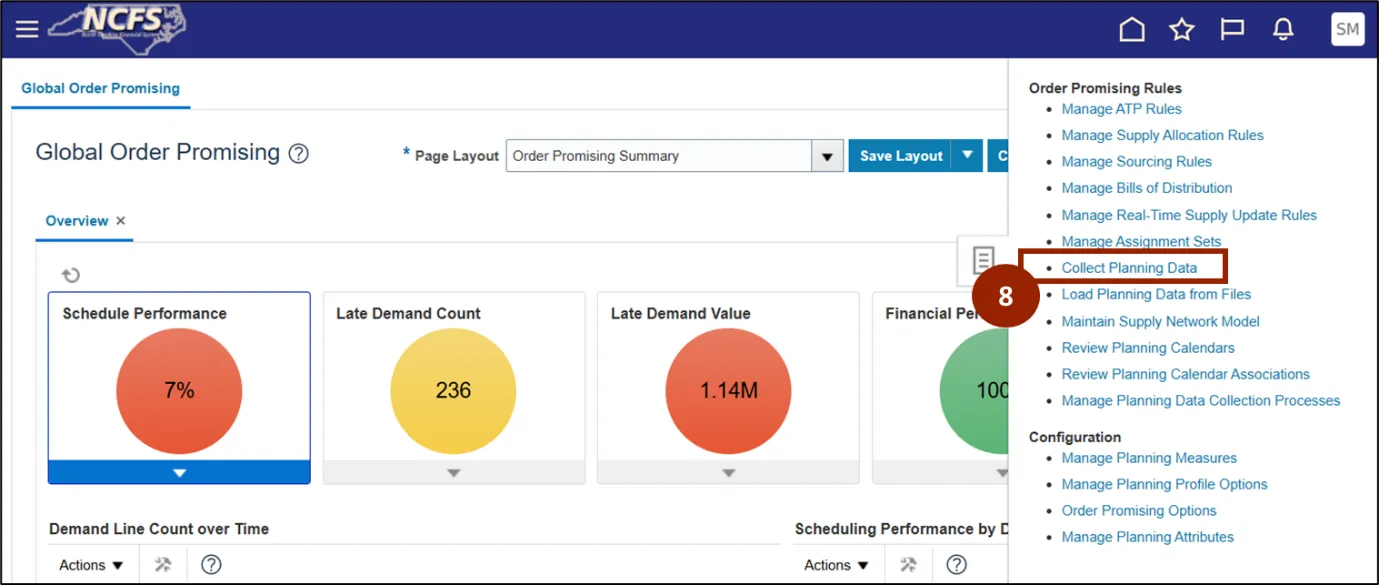
Step 8. Click Collect Planning Data.
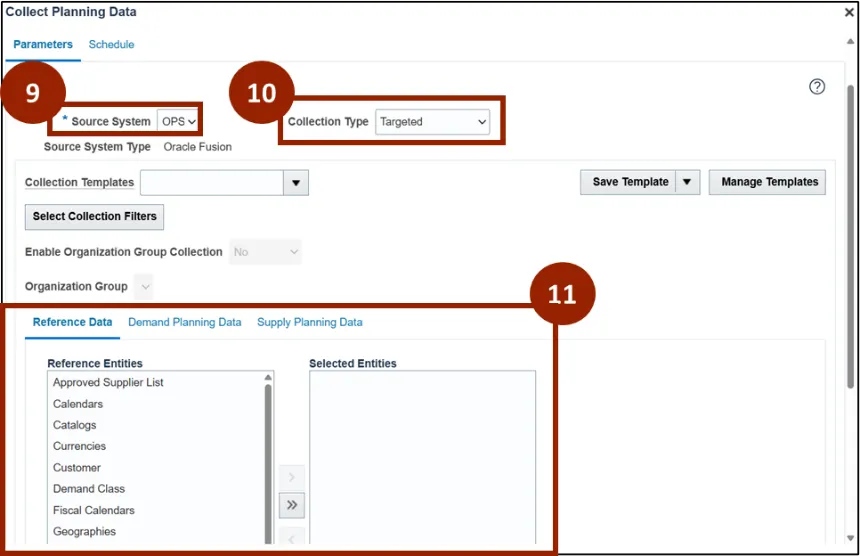
Step 9. In the Source System field, select OPS.
Step 10. In the Collection Type field, select Targeted.
Step 11. You can view Reference Entities and Selected Entities here.
Wrap-Up
NCFS users can submit collect planning data using the steps above.
Additional Resources
- Instructor Led Training (ILT)