Purpose
The purpose of this Business Process Procedure is to explain how to report employee moving expense reimbursement in the Integrated HR-Payroll System.
Moving expenses are defined as the reasonable cost of moving household goods and personal effects from a former residence to a new residence and traveling from the former residence. State agencies must follow the relocation guidelines in the State Budget Manual to pay employee moving expenses.
The Internal Revenue Service requires certain moving expense payments to be included on an employee’s W-2 form. See Moving Expenses on the IRS Website for more information.
Once expenses are verified and approved by the agency, changes can be made to an employee’s wage records.
Wage Types Used Within the Integrated HR-Payroll System
This information is keyed into the Additional Payments Infotype (IT0015).
- 1450 – Relocation Taxable, reimbursement DOT
- Pays the employee and taxable earnings are reported on the W-2.
- 1454 - Relocation Taxable Reimbursement
- Pays the employee and taxable earnings are reported on the W-2.
- 1456 - Relocation Taxable Reimbursement PORTS
- Pays the employee and taxable earnings are reported on the W-2.
- 1458 – Relocation Taxable, Non-Reimbursement
- Taxable earnings are reported on the W-2. Assumes payment was made outside of payroll system.
Procedure
There are 7 steps to complete this process.
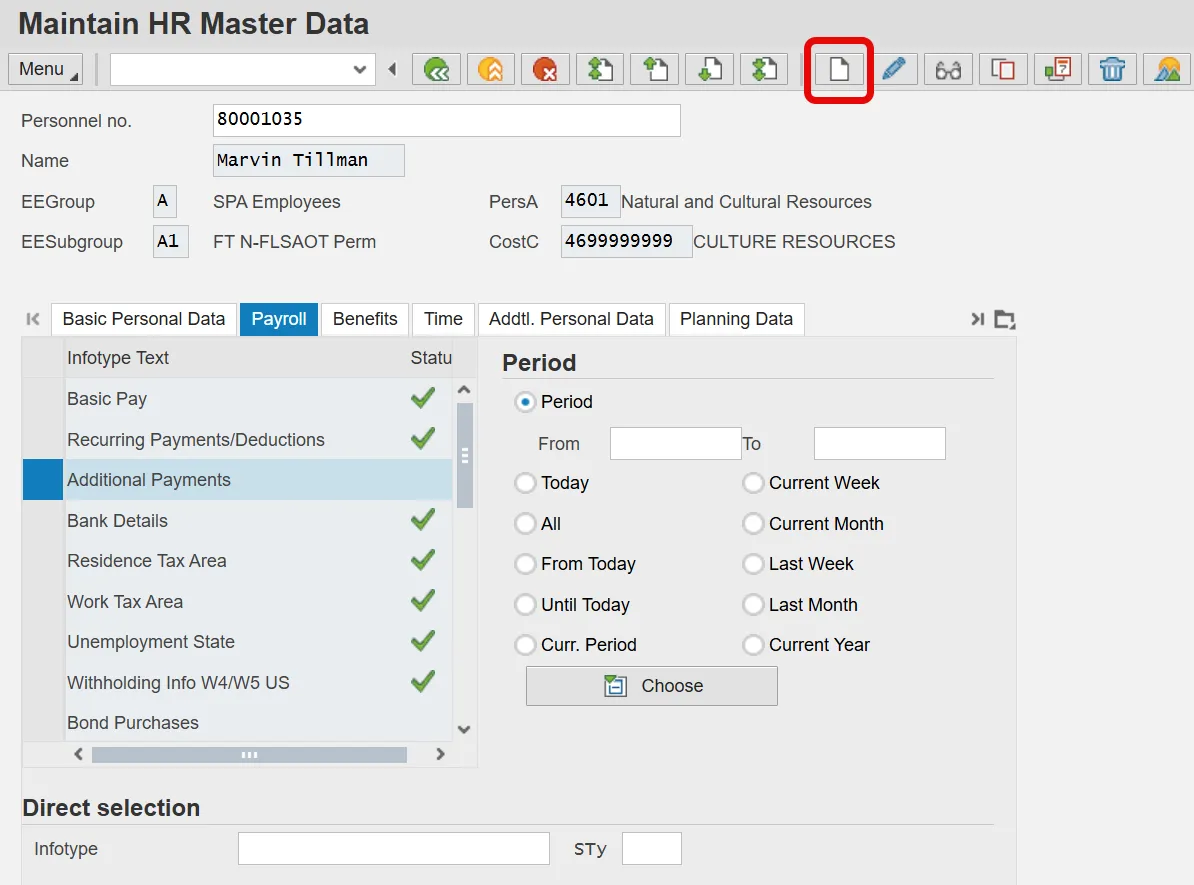
Step 1. Go to transaction PA30 (Maintain Master Data File).
Step 2. Enter Employee Identification Number (PERNR).
Step 3. Select Additional Payments Infotype (IT0015) under the Payroll Tab.
Step 4. Click the Create (F5) button. The Additional Payments screen displays.
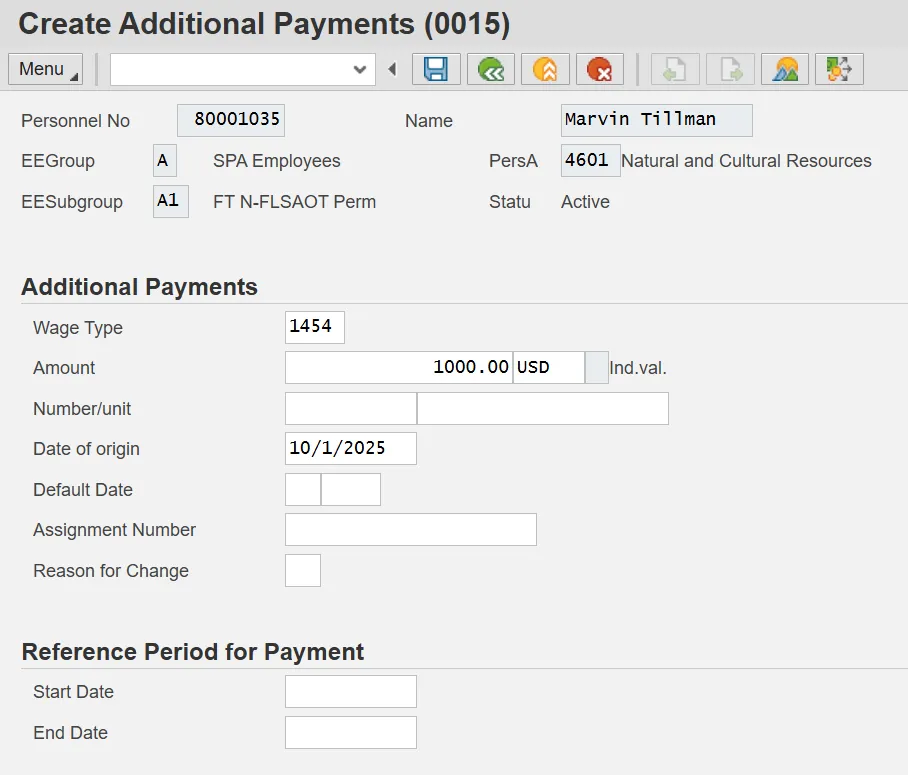
Step 5. Complete Infotype IT0015 (Additional Payments). Enter the following data:
- Wage type
- Dollar amount
- Date of origin
Step 6. Click or press Save to return to the initial screen.
Step 7. Repeat process for additional wage types if necessary.
- The moving expense amounts display in the Total Other Pay section of the remuneration statement.
- Notice in this example, the expense is non-taxable and non-reimbursable and, therefore, is not part of the current tax or net pay calculations.
Note: For additional assistance in keying data in IT0015, reference the PY-24 Maintain One Time Payment Deduction 0015 BPP.