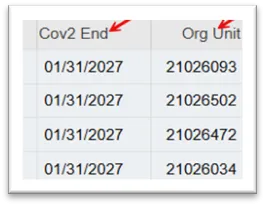
Purpose
The purpose of this job aid is to see an estimate of Average Weekly Hours for Temporary employees who are in the middle of a Measurement Period.
In support of Affordable Care Act rules, Temporary employees’ time will be measured over a 12-month look-back period to determine their average weekly hours. Agencies must offer the opportunity to enroll in the High Deductible Health Plan to any employees whose weekly average is calculated to be 30.00 hours or more.
Agencies can run the ZBNR052 – ACA Reports Period-To-Date option at any time in order to see what their Temporaries’ Average Weekly Hours have been so far in the current Measurement Period. Managers can see if their Temporaries have been working more or less than 30 hours per week.
Initial Screen
There are 4 steps to complete this process.
Tip: Click the Program documentation button to see helpful tips and additional details about the options on the initial screen.
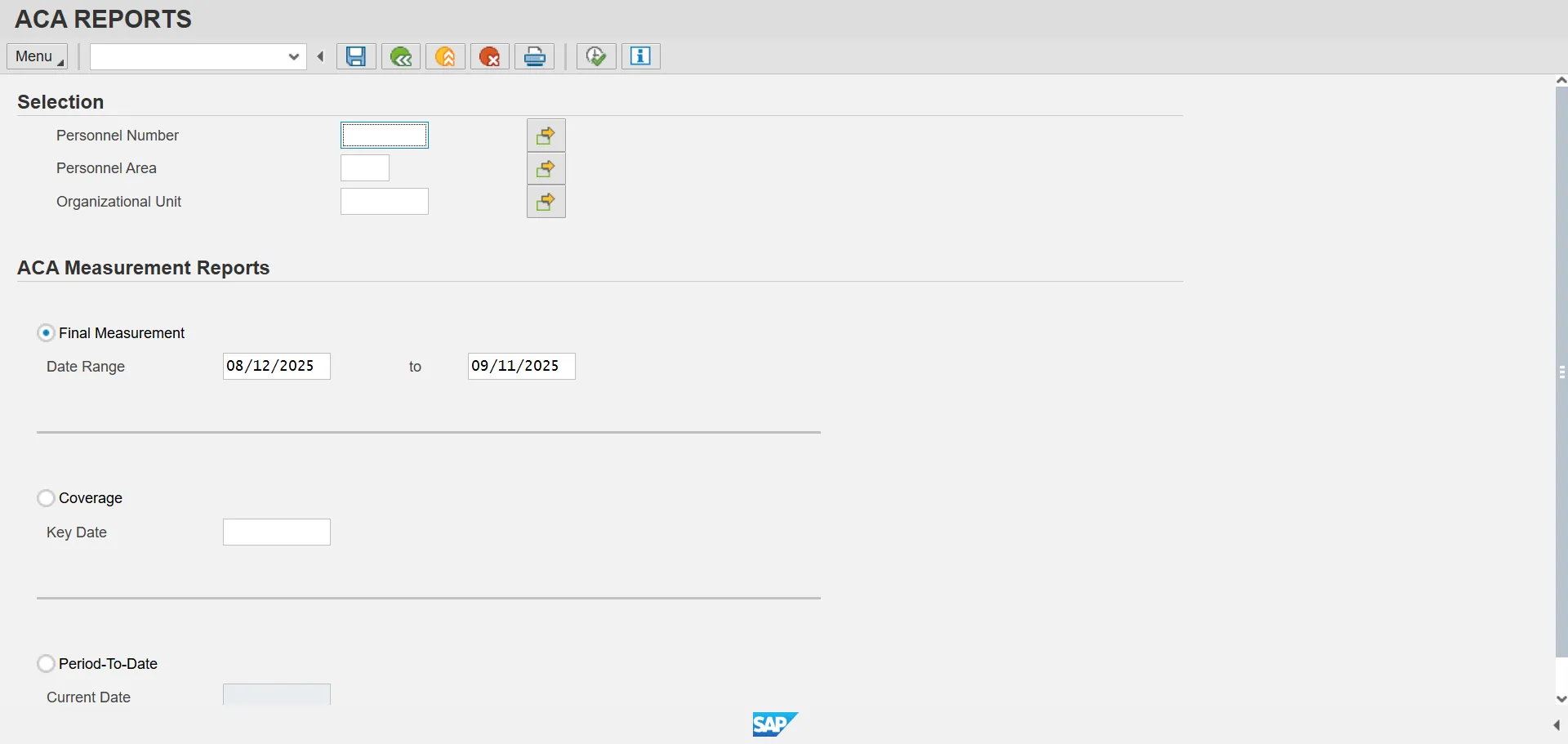
Step 1. Enter employee’s Personnel Number or leave empty to return all employees you have security to see.
Step 2. The Final Measurement option is selected by default. Instead, click the radio button for the Period-To-Date option.
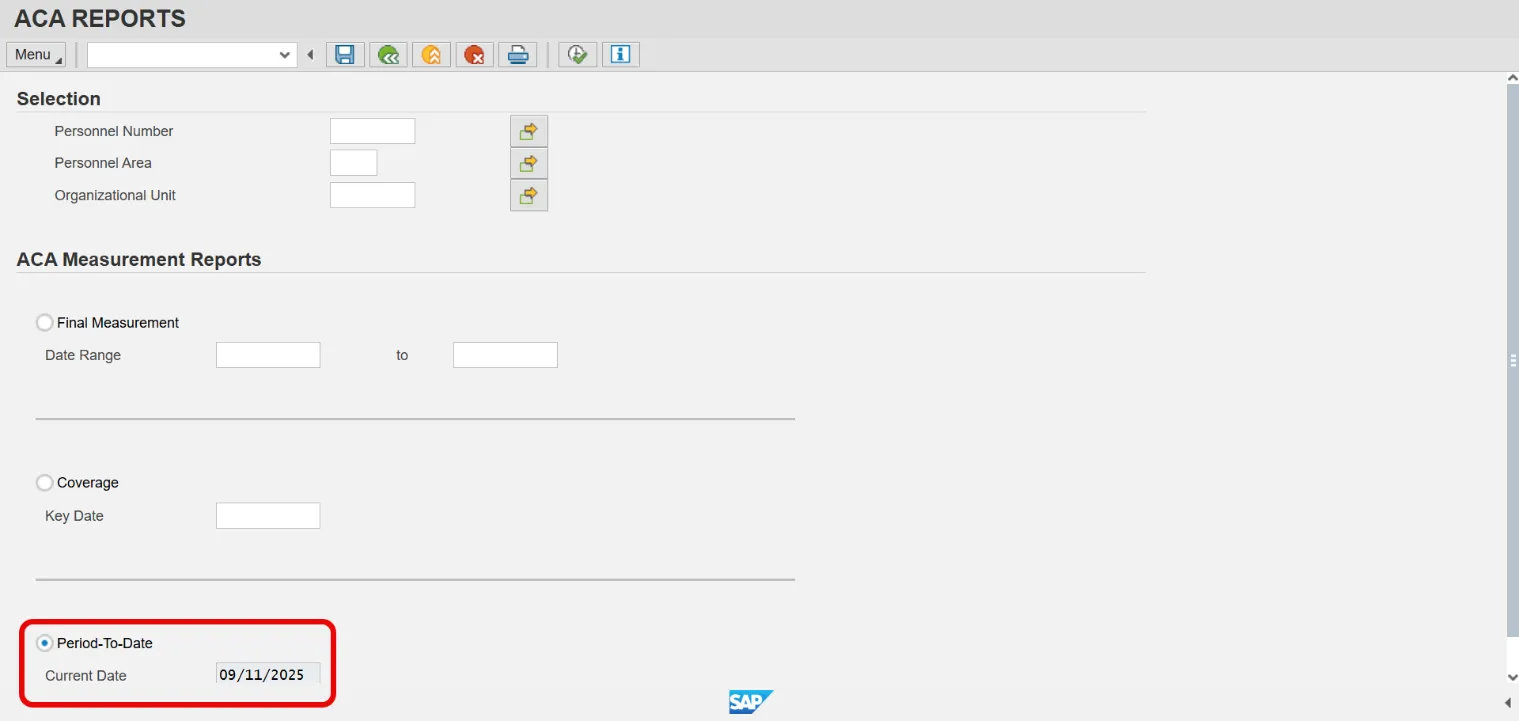
Step 3. Click the Execute button.
Step 4. View the Period-to-Date report results.
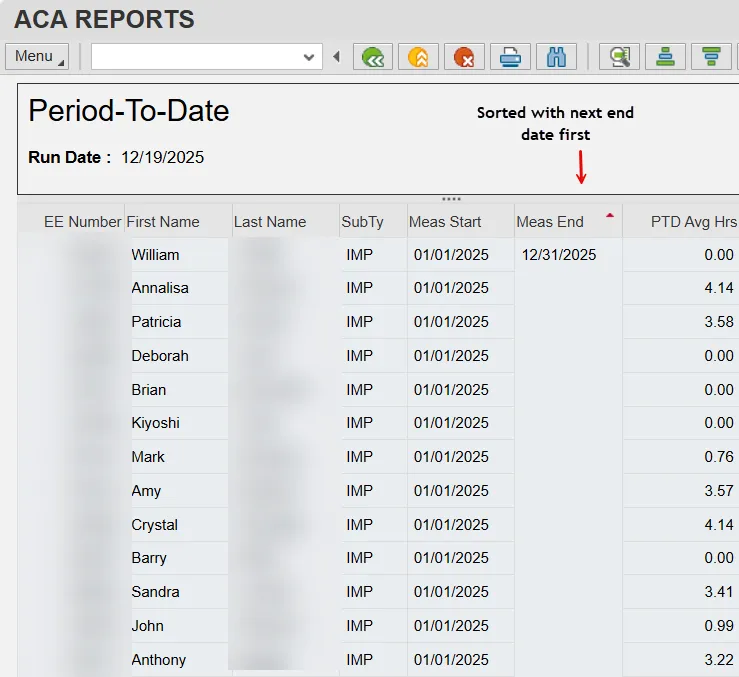
The default report layout sorts the results to show EEs who will be measured sooner at the top of the list.
Tip: You can use the sort and filter buttons to rearrange the results. You can export the data for use in other programs, such as Excel and Word.
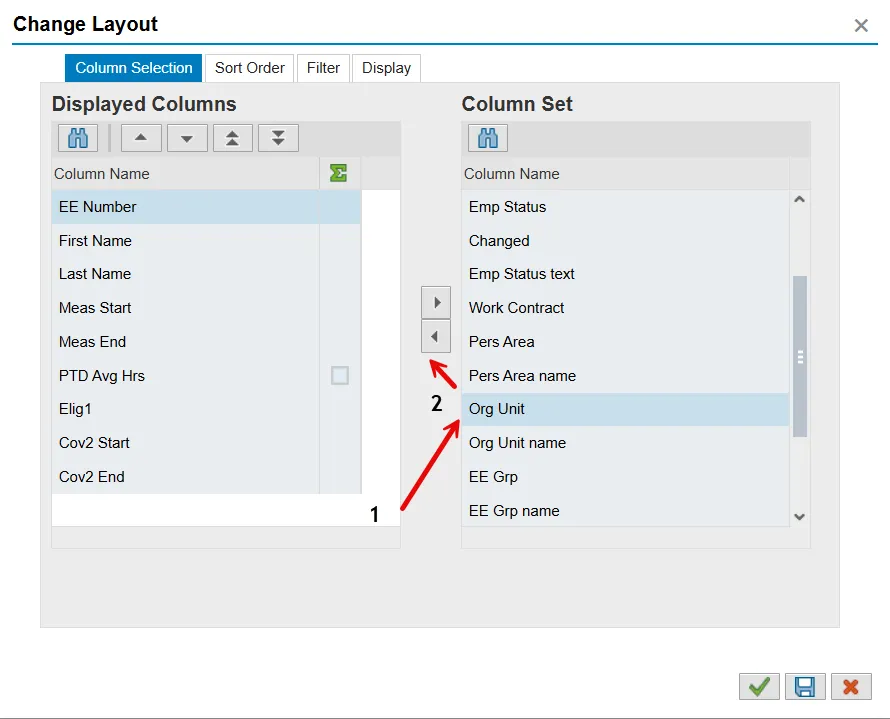
Tip: Additional fields can be added to the report results, such as Org Unit, Personnel Area, the EE’s address, etc. Click the Change Layout button, select a field from the Column Set, and click the Show Selected Fields button. Then click the Green Check button.